Skip to the page
Your first film, on usin 48 hours

How we made Juno's product video.

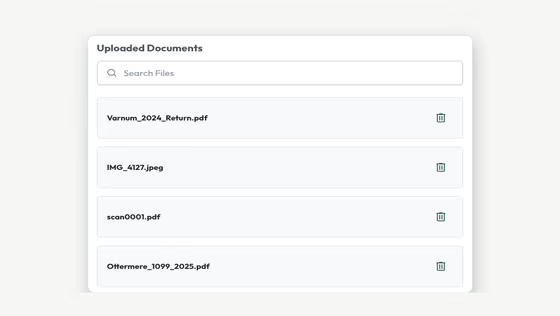
A 75-second film we made from Juno's live product, as an example of our work. We made a demo taxpayer's pile of paperwork and ran one return through Juno for the film.

Tax prepProduct film · 1:15 · B2B · Unofficial demo1:15 · Unofficial demoAlsoThe reel · 0:55

13 chapters

AlsoThe reel · 0:55

Juno (juno.tax) is tax prep software for CPA firms. Our film follows one taxpayer's messy pile of documents to a binder, ticked and signed off.

Juno's part
Press play.

Juno: the film

0:00 / 1:15
02What Juno does
For your film, we check how people find you

We studied Juno first.

Tax prep software built by a CPA.[1] We read its site and went through its YouTube channel to see how Juno shows itself.[2]

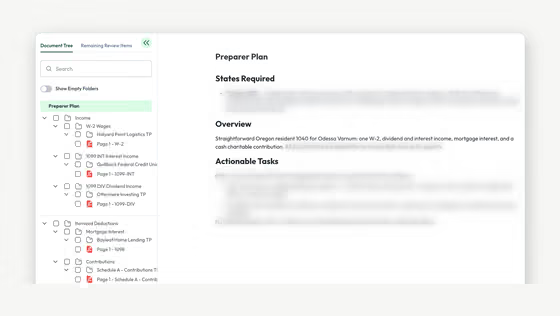
Juno reads the documents a tax firm receives, from phone photos to combined scans, then builds a review-ready workpaper and binder, every value linked to its source.[3,4]

“...saves us a ton of time, not just in prep but during review too.”

A tax accountant at Blackhawk Accounting, on Juno's homepage (opens in a new tab).
Their 35 videos: 25 run half an hour or more.

One bar, one of their videos; its height is its length. We went through all 35.

03Tax software films
For your film, we study your market

We looked at tax software films.

Tax pros searching YouTube find demos, rankings and speed claims. Ours follows one whole return.

Theirs

Tax prep videos come in these four kinds.

We searched YouTube on Nov 5 and went through 20 of them.

  • Demos and webinarsA demo of Avalon, 50:59[6]
  • Coaches' rankingsA tax-firm coach's ranking, 16:44[7]
  • Accuracy and speedFiled's benchmark film, 5:12[8]
  • Brand filmsBlack Ore's brand film, 1:46[9]

Ours: one whole return

Ours opens on the taxpayer's pile.
And ends on the preparer's tick.
04The story
For your film, we write the story in your brand

We picked one story.

Three ideas went on paper, and we picked the one that keeps Juno's product on screen from the pile to the sign-off.

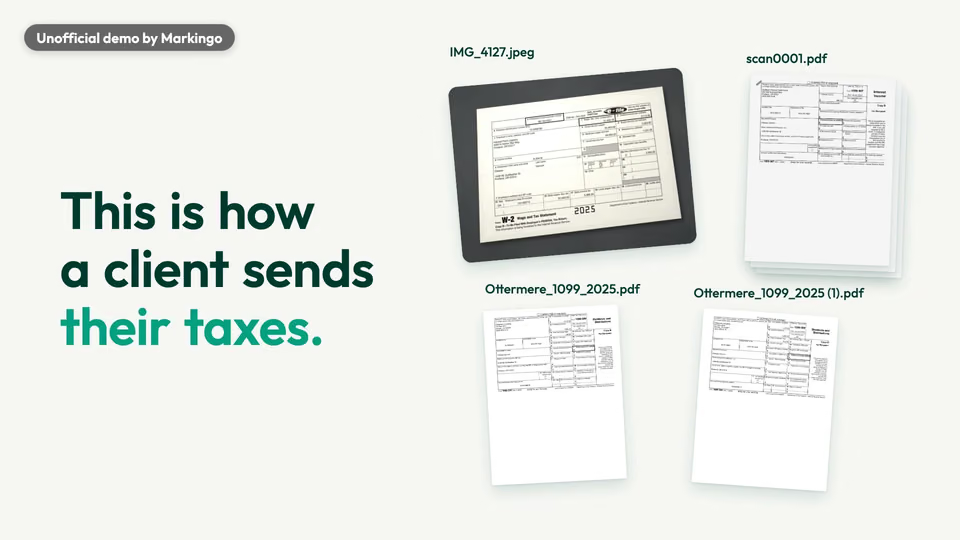
“This is how a client sends their taxes.”

The film, at .

We chose “The pile, review-ready”.

  1. AThe pile, review-readyChosen

    Why we chose it: It shows Juno's own promise, a messy pile made ready for review, on one ordinary return.[10]

  2. BLine by line

    Why not: Close, but too little of Juno on screen.

  3. CLeaves your hands

    Why not: Its best part, the handoff to review, already fit inside the story we chose.

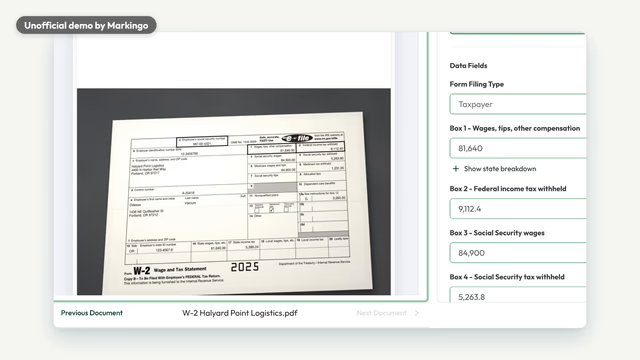
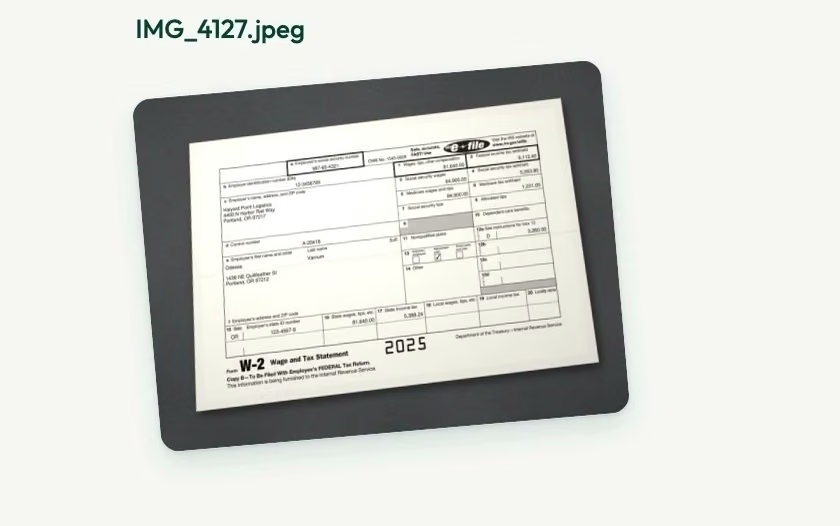
The W-2, step by step.

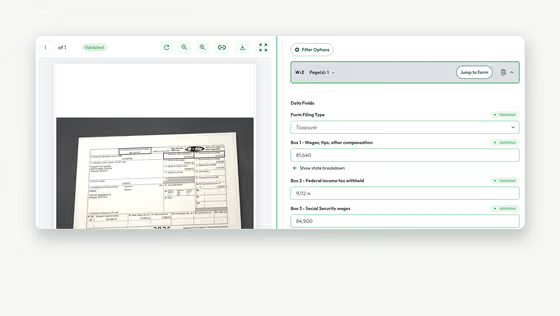
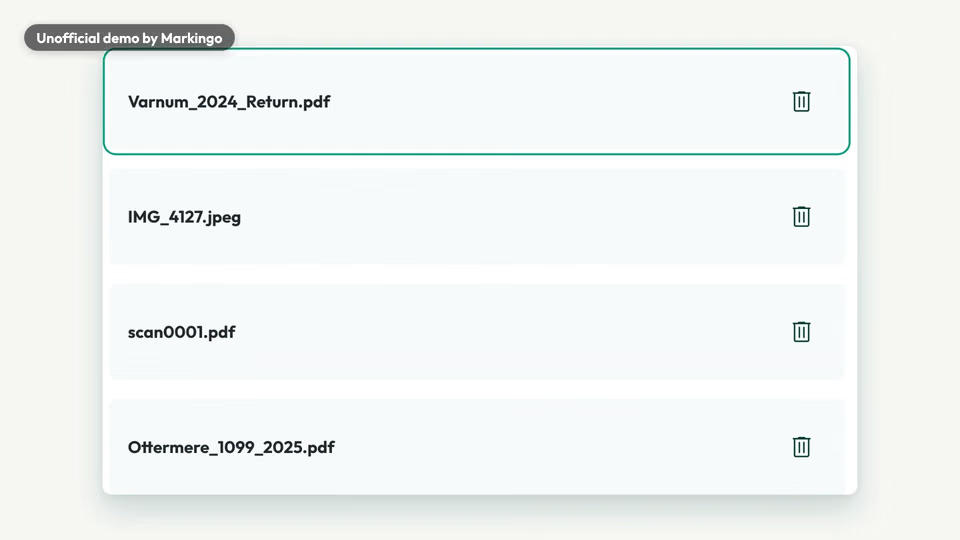
  1. 1Sent as a photo

    IMG_4127.jpeg

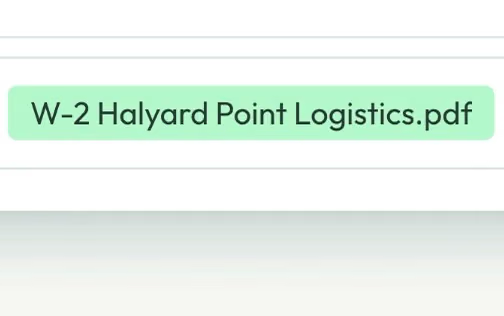
  2. 2Renamed

    W-2 Halyard Point Logistics.pdf

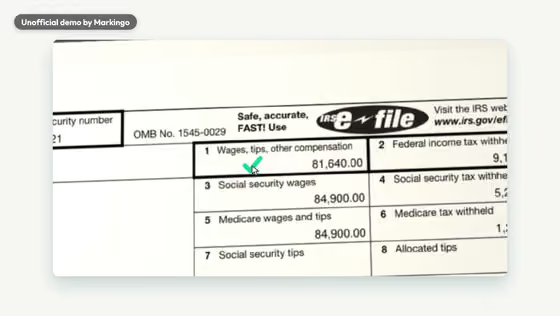
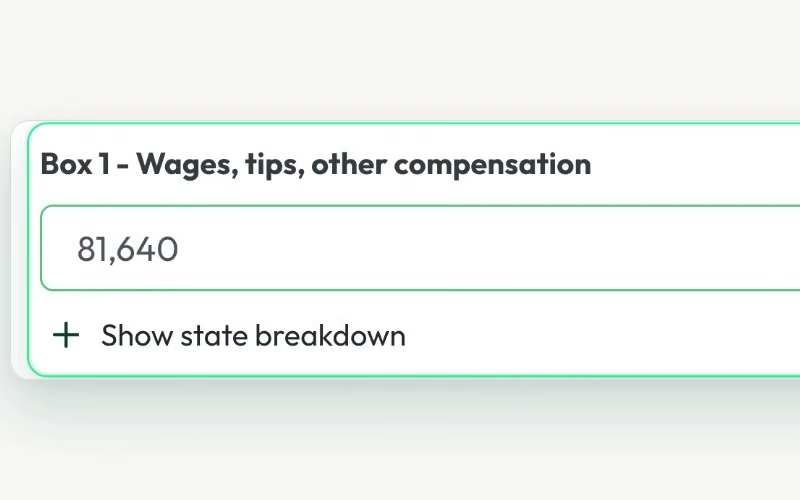
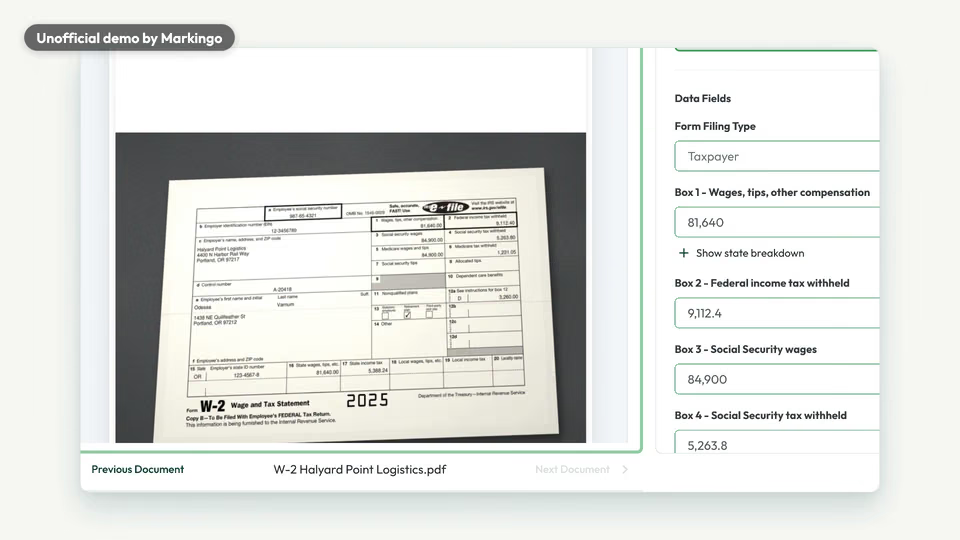
  3. 3Read

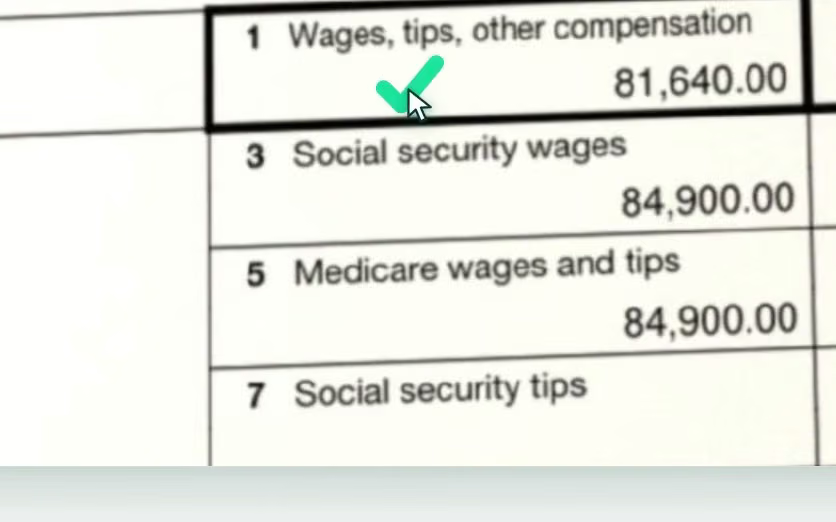
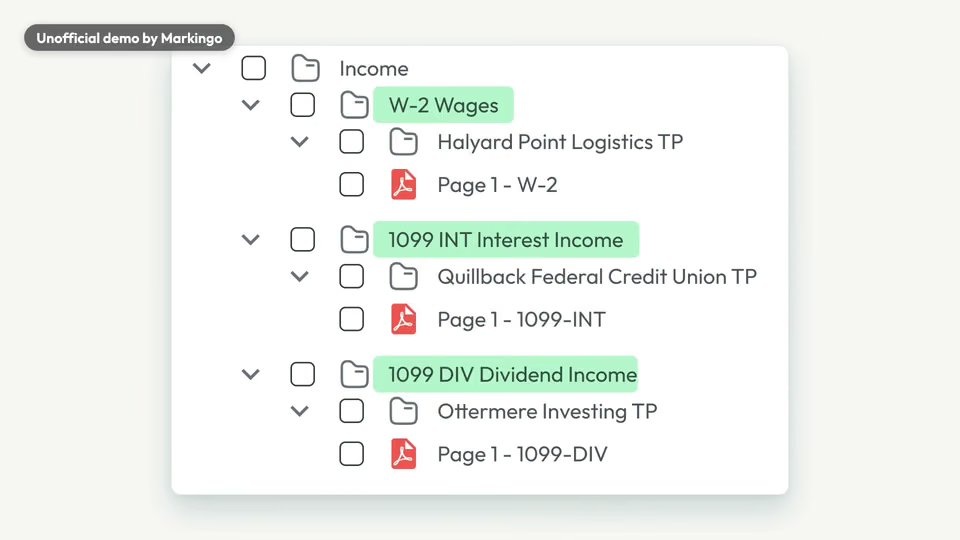
    Box 1: 81,640

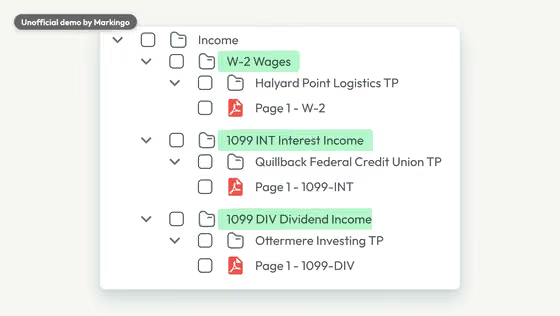
  4. 4Filed in order

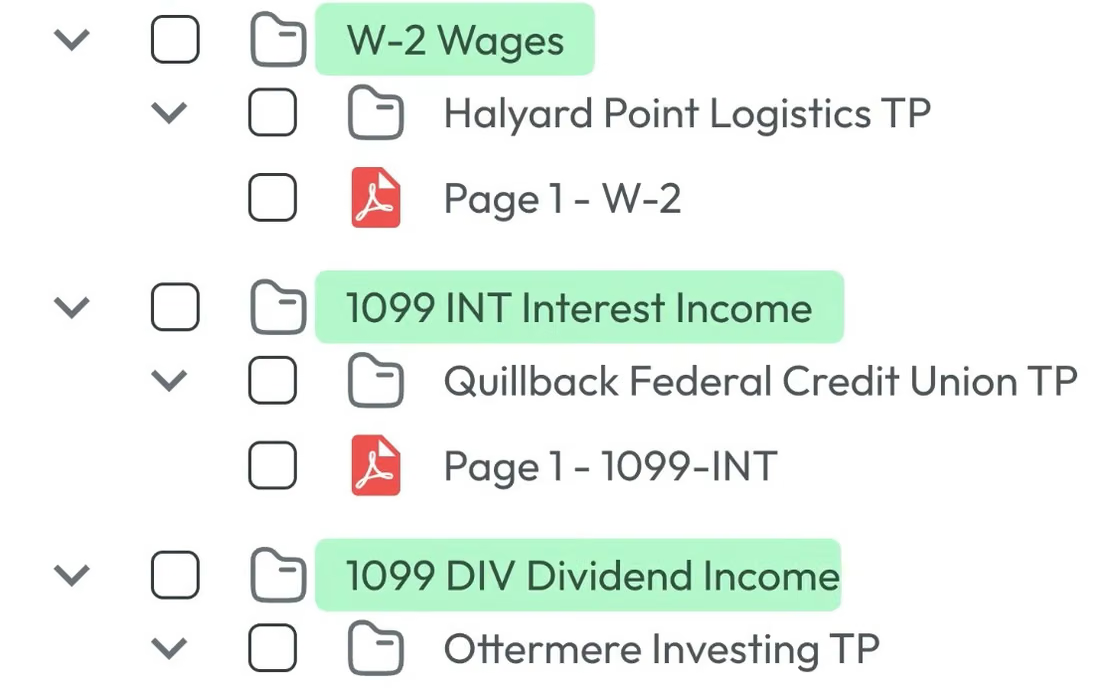
    W-2 Wages

  5. 5Ticked

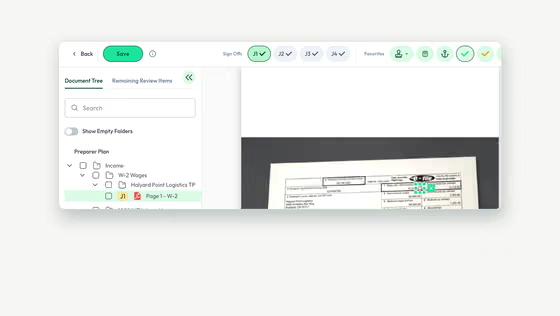
    81,640.00, ticked

  6. 6Signed off

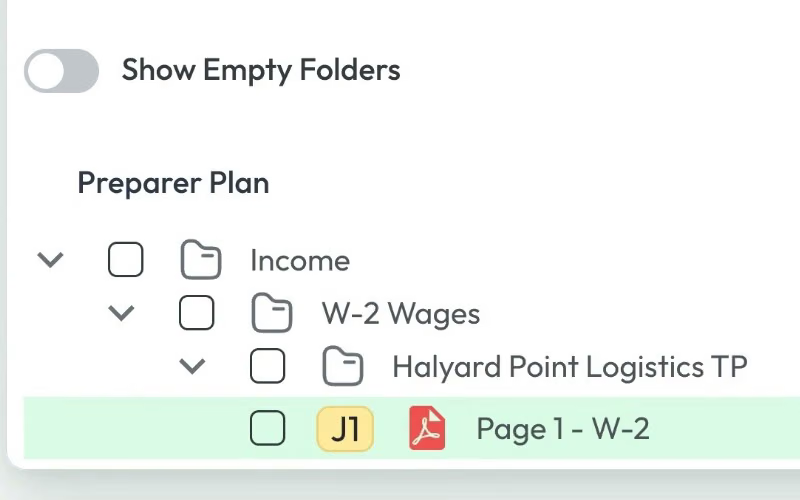
    J1 sign-off

05Screens, planned and filmed
For your film, we film every screen

We planned every screen, then filmed it.

We drew thirteen from Juno's real screens, so each document in the pile had its moment planned. Pick a moment to play it.

Changed from our plan: 7 of 11 momentsFilmed as planned: 4 momentsThe rest of the film

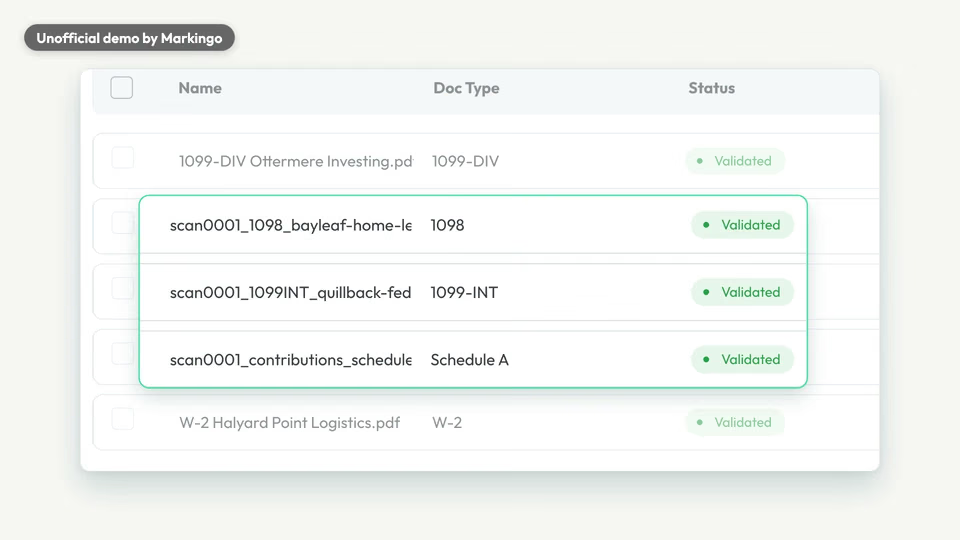
Read, split, renamed·

Read, split, renamed

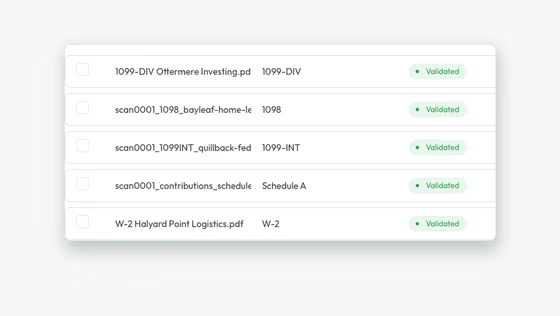
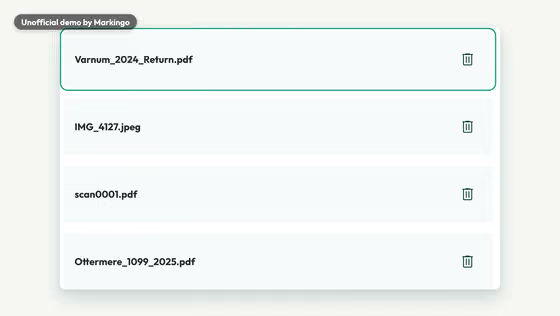
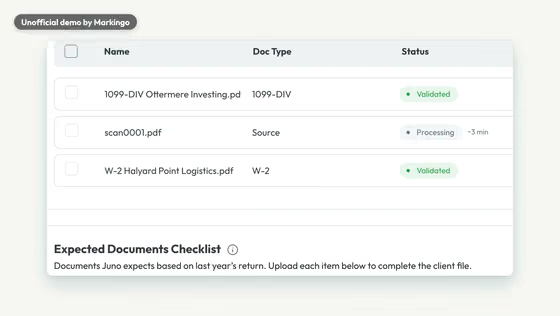
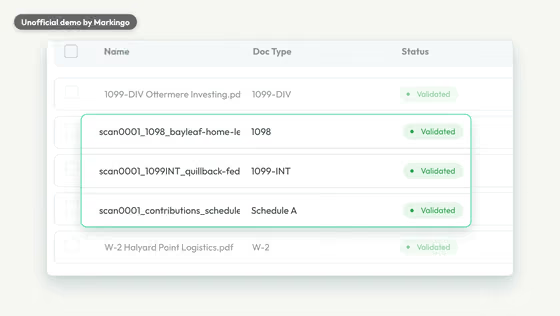
PlannedThe real screens as they came: the scan splits into three, every file renamed.

WhyThe moment to remember: one scan becomes three forms.

ChangedIn the film we box the scan's three split files in green and dim the other rows.

Every screen is Juno's own; the taxpayer is a demo.

06Motion and music
For your film, we animate it

We animated it and wrote its music.

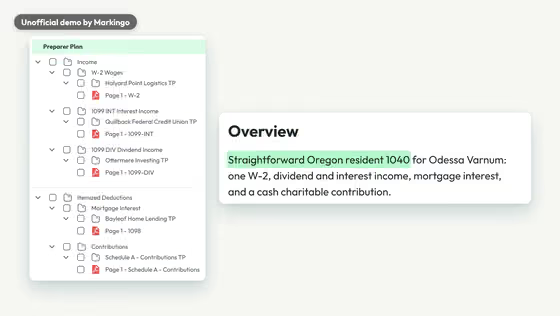
A pile of tax papers ends up filed in order. Listen for the bells when the binder appears and the warm last chord at the close.

The music goes quiet before Juno's name, then comes back in full on the binder.

For your film, we write its music
Play the film from 0:00. Hum and piano · 0:00 to 0:10 · A steady, gentle hum and a soft piano, from the very first frame.Play the film from 0:10. Fewer notes · 0:10 to 0:16 · The piano drops to a note or two at a time under the typing.Play the film from 0:16. Quiet before the name · 0:16 to 0:22 · One soft chord plays on in the quiet before Juno is named, as the beat starts softly beneath it.Play the film from 0:19. Bells on Juno · 0:19 · A soft bell and a deep, rising tone after the name.Play the film from 0:18. Wooden notes, a beat · 0:18 to 0:38 · Soft wooden notes, a light drum beat and bass fade in under that chord and keep going as the product appears.Play the film from 0:38. Strings join · 0:38 to 0:49 · Warm strings come in as Juno counts the values and shows each one beside its source.Play the film from 0:49. Before the handoff · 0:49 to 0:58 · The beat drops out just before the story moves to the handoff to review.Play the film from 0:58. Full band back · 0:58 to 1:05 · On “binder” all the music comes back, with bells under the folder tree.Play the film from 1:05. Quieter · 1:05 to 1:08 · Lighter and quieter under the tick and the sign-off.Play the film from 1:08. Final chord · 1:08 to 1:15 · Piano and bells end on one warm chord that sounds until the film ends.
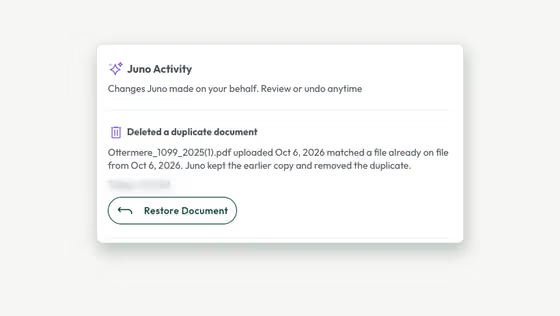
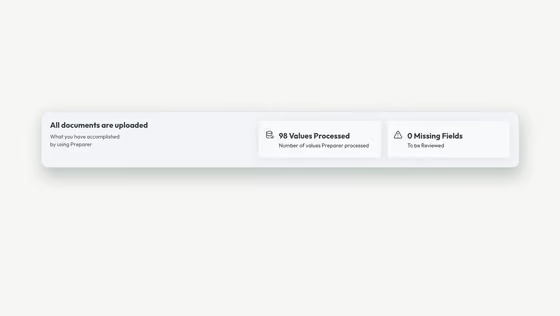
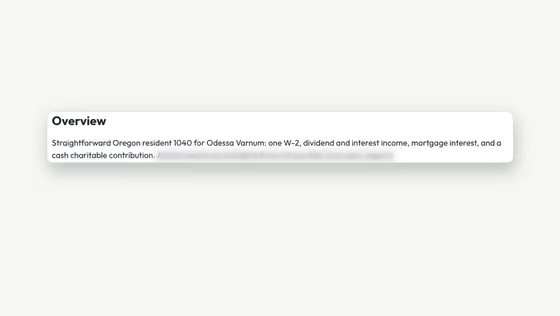
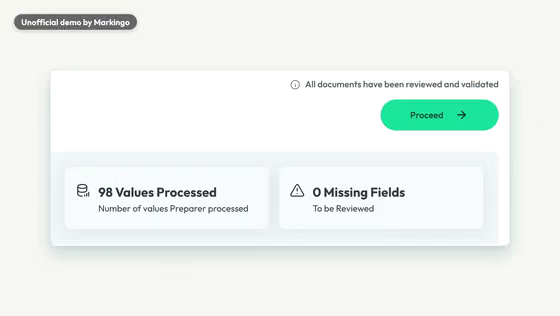
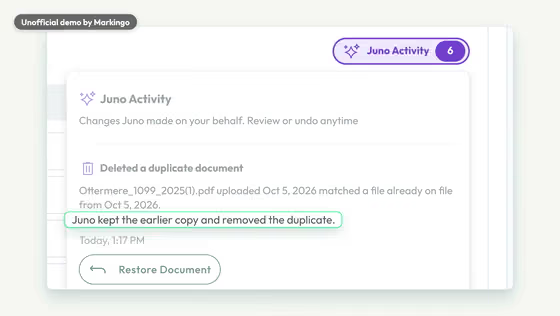
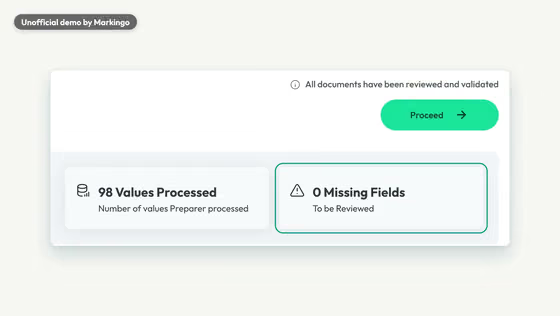
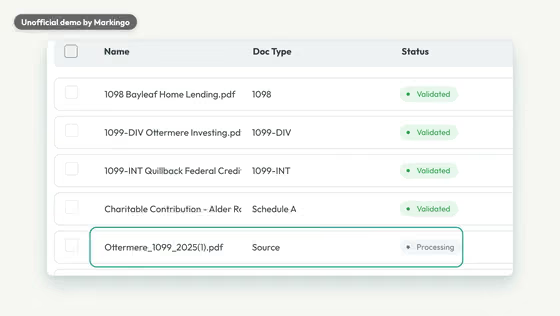
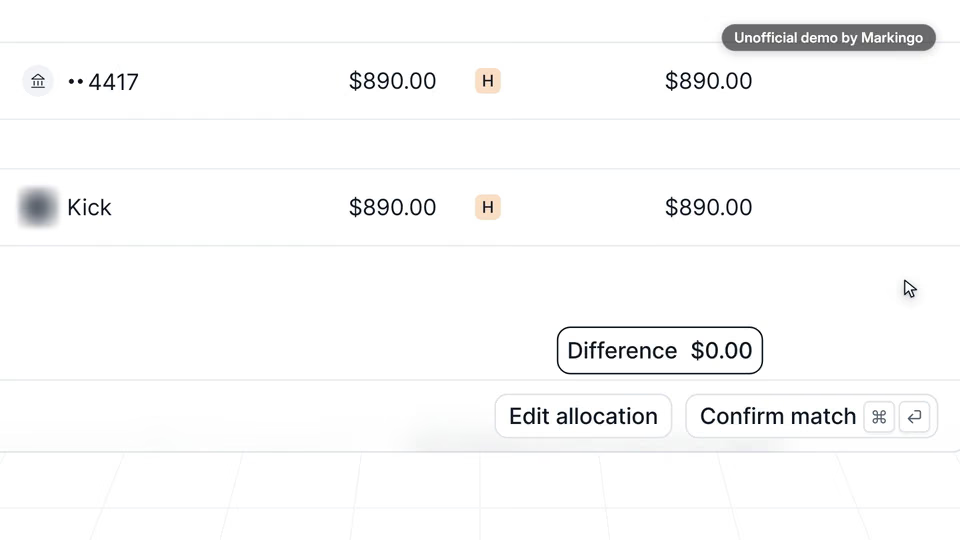
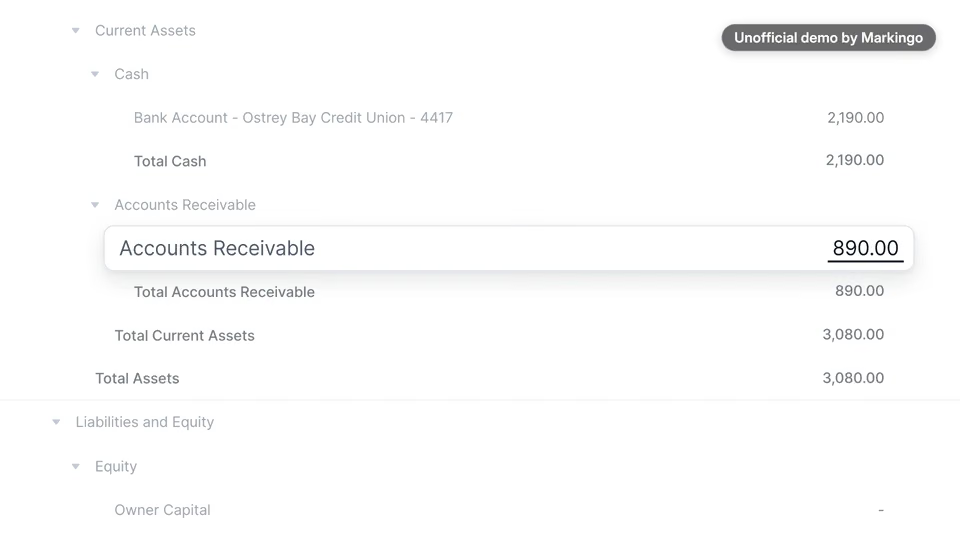
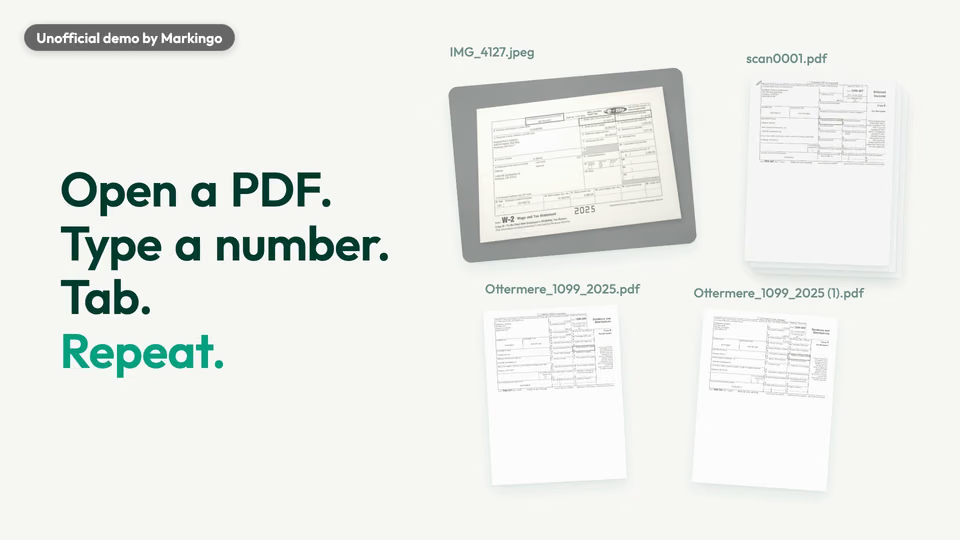
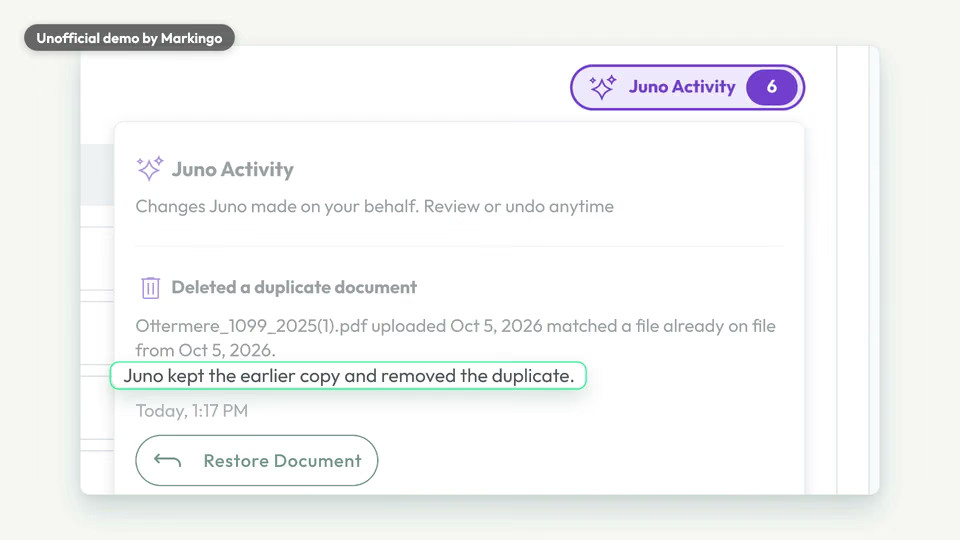
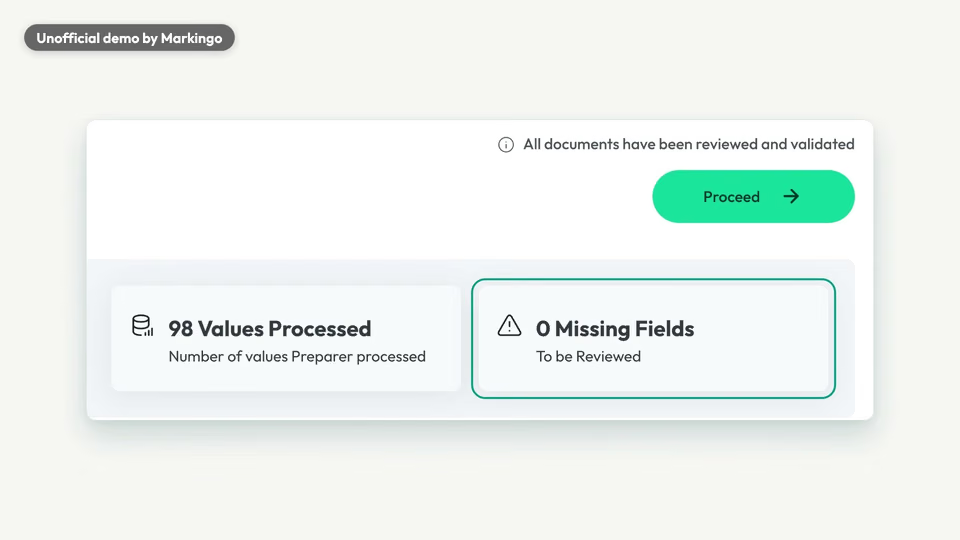
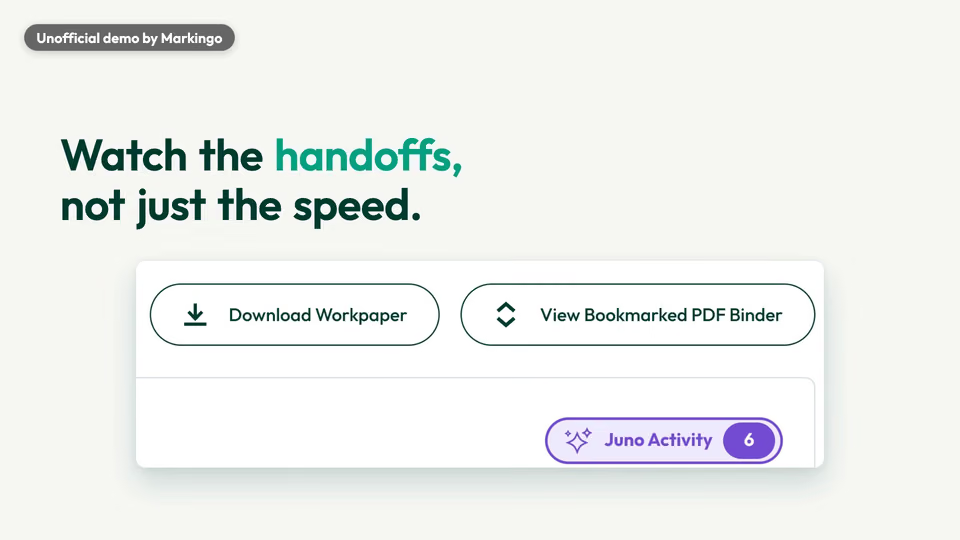
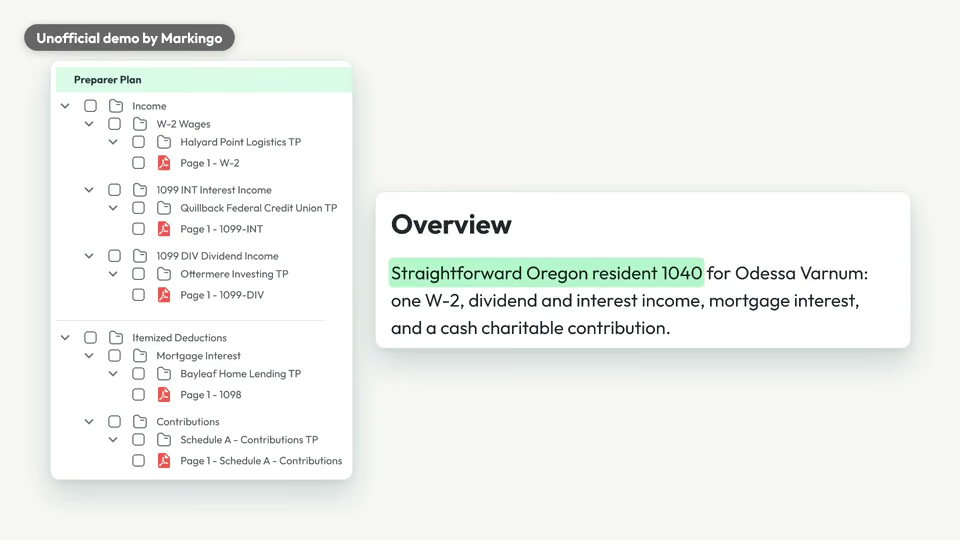
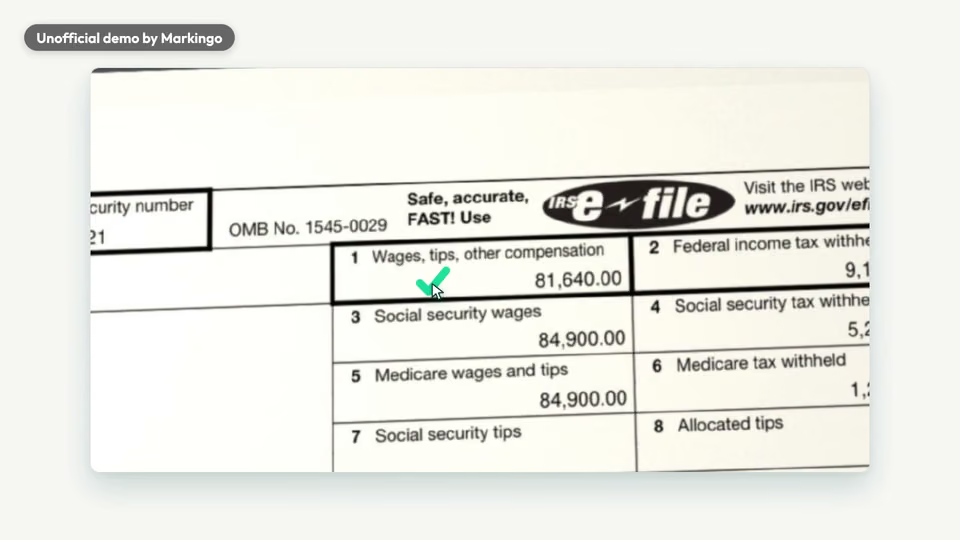
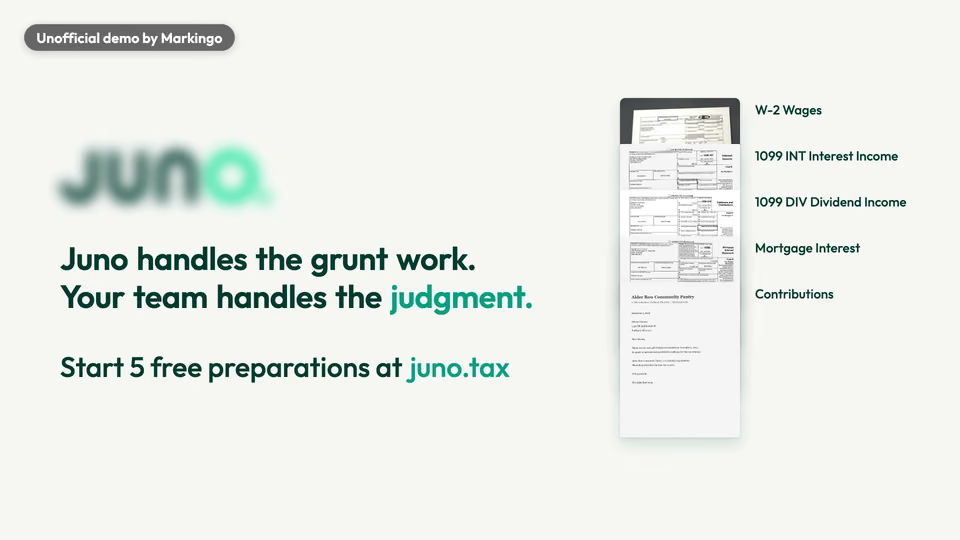
Play the film from 0:00: This is how a client sends their taxes.Play the film from 0:03: A photo of the W-2, one scan of three forms...Play the film from 0:07: and the same 1099, twice.Play the film from 0:11: So you open a PDF, type a number, tab...Play the film from 0:15: and repeat.Play the film from 0:17: Or you hand the whole pile...Play the film from 0:19: to Juno.Play the film from 0:21: Last year's return goes in too.Play the film from 0:23: Juno reads every page.Play the film from 0:25: The scan splits into its three forms, and every file is renamed by payer and form.Play the film from 0:31: Later, that 1099 shows up again.Play the film from 0:34: Juno keeps the earlier copy, removes the duplicate, and you can undo it anytime.Play the film from 0:39: 98 values processed, every document Validated, and nothing left to review.Play the film from 0:45: Each value sits right beside its source, even on a phone photo.Play the film from 0:50: But speed isn't the real test.Play the film from 0:52: The handoff is, when a return leaves your hands.Play the film from 0:55: So Juno builds the workpaper, and a bookmarked binder, filed in tax return order.Play the film from 1:01: On top, a plan that tells the reviewer what this return is.Play the film from 1:05: You tick it, sign it off...Play the film from 1:07: and the pile is review-ready.Play the film from 1:09: Juno handles the grunt work.Play the film from 1:11: Your team handles the judgment.
  1. A steady, gentle hum and a soft piano, from the very first frame.

  2. The piano drops to a note or two at a time under the typing.

  3. One soft chord plays on in the quiet before Juno is named, as the beat starts softly beneath it.

  4. Soft wooden notes, a light drum beat and bass fade in under that chord and keep going as the product appears.

  5. Warm strings come in as Juno counts the values and shows each one beside its source.

  6. The beat drops out just before the story moves to the handoff to review.

  7. On “binder” all the music comes back, with bells under the folder tree.

  8. Lighter and quieter under the tick and the sign-off.

  9. Piano and bells end on one warm chord that sounds until the film ends.

We made 10 parts of music and 8 sound effects to go with the 178 spoken words.

07What we learned

What we learned.

Juno's film reminded us to read every frame on a phone, film the preparer's real step and let Juno's own words do the explaining.

The finished film

The sign-off, filmed in three closer shots in place of one.

  1. 01

    We read it on a phone first. The sign-off was a speck there, so we filmed it closer.

  2. 02

    The preparer's step is filmed as it really is. Our demo return had nothing wrong in it, so we invented no error to fix.

  3. 03

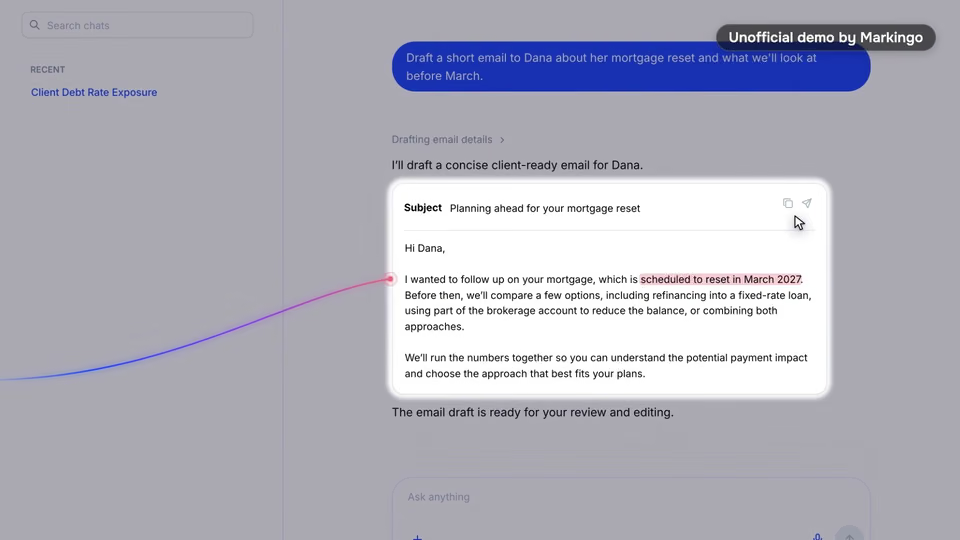
    The product does the talking. The sentences that explain the product are Juno's own: its note about the duplicate, its plan for the reviewer, its homepage lines.

Try this on yours

Open your film on the mess your buyer knows, down to the file names it arrives with.
08Done for them
Our process, step by step

Every step, done for them.
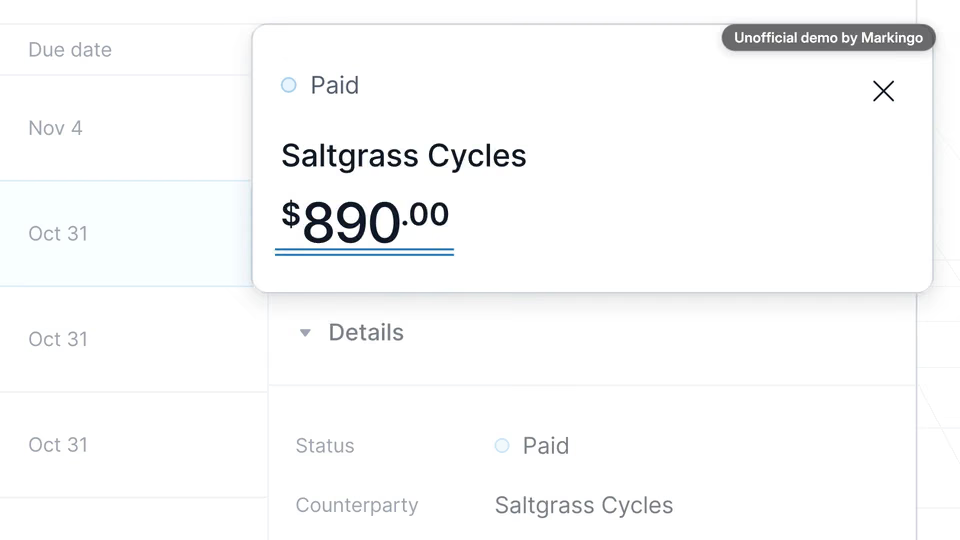
We used Juno as a new firm would, filmed every screen of one demo return, and watched the film three times before calling it done.

  1. Research and story6 steps
    1. 01We studied Juno and its videos.
    2. 02We weighed three subjects for the film and chose the pile.
    3. 03We used Juno as a new firm would.
    4. 04We made a demo taxpayer's pile.
    5. 05We ran one demo return through Juno.
    6. 06We wrote three ideas for telling it and drew 13 storyboards.
  2. Filmed, voiced, animated4 steps
    1. 07We filmed every screen of that return, live.
    2. 08We wrote the narration the way a CPA talks to CPAs.
    3. 09We wrote its music, warm and unhurried.
    4. 10We animated every move.
  3. Reviewed and finished2 steps
    1. 11We watched it again from the beginning and made 8 changes, such as filming the sign-off closer.
    2. 12We watched it twice more, changed two last moments, and the film was done at 1:15.

Our part

Everything from the demo taxpayer's pile to the finished film.

Juno's part

Your part

Your website, then any notes you like.

Your turn

Your first film is on us.

You pay nothing, and it's ready in 48 hours.

Every step on this page, done for your product. Tell us what to change, as often as you like.

  • 48hYour film in under 48 hours
  • Every stepOn this page, included
  • YoursTo keep, even if you don't like it
11Words and sources

The film's own words.

Everything you hear in the film, word for word, with the time it is said. Choose a line to play the film from there.

The work behind this film

sources read
23
ideas written
3
storyboards drawn
13

Every word said in the film, in order.

  1. Narrator

Show all 22 lines

23 sources read for this film and its reel

The sources this page cites come first, numbered as you meet them; then every other source we read. All links accessed November 5, 6 or 7, 2026.

Their videos, press and reviews, references and data 6

  1. 15Juno raises a $12M seed round (opens in a new tab) Crunchbase News · press
  2. 16Why Bonfire invested in Juno (opens in a new tab) Bonfire Ventures · investor's post
  3. 17Juno's homepage loop (opens in a new tab) Juno · video
  4. 18Juno's product tour (opens in a new tab) Juno · product tour
  5. 21Getting info from clients (opens in a new tab) r/taxpros on Reddit · forum thread
  6. 22What's the worst client document chase you've ever dealt with? (opens in a new tab) r/Accounting on Reddit · forum thread

Other films we studied 8

  1. 2Juno on YouTube (opens in a new tab) YouTube · YouTube channelBack to the text
  2. 5Meet Juno, their brand film (opens in a new tab) YouTube · videoBack to the text
  3. 6Avalon's 51-minute demo (opens in a new tab) YouTube (Tax Practice Pro) · a tax prep filmBack to the text
  4. 7A tax-firm coach's ranking (opens in a new tab) YouTube (Accounting Firm Coach) · a tax prep filmBack to the text
  5. 8Filed's benchmark film (opens in a new tab) YouTube (Filed) · a tax prep filmBack to the text
  6. 9Black Ore's brand film (opens in a new tab) YouTube (Black Ore) · a tax prep filmBack to the text
  7. 20TaxGPT's webinar demos (opens in a new tab) YouTube (TaxGPT) · a tax prep film
  8. 23Simplify Tax Preparation with TaxCycle’s Pre-Season Checklist (opens in a new tab) YouTube (TaxCycle) · a tax prep film