Skip to the page
Your first film, on usin 48 hours

Product films for TikTok

TikTok video size

A TikTok video is upright, 9:16: make it 1080 x 1920. At least 720 x 1280, 2K and 4K accepted, up to 60 minutes.1,2,3,4,5 From TikTok's own pages, checked Oct 31, 2026.

You give us your domain. We do everything else.

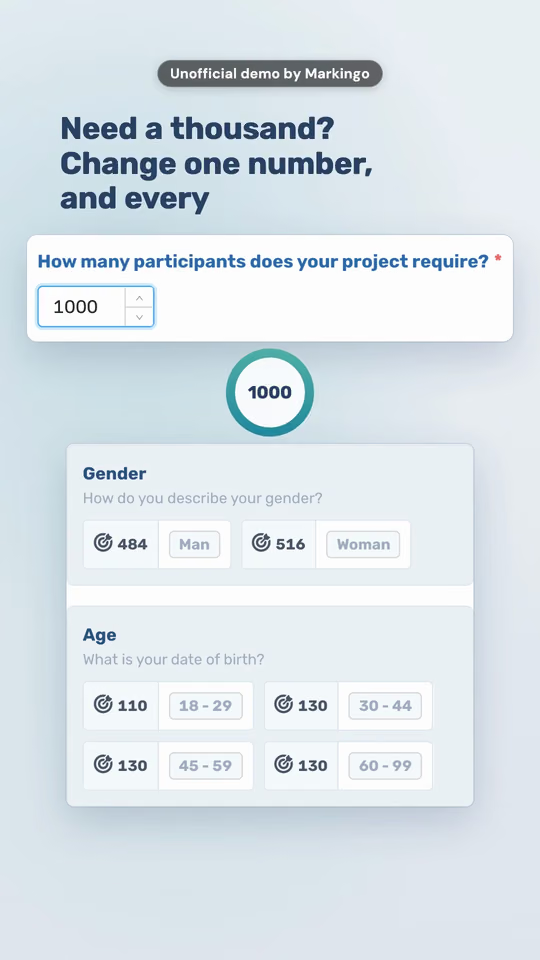
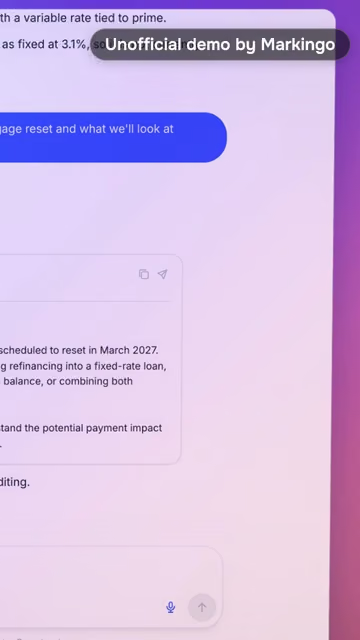
Like a Duet on TikTok: our reel and yours, on one clock. Each answer lands on a beat of its own music. Ours: CloudResearch's reel, our unofficial demo of its product. Behind your half: a frame of our step 9, the voice and music we compose. Right: BriefCatch's reel, our unofficial demo of its product.

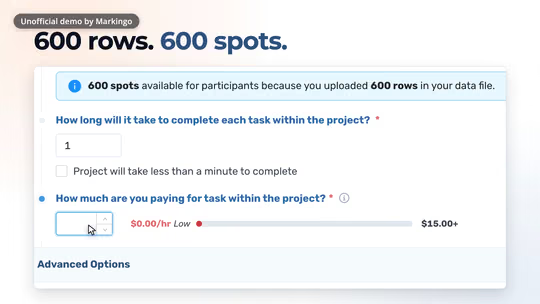
CloudResearch's reel, our unofficial demo of its product, its own words on screen: "And every split adds up to 500. Need a thousand? Change one number,"

A TikTok video for yourproduct.com

On us, ready in 48 hours

Your half

Yours to keep, even if you don't like it.

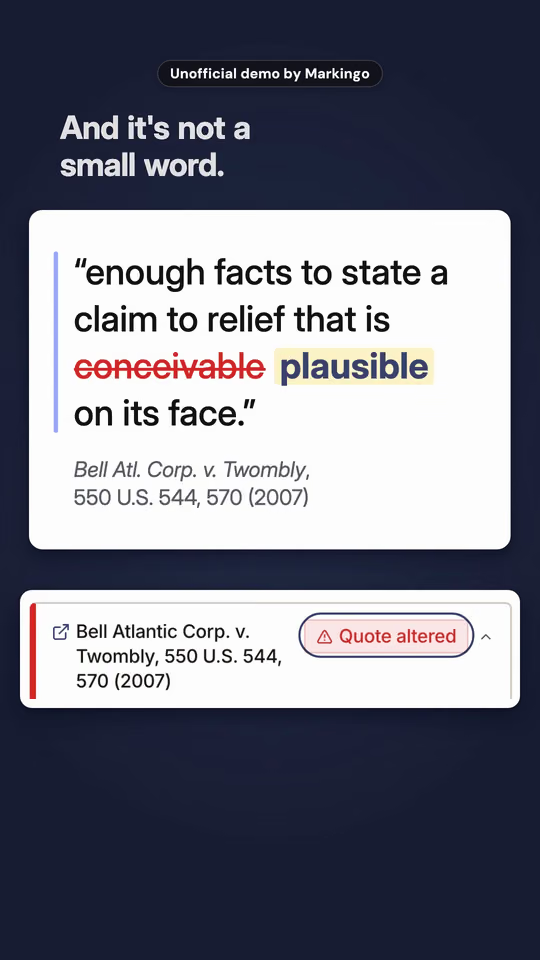
BriefCatch's reel, our unofficial demo of its product: And it's not a small word, over its quote card

Ours: BriefCatch's reel

Yours to keep, even if you don't like it.

On us, ready in 48 hours

Size

TikTok video size, aspect ratio and dimensions

Upright 9:16 at 1080 x 1920 fills the whole screen1. A wide 16:9 video posts as it is: a band across the middle, with no black margins added and TikTok's Full screen button3,5,6. Checked on TikTok's own pages, Oct 31, 2026.

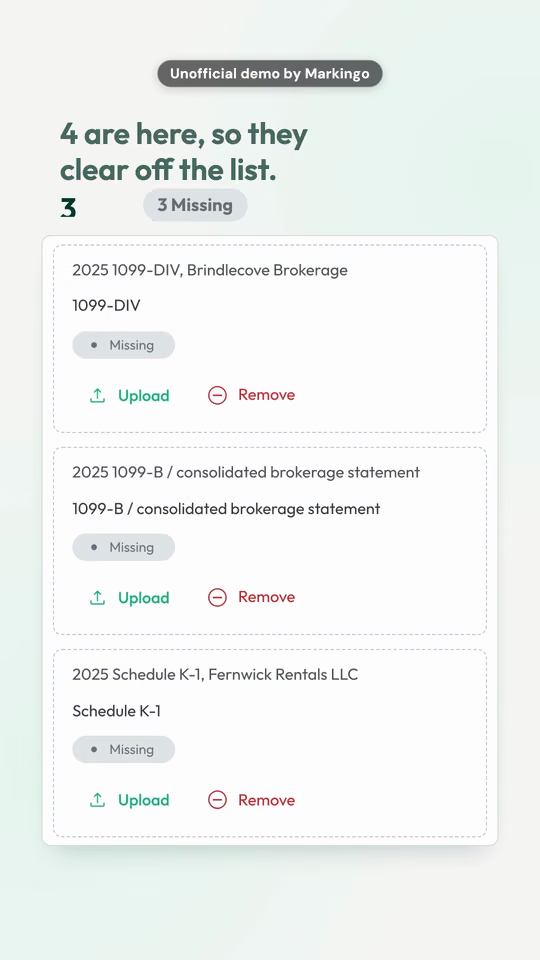
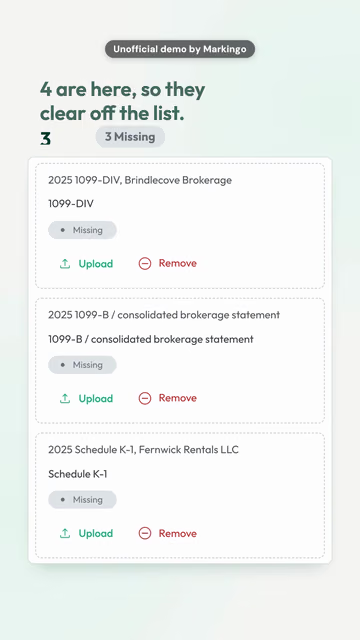
Juno's reel, an unofficial demo by Markingo: its checklist with three documents still missing, a tax form among them
Our film of an advocacy campaign product, a wide video, as TikTok shows it: a band across the middle of an upright screen
Like a Stitch on TikTok: our reel of Juno, upright, 1080 x 1920: the whole screen.Stitched to a wide one, as TikTok shows it: our film of an advocacy campaign product, 1920 x 1080. The band is 32% of the screen (our arithmetic: 607.5 of 1,920).
9:161080 x 1920
Upright, the whole screen. TikTok's guide: export at 1080 x 1920 or higher1.
720 x 1280
The least for an upload on the web2. 2K and 4K are accepted3.
16:91920 x 1080
Posts as it is3, no black margins needed5; a true landscape video, with no words in its margins, gets a Full screen button6. Ours are made at 1920 x 1080.
1:1640 x 640
Square, for In-Feed ads, at 640 x 640 or more7.
Every size TikTok takes: file, cover, photos, ours
10 GB
On a computer: MP4 or WebM, under 10 GB2. Apps that post for you: up to 4 GB8. From a phone, TikTok's pages we read give no limit.
3:4324 x 432
The cover: pick any frame of your video9, or upload one on the web, up to 50 MB3.
35photos
In one photo post10. Through apps that post for you: up to 1080p and 20 MB each8.
Ours
Every upright reel we make: 1080 x 1920, 9:16, 30 frames a second, with its own voice and music.

Length

How long can TikTok videos be?

Up to 10 minutes recorded in the TikTok app and up to 60 minutes uploaded, since Aug 23, 20244,11. Checked Oct 31, 2026.

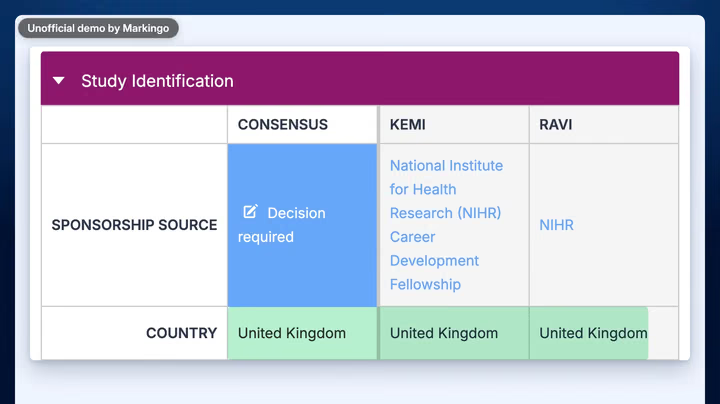
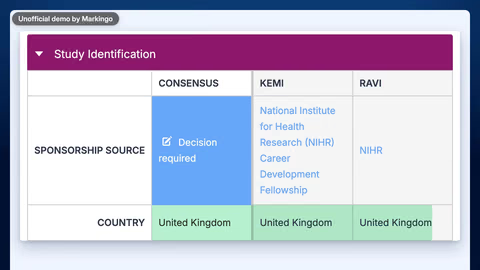
Covidence's film, an unofficial demo by Markingo: two reviewers' answers lined up, one cell marked Decision required
Covidence's film, a wide one (on TikTok a band across the middle, with Full screen): its whole story runs 1:18, past a minute.
How long TikTok lets a video run
  1. 15 sFeb 12, 2021
  2. 1 minFeb 12, 2021
  3. 3 minJul 1, 2021Covidence's film, 1:18
  4. 10 minBy Aug 23, 2024, recorded in the app
  5. 60 minBy Aug 23, 2024, uploaded

Ours every story of the eight reels on this page runs 0:52 to 0:56, under a minute: the second tread. The wide films on this page, 1:08 to 1:29: the third.

TikTok's help pages and newsroom, on those dates11,12,13.

As long as its sound

Pick a sound before you record and TikTok makes the video as long as the sound4. We work the other way: every video we make gets music of its own, written to its length.

Our reel of Kudoboard: its own music, ending where the reel ends
The reelIts music

Both end at 0:54

Our film of the Covidence product: soft piano and strings, with held chords for the result
On a computer
60 min in TikTok's Creator Academy; its web help page still says 302,5.
Apps that post for you
3 min for every creator, 5 or 10 for some8.
A Stitch
5 sec of someone else's video, at most14.
Ads
5 to 60 sec; 21 to 34 works best, says TikTok's guide1,15.

Safe zone

TikTok safe zone

Keep words and logos 240 px from the top, 660 from the bottom and 120 from each side of a 1080 x 1920 video, and out of the 180 px column of buttons on the right: our arithmetic from TikTok's In-Feed file of Apr 15, 2025, drawn on 720 x 128016.

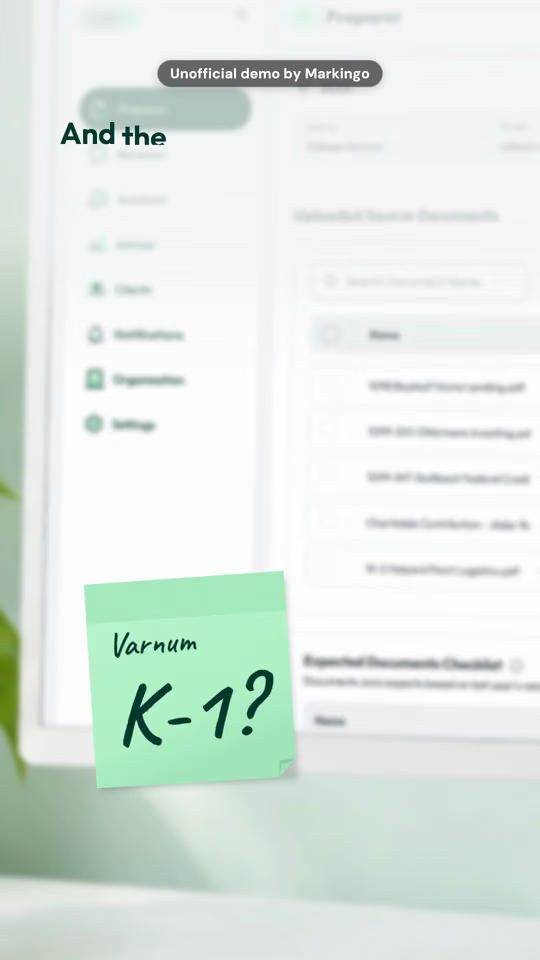
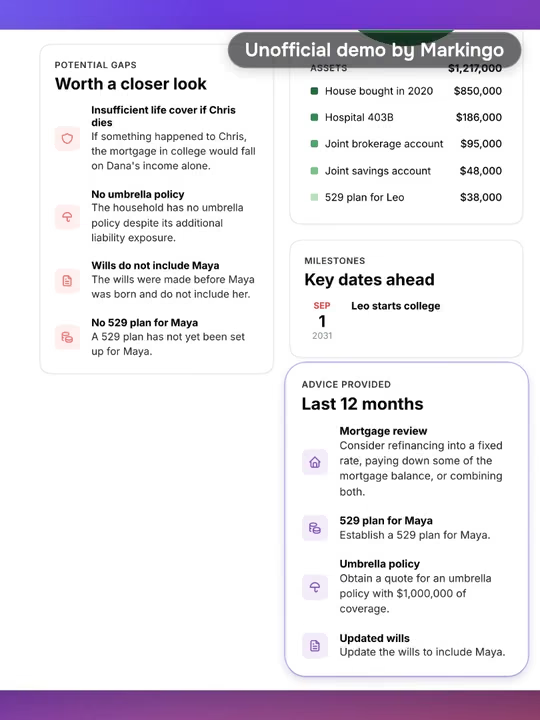
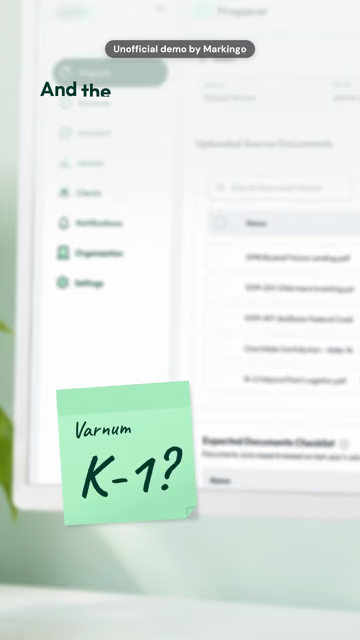
Juno's reel, an unofficial demo by Markingo: the only list is a sticky note, with TikTok's zone drawn over it

Safe for your words780 x 1,020

A TikTok video for yourproduct.com

As a TopView: its first 3 seconds17In the feed, and a TopView after 3 seconds17TikTok's 2021 file: ad text below the video, drawn on 540 x 96018 Juno's reel, an unofficial demo by Markingo, under TikTok's zone.

TikTok's file

Measured on every frame of these 3.3 seconds: in 95 of 99, every word stays clear of TikTok's zone.Under TikTok's 2021 file18, with its taller top, 98 of 99 frames have a word inside the zone. Make it for today's file.

TikTok's In-Feed file of Apr 15, 2025 and its TopView files of Oct 16, 2025, drawn on 720 x 1280 (the first column); on a 1080 x 1920 video each figure is 1.5 times larger, our arithmetic (the second)16,19.
WhereTikTok's fileYour video
Top: TikTok's tabs160240
Bottom: the caption, the sound, ad text440660
Right: the buttons120 wide, 720 up from the bottom180 wide, 1,080 up from the bottom
Each side: cropped on some phones80120
TopView, first three seconds: top and bottom160240
TopView, first three seconds: each side80120
What TikTok asks, in its words

Keep text and captions in safe zones so the buttons never cover them, says TikTok's guide for small businesses1.

all text, logos, and/or key messages located fully or partially within the area highlighted in red (for the top and bottom of the screen) in the Ad Preview Tool should be rejected. So say TopView's specifications of October 202620.

TikTok counts being aware of the UI-friendly "safe space" among its production basics21.

Captions and sound

TikTok captions and sound

TikTok writes captions from a video's speech when you upload it, and you can put your own words on screen.9,22 And it is watched with sound on, in TikTok's own words: The second you open TikTok, it's a sound-on journey.23

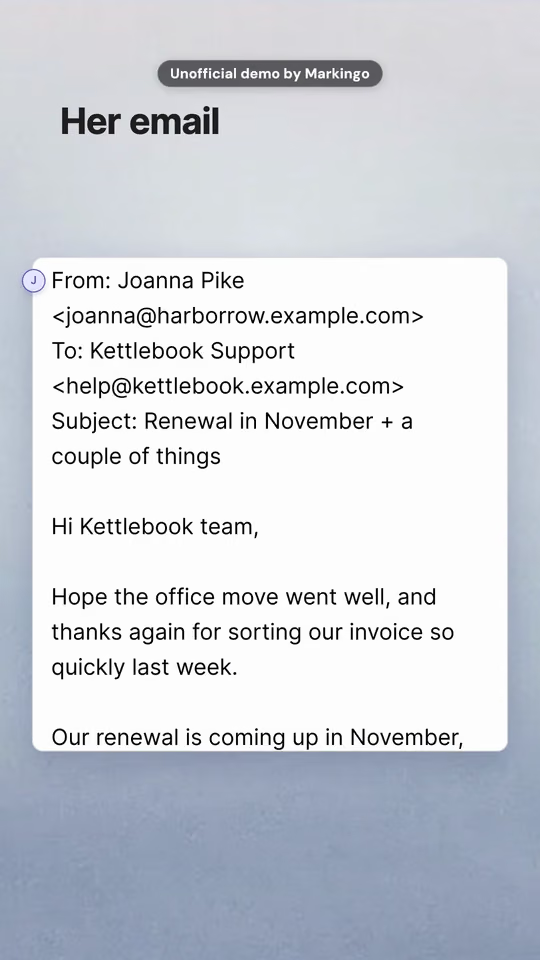
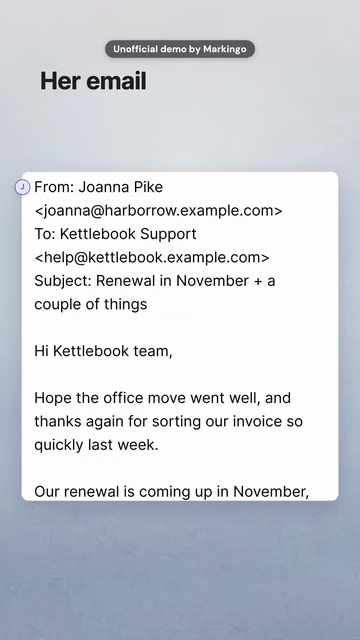
Canny's reel, our unofficial demo of its product: a customer's email read into Canny, word by word

Canny's reel: every word she says is on screen as she says it.

Its sound, taken apart Press one to hear it alone. One sound at a time.

Its effects, as they land on the picture

  1. Shaker on email
  2. Chord on invoice
  3. Chord on a note
  4. Chord on Thanksgiving

One narrator. Every word she says is on screen.

Calm electric piano, composed for this reel.

A shaker and soft chords, each on a picture moment.

The film's own mix, as it plays.

0 words said, every one of them on screen

Every film we make has its own voice and its own music, composed for it.

855 of 855
spoken words on screen, in the eight reels on this page
0:00.43
the latest first word of the eight: none of them waits longer to speak
11 to 14 dB
the music under the voice in our reels, beat by beat (measured in Kick's and Juno's)

What each of our reels says first Press one to hear its first seconds.

  • Apr 6, 2021 Auto captions: TikTok writes them from the speech; you can edit or remove them, and viewers can switch them off.22,24
  • 2,200 Characters in a post's description, since Oct 6, 2022. TikTok's search reads it, with the voiceover, captions and words on screen.25,26
  • 88% Of TikTok's users call sound vital to the experience, TikTok says.21,27
  • 1 million Songs in the Commercial Music Library: the only music a business account can use.28,29

How we write the voice and compose the music: Our process, step 09

TikTok's own ways to answer

TikTok Stitch, Duet and slideshows

A Stitch puts a few seconds of someone else's video into yours,14 a Duet plays yours beside theirs,30 and a video of yours can answer any comment.31

How to duet on TikTok

Two of our films on one clock, the way a Duet plays. On TikTok, one half would be someone else's post.

Marloo's film, our unofficial demo, wide in its half: a meeting recorded, then written down speaker by speaker
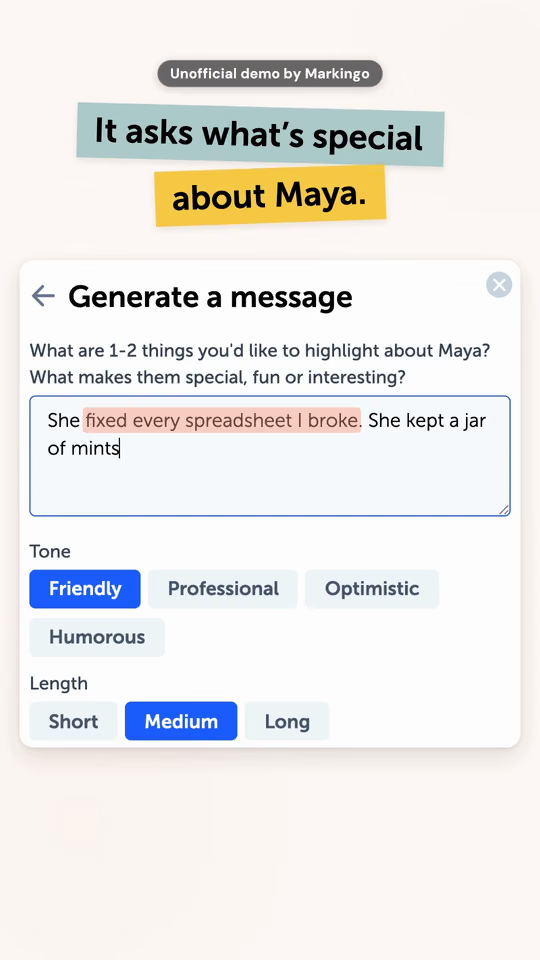
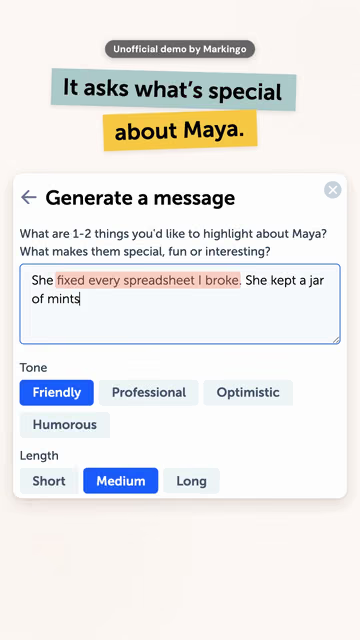
Kudoboard's reel, our unofficial demo: what's special about Maya, typed in, then a tone and a length chosen

LeftTop: Marloo's film turns a meeting into its transcript. RightBottom: Kudoboard's reel asks what's special about Maya.

  1. Tap Share on the side of the video you want to Duet.
  2. Tap Duet at the bottom. You may need to swipe to find it.
  3. Tap Record to start and stop yours. In the Duet, the two play side by side, at the same time.
  4. Add text, stickers or a voice, then tap Post.30

Since Oct 13, 2020, in the UK first, a Duet can be left and right, top and bottom, react, or three screen.32 On your screen now: left and righttop and bottom.

Can't duet a video? Its maker turned Duet off for that post, or the account isn't public.30

How to stitch on TikTok

A Stitch opens with a few seconds of someone else's video, then plays yours. This one opens with a line of Kudoboard's film, then cuts to its answer.

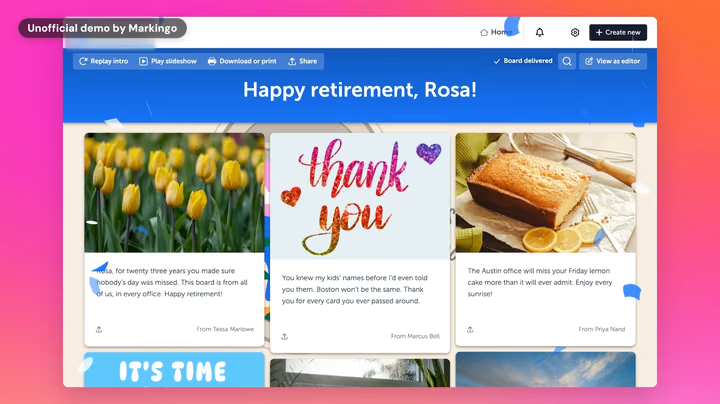
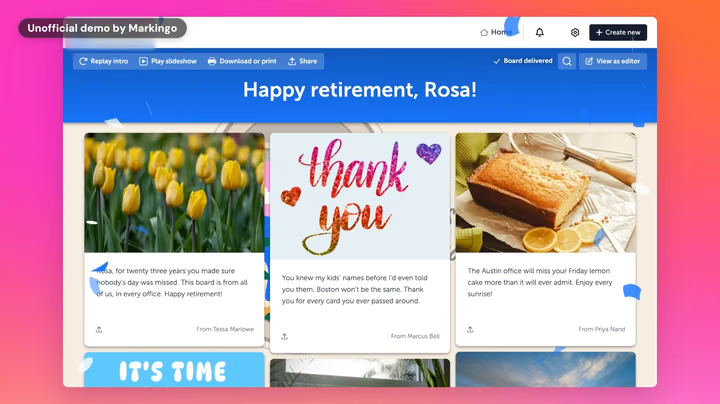
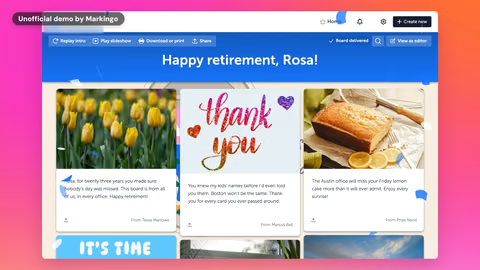
Kudoboard's film, our unofficial demo: Rosa's retirement board, its posts and photos side by sideKudoboard's film, our unofficial demo: Rosa's retirement board, its posts and photos side by side

Like a Stitch: its line, then its answerBorrowed from Kudoboard's film: 4.1 secondsThen ours: its answer, from 0:51Borrowed from Kudoboard's film: 4.1 seconds, Besides, a card like that only gives everyone a line or two.

Tap Share on the video, then Stitch; choose the part, tap Next, then Record.33 TikTok's launch post of Sep 3, 2020 set the part at up to 5 seconds, and the caption names and links the original, so a Stitch of yours links back to you.14 Leave Allow reuse on for your posts.34

Both parts are Kudoboard's film, our unofficial demo; on TikTok, the first part would be someone else's. More of our films

TikTok slideshows: Photo Mode

Photos that play one after another to music, and that viewers can swipe at their own pace.25

Marloo's film: its chat up close, a request in blue over the email it drafted
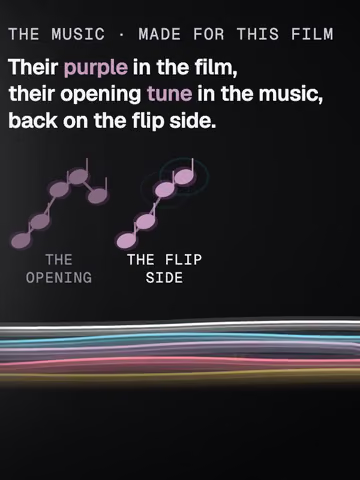
Composed for this film. Heard on this page in:Stitch and DuetHow we make it

Tap Photo, then Upload, pick up to 35 photos and add a sound.10 Photos can also go up as a slideshow video, as TikTok showed on Sep 3, 2020: another kind of post, so check which one you chose.35

A frame of each of three of our films, to Marloo's music, played the way Photo Mode plays them; not a post that ran.

Reply to a comment with a video

Answer a comment with a video, and the comment can sit on it, so viewers see what you're answering.31

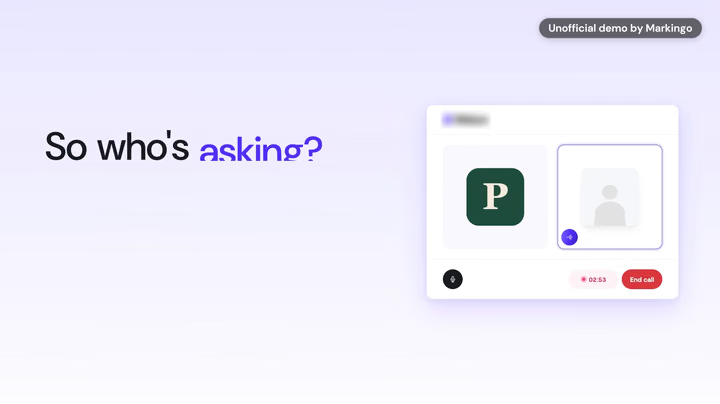
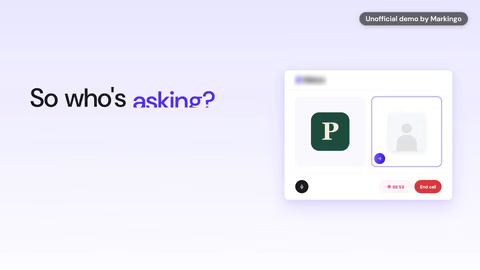
Ribbon's film, our unofficial demo: an interview call, "So who's asking?" beside it

So who's asking?

A question a viewer could ask, answered by Ribbon's filmAnswering: So who's asking?

In TikTok's steps of Jun 18, 2020: tap the comment, then the camera icon to the left of the comment field, and record.31 For a product, every buyer's question is a video you can answer with the screen itself.

The question is this film's own line. On TikTok, it would be a viewer's comment.

Ours are made to be answered: each opens on its hook and answers it with the real product on screen.

Ideas

TikTok video ideas for a SaaS company

TikTok content ideas for a SaaS product, each played by a real film of ours: some here, each in one of TikTok's own layouts, and the rest where this page shows them. A Duet can be left and right, react, top and bottom or three screen32, and Green Screen Duet plays another video behind you36.

Every half here is one of our own films. On TikTok, one half of a Duet is someone else's post30.

01 Top and bottom

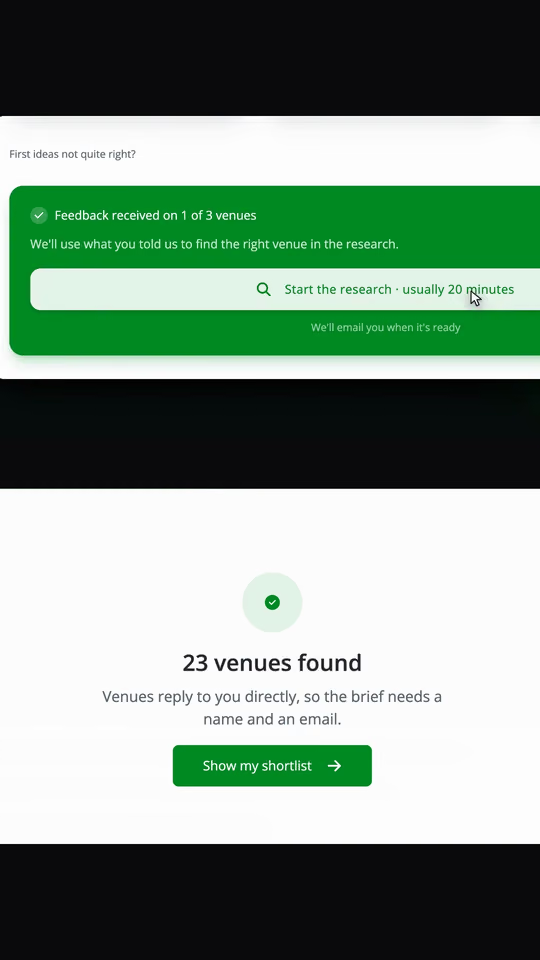
A Top and bottom post: our film of Hire Space's product, the ask above and the answer under it.

Top: the ask, pressed

Start the research

For yoursThe one thing your buyer asks your product for, pressed on screen.

Bottom: the product, answering it

23 venues found

For yoursThen what your product hands back, the moment it lands.

Both halves: our film of Hire Space's product, for finding event venues.

02 Three screen

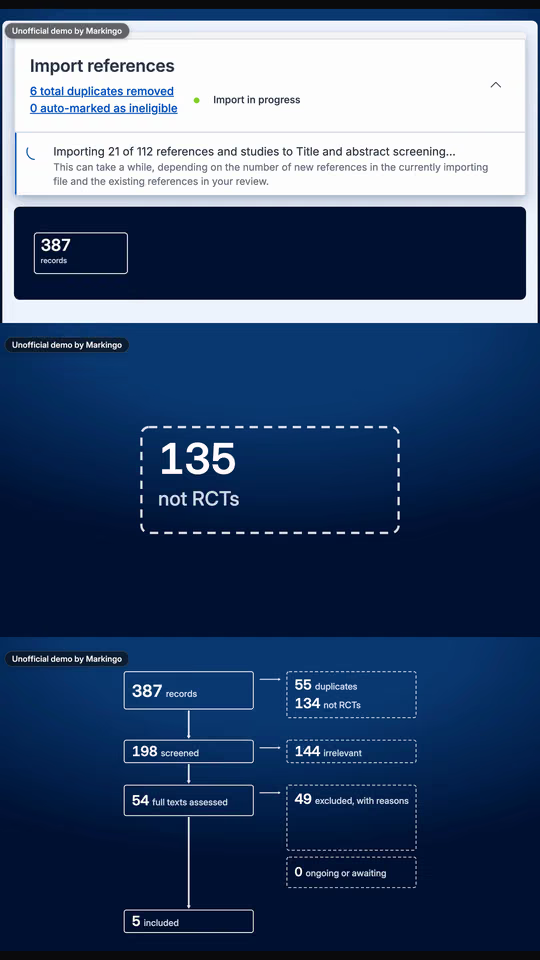
A Three screen post: three parts of our film of Covidence's product, one above the other.

Part 1: everything comes in

387 records

For yoursEverything that comes into your product, as it arrives.

Part 2: what doesn't fit goes

135 not RCTs

For yoursWhat your product clears away by itself, before anyone looks.

Part 3: what is left

5 included

For yoursWhat is left at the end: the result your buyer came for.

On TikTokPost the parts as a playlist: playlists keep them in order37.

Every part: our film of Covidence's product, for systematic reviews.

03 React

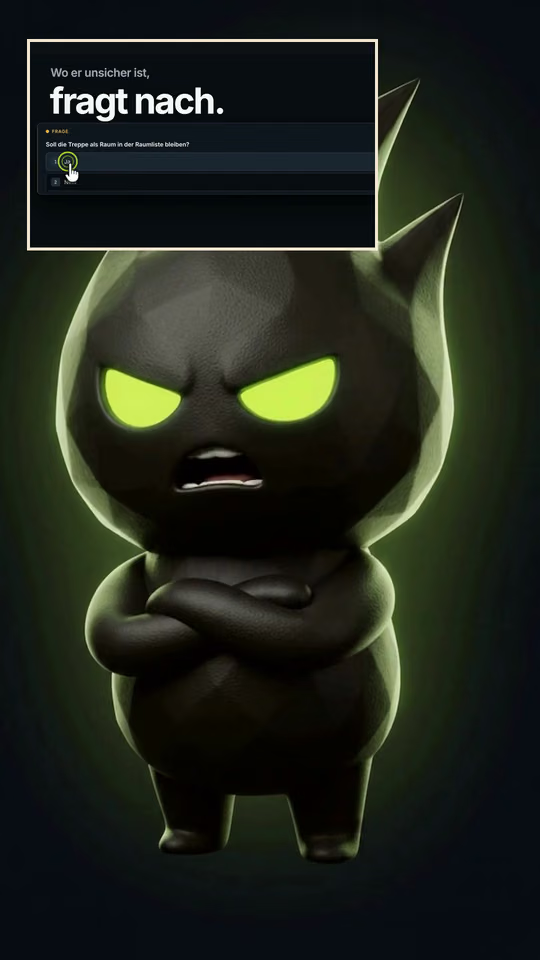
A React post: Grumpy, the character of our film for GrumpySpark, full frame, and the product in the corner window.

Full frame: the character

Klickarbeit?Click work?

For yoursA character who can't stand the chore your product takes away, and says so.

The corner: the product doing the job

Wo er unsicher ist, fragt nach. Du gibst frei.Where it's unsure, it asks. You give the go-ahead.

For yoursYour face in the small window, or your founder's, reacting to your own product.

Our own film for GrumpySpark, in German, with Grumpy from the same project; the words under its lines are our translation. On TikTok, Green Screen puts a person in front of a video instead36: your founder, in front of your own film.

Pick the layout your product would use. We'll make the first one from your real product, on us, ready in 48 hours.

Get my first film

Ads, shown on our own reels

TikTok ads: Spark Ads, TopView and ad specs

Spark Ads run your own post as an ad38; TopView is the first video people see when they open TikTok17. Two of our reels, shaped as each: demos that never ran.

What are Spark Ads and TikTok Promote?

A post run as an ad: yours, or a creator's with their permission38.

  • Every like and every view, comment, share and follow it brings counts on the post38
  • 10 minutes the longest post it runs, in any shape38
  • Five steps to Promote a video in the app: pick it, set a goal, the audience, a budget and days, then pay39,40

For yours Post the film first, then run the one people watch to the end.

Our post, shaped as a Spark Ad: a demo that never ran.

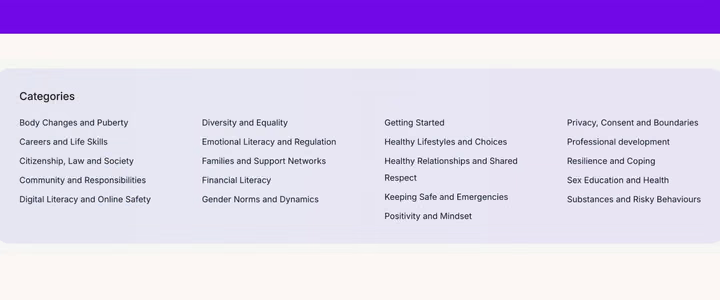
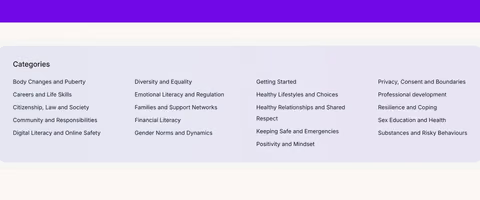
Wellio's film, our unofficial demo: its "Categories" of lessons, from "Body Changes and Puberty" to "Substances and Risky Behaviours"

Our post

MarkingoOur unofficial demo of Wellio

teachers get wellbeing lessons that are ready to teach,

Our film of the Wellio product: warm keys and plucks

A Spark Ad adds a button under the post that leads to a landing page or an app38; on a TopView, TikTok colors it to match the video20.

What is TikTok TopView?

The ad people see first when they open TikTok17.

  • 3 seconds full screen, sound on, then a feed video with its buttons17
  • Sound on and more than a plain white screen in its first 3 seconds20
  • 60 days or more ahead to book a full day, TikTok advises; it publishes no price17
  • 2 days for TikTok's review first; no changes once it is live20

For yours Your launch film's opening, seen first on launch day.

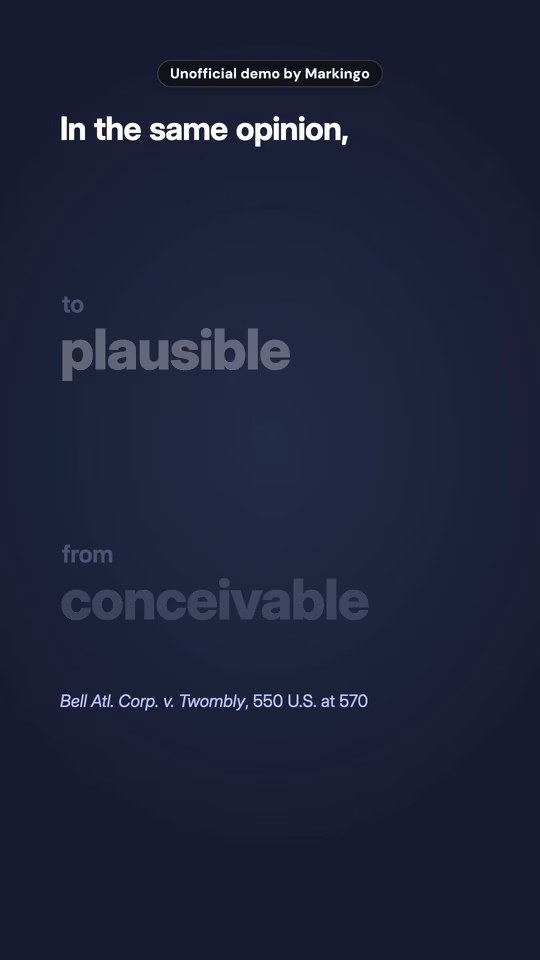
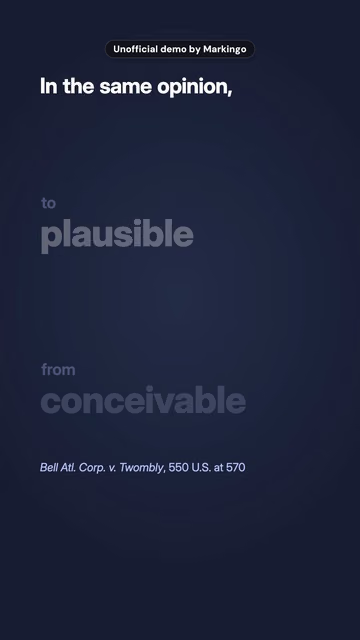
BriefCatch's reel, shaped as a TopView: a demo that never ran.

BriefCatch's reel on navy: "In the same opinion," over "to plausible" and "from conceivable", the Supreme Court's words in Twombly

Opens full screen

MarkingoBriefCatch's reel

the Court says a claim has to cross the line from conceivable to plausible.

Opens on navy type, never plain white while it takes the screen.

Composed for this film. Heard on this page in:CaptionsAds

TikTok ad specs, every format

TikTok's own pages, dated where they disagree.

Spark Ad

your post, run as an ad

Shape and size
Any shape and any resolution: TikTok sets no limit38
Length
10 minutes at most38; no limit, says the In-Feed ad page7
File
Any file type or size38
Ad text
4 lines of the post's own caption show, emoji included7,38
Sound
The post's own which people can open and use23,38

In-Feed ad

a video made as an ad

Shape and size
9:16 at 540 x 960 or more (recommended); 16:9 at 960 x 540, 1:1 at 640 x 6407
Length
5 to 60 seconds in the ad policy (Apr 2026)15; 10 minutes on the In-Feed ad page (Jun 2026)7; 21 to 34 does best1
File
500 MB at most: MP4, MOV, MPEG, 3GP or AVI, 516 kbps or more7
Ad text
4 lines before "See more", in TikTok's white font, no links, @ or hashtags; the name up to 20 characters7
Sound
Sound a must, never unclear or muffled15

TopView

when the app opens

Shape and size
9:16 at 540 x 960 or more20
Length
9 to 15 seconds recommended; 5 to 60 allowed20
File
500 MB at most: MP4, MOV, MPEG or 3GP, 2,500 kbps or more20
Ad text
100 characters (an emoji counts as 2), "See more" past 4 lines; the name up to 20, 4 to 10 recommended20
Sound
Sound on never silent, no harsh noise in its first 3 seconds17,20

Carousel ad

images instead of a video

Shape and size
2 to 35 images at 720 x 1280, 640 x 640 or 1200 x 62841
Length
2 seconds or more of music, looping under the images41
File
100 KB or less, JPG or PNG; music an MP3, 2 seconds or more, up to 10 MB41
Ad text
1 caption and one call to action for all the images41
Sound
Music a must; music from TikTok's library plays only on TikTok41
  • TikTok marks every paid ad "Sponsored" or "Ad"42.

In TikTok's own words

Is TikTok worth it for a B2B product?

TikTok recommends videos by what people are interested in1. Follower count isn't a direct factor, and what it weighs strongly is people watching a longer video to the end43, so a B2B product can start with no following. We answer it the way TikTok answers a question: with a video31.

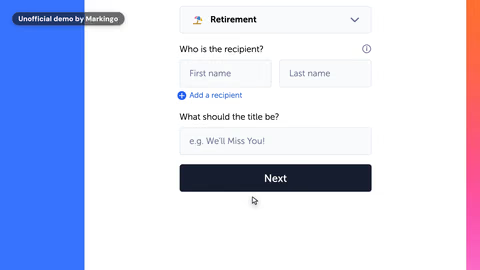
Our reply, a film of the Our film of the Kudoboard product product: "Retirement" picked as the occasion on its card form

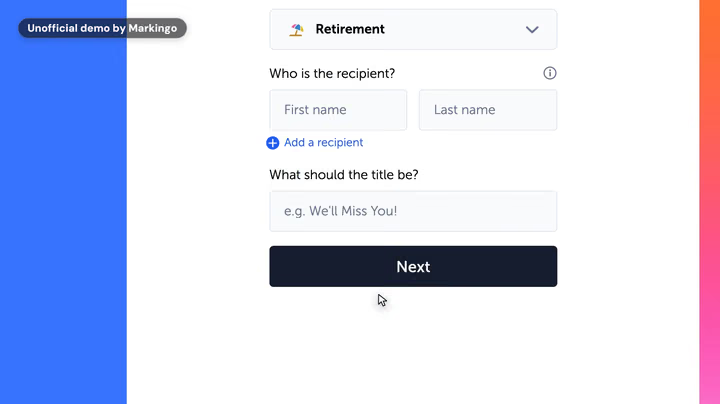
Our reply Our film of the Kudoboard product, made for team cards at work: its own Special Occasion page, then Tessa picking the occasion. On TikTok a reply like this posts in the comments and as a new video on your profile31.

What TikTok weighs

  • Whether people watch a longer video to the end.

    whether a user finishes watching a longer video from beginning to end, would receive greater weight (TikTok, Jun 18, 2020)43

  • What people are into: what they watch, like, share, comment on or skip.

    TikTok recommends content based on interests1 and Content you like, share, comment on, and watch in full or skip44

What it doesn't weigh directly

  • How many followers you have, or how your past videos did.

    neither follower count nor whether the account has had previous high-performing videos are direct factors in the recommendation system (TikTok, Jun 18, 2020)43

  • The "Promotional content" label on a business's own posts.

    Turning on the content disclosure setting won't affect the distribution of your post in feeds on TikTok.45

A TikTok business account

TikTok says anyone whose main goal is to promote a business should use a Verified Business Account. It gets analytics and a leads manager, a website link on its profile, and lead forms on its profile and videos, with buttons like "Get quote" or "Sign up"46. Its music comes from the library cleared for business use47: more under Captions.

Reach on TikTok is up to TikTok. The low-risk way to find out is one video made from your real product, on us.

How we make it, every step done for you

How we make it

Every step, done for you

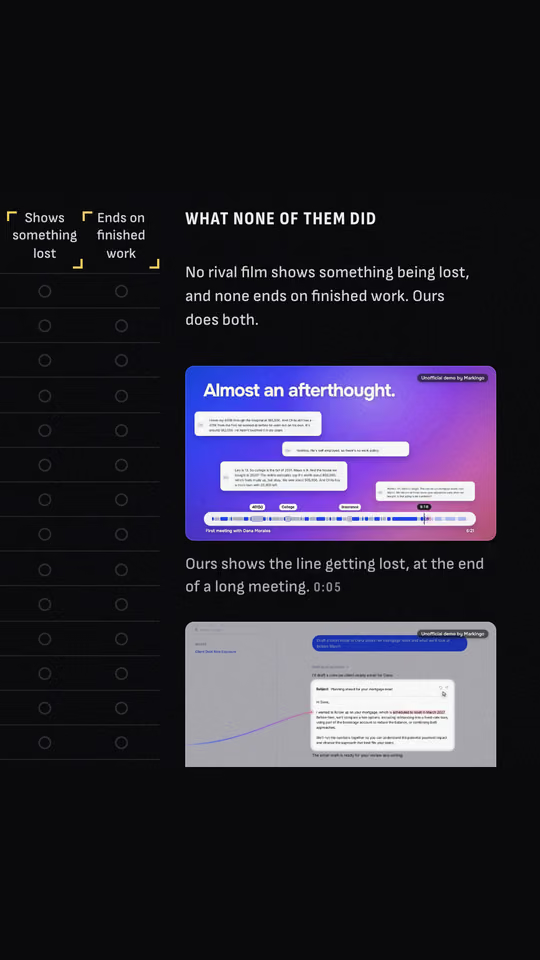
Our research for Marloo, the chart's gold row: none of the sixteen rival films did either thing, and our film for Marloo did both

You never write a brief, join a call or chase a draft. Watch three of our steps, then the film: our research and two storyboards for Marloo, our voice and music, then Marloo's film as it shipped.

Then tell us what to change, whenever you like: we revise without limit. Ready in under 48 hours, and yours to keep even if you don't like it.

One film's whole making-of: Marloo's. We went through 59 of their videos and 110 help articles, watched 16 rival films, drew 14 storyboards and filmed 38 shotsOur process, step by step

Questions

Questions about TikTok videos, answered

Most searched first. Every TikTok fact is from TikTok's own pages, read on Oct 31, 2026.

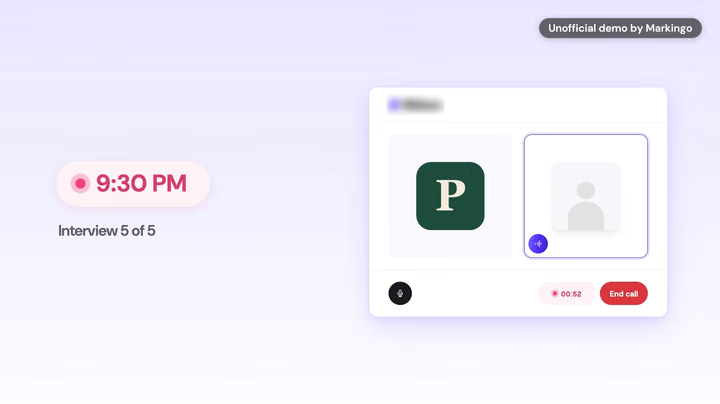
A frame of our film of the Ribbon product: a candidate's evening interview call, the fifth of five

Our film of the Ribbon product. Interviews for hourly hiring, 1:24.

Pinned

How much does a TikTok video cost?

Your first one is on us, and it's yours to keep even if you don't like it.

We're that sure of it. After that, we price every project with you, by what it needs.

Get my first film

On us, ready in 48 hours

Size and length

Shown above: Size and length

What size is a TikTok video?

1080 x 1920 pixels, upright 9:16.

Source 1

Or higher, says TikTok's guide for small businesses; the web uploader's minimum is 720 x 1280.2

More questions

How long can TikTok videos be? Longer than 3 minutes?

Up to 10 minutes recorded in the app and 60 minutes uploaded, so yes.

Source 4

That's its help page since August 2024.11 Other TikTok pages say 30 minutes on the web,2 or 60 on TikTok.com.5

What aspect ratio is TikTok? 9:16 or 4:5?

9:16, upright.

Source 3

Its uploader also takes 16:9 wide;3 no TikTok page we read lists 4:5.

What resolution should a TikTok video be? Can you upload 4K?

1080p or higher, and TikTok takes uploads in 2K and 4K.

Sources 1,3

The uploader's minimum is 720p.3 The pages we read say nothing about 4K playback.

What is the TikTok cover size? Is 3:4 right?

A frame of your video, picked before posting, or on the web your own picture of 324 x 432 pixels or more.

Sources 3,9

3:4, up to 50 MB. The video itself stays 9:16.3

What size are TikTok photos?

TikTok gives no size for photo posts in the app; through its posting API, up to 1080p and 20 MB each.

Source 8

WebP or JPEG,8 up to 35 a post.10 Carousel ads: 720 x 1280, 640 x 640 or 1200 x 628.41

Does TikTok have a limit on video size or bitrate?

On the web: MP4 or WebM, under 10 GB.

Source 2

From apps that post for you, up to 4 GB.8 The only bitrates its pages give are for ads, 516 kbps or more In-Feed.7

Is 1920 x 1080 good for TikTok?

Yes, as a landscape video: it's 16:9.

Source 3

It gets a Full screen button, no black margins needed.5,6 To fill the screen, make it 1080 x 1920.1

Safe zone

Shown above: Safe zone

What is the TikTok safe zone?

The part of the picture TikTok's buttons and words never cover: keep your text inside it.

Source 1

TikTok publishes safe zones for ads only.7

More questions

What are the dimensions of TikTok's safe zone?

On 720 x 1280: keep clear 160 px at the top, 440 at the bottom, 80 at each side, and a 120 px column on the right, 720 px tall.

Source 16

On 1080 x 1920: 240, 660, 120 and a 180 x 1,080 column, by our arithmetic.16

Captions and sound

Shown above: Captions and sound

What is TikTok's Commercial Music Library?

The 1 million songs TikTok has cleared for businesses: a business may use only those.

Source 28

A business account's Add Sound shows only it;29 other music isn't licensed for commercial use.48

More questions

How do TikTok captions work?

TikTok writes captions from the speech of uploaded videos, and you can edit them.

Source 22

Pick their language when posting.22 Viewers can turn them off.24

How do you add text to a TikTok video?

Tap Text on the side panel, type, then drag it into place.

Source 9

Set how long it shows;49 Text-to-speech reads it aloud.22

How fast should a TikTok video hook viewers?

In the first 3 seconds.

Source 5

For ads: the hook in 6 seconds, the offer in the first 3.50 Our reels, measured

How long can a TikTok caption be?

2,200 characters, since Oct 6, 2022.

Source 25

The 4,000 you may see quoted is a photo post's description, sent through apps that post for you.51

What is the best caption for TikTok?

For a business, one that says plainly what the video shows, in the words your buyers search.

TikTok's Search reads the description, voiceover, captions and on-screen text.26

Stitch, Duet and photos

Shown above: Stitch and Duet

How do you duet on TikTok? Can you duet with sound?

Tap Share on the video, then Duet: yours plays beside theirs, both at once.

Source 30

A business Duet's music comes from the Commercial Music Library.28

More questions

What is a Stitch on TikTok, and how do I turn on Stitch?

A Stitch puts up to 5 seconds of someone's video into yours, and the caption names and links theirs.

Source 14

Turn on Allow reuse of content; public accounts only.34

How do you make a slideshow on TikTok?

Make a photo post: up to 35 photos, each of which can get a filter, text and stickers.

Source 10

Photo Mode: the photos play to music, and viewers can swipe.25

How do you reply to a comment with a video?

Since Jun 18, 2020 you can answer any comment on your videos with a video.

Source 31

The comment rides on it as a sticker.31

Why can't I duet on TikTok?

The creator has turned Duet off for that video, or their account isn't public.

Source 30

It's set post by post, and Allow reuse of content off stops it too.34

What's the difference between Stitch and Duet?

A Stitch puts up to 5 seconds of their video into yours; a Duet plays yours beside theirs, both at once.

Sources 14,30

Both need the original post to allow reuse.34

Why is TikTok turning my slideshow into a video?

You may have posted the photos as a video, which TikTok plays as a slideshow.

TikTok has both: slideshow videos35 and Photo Mode posts that viewers swipe.25

What are TikTok playlists?

Sets of a creator's public posts that viewers watch in a row.

Source 37

For creators with over 10,000 followers.52 Ours: Parts, kept in a playlist.

Ads

Shown above: Ads

What is TikTok Promote?

TikTok's in-app tool to boost your own videos and LIVEs in a few taps.

Source 39

Pick a video, goal, audience, budget and how long it runs, then pay.40

More questions

What are Spark Ads on TikTok? Do Spark Ads still exist?

Ads made from organic posts, your own or a creator's with their permission; and yes, they still exist.

Source 38

A creator's code authorizes it for 7, 30, 60 or 365 days.53

What are TikTok's ad specs?

In-Feed ads: 9:16 at 540 x 960 or more, or 16:9 or square, up to 500 MB.

Source 7

5 to 60 seconds by its ad policy, up to 10 minutes on its In-Feed page;7 every ad needs audio.15

What is TikTok TopView, and how is it different from Top Feed?

TopView is the ad people see first when they open TikTok: full screen, sound on, before any other video.

Source 17

A 3-second takeover, then a regular feed video.17 Top Feed is the first in-feed ad after the opening videos.54

Are Spark Ads worth it?

TikTok reports that Spark Ads do better than its regular In-Feed ads.

Source 23

That's TikTok's own claim about its ads.

How much do TikTok ads cost?

TikTok's ad pages we read give no price list: you set your own budget.

TopView is sold per thousand impressions, with a minimum spend by market.17

Business accounts

Shown above: Is TikTok worth it for B2B?

Do you need a business account on TikTok?

TikTok says anyone whose main goal is to promote a business should use one: a Verified Business Account.

Source 47

It uses only the Commercial Music Library and gets the Business Suite and a profile link.47

More questions

Is TikTok worth it for a B2B product?

TikTok says follower counts aren't a direct factor in what it recommends, so a new business account can reach people.

Source 43

It recommends by interest.1 The whole answer

About yours

Do you make character or cartoon explainers too?

Yes, every kind.

Real product films, character and cartoon explainers, whiteboard and live action: your first, on us, can be any. Explainer videos

More questions

Will my video work on Reels, Shorts and LinkedIn too?

Yes. We make the upright and wide versions, with every spoken word on screen.

Every question

The last question

Your first TikTok video is on us.

You give us your domain. We do everything else. Yours to keep, even if you don't like it.

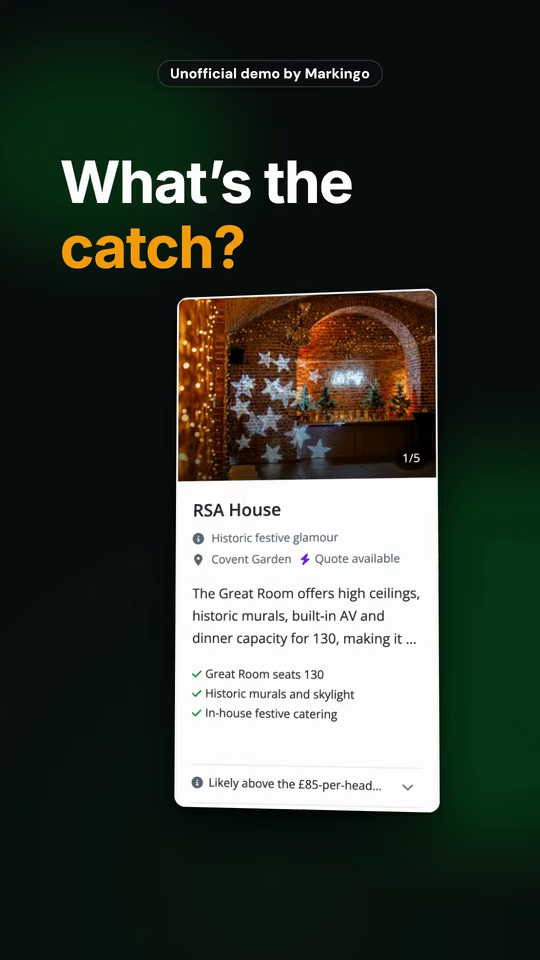
Hire Space's reel, our unofficial demo of its product. It asks: What's the catch?

A TikTok video for yourproduct.com

On us, readyOn its way. Ready in 48 hours

Your half

There isn't one.

Any feedback, as many rounds as you like.

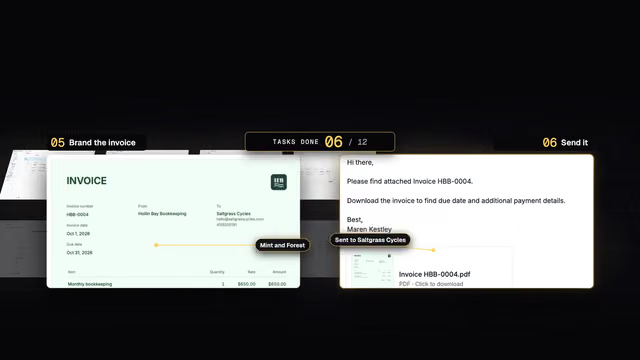
CloudResearch's film, our unofficial demo of its product, its own words on screen: "600 rows. 600 spots."

Like a Stitch on TikTok: Hire Space's first seconds Then your half answers.Hire Space's reel asks. Your half answers.

Then ours: CloudResearch's film, 600 rows. 600 spots.

Hire Space's reel is our unofficial demo of its product, not made or endorsed by Hire Space.

  1. Ours asks

    Hire Space's reel

    Its own first words: What's the catch?

  2. Yours answers

    Your half

    There isn't one: your first TikTok video is on us, from your real product, every step done for you.

  3. Then ours

    CloudResearch's film

    Its own words: 600 rows. 600 spots. One spot for each row uploaded.

Sources

Every fact links its source, read on Oct 31, 2026: TikTok's own page or an Internet Archive copy.

  1. Video ad guide for small businesses TikTok for Business
  2. Tools for creators TikTok Help Center
  3. TikTok Studio, the uploader's own hints TikTok Help Center, Internet Archive copy of Apr 26, 2025
  4. Camera tools TikTok Help Center
  5. Creator Academy home TikTok Creator Academy
  6. Shooting in landscape on TikTok TikTok Creator Academy, updated Aug 18, 2026
  7. TikTok Auction In-Feed Ads TikTok Business Help Center, updated June 2026
  8. Media transfer guide TikTok for Developers, updated Aug 4, 2026Disagrees with 4 and 5 on upload length.
  9. Editing, posting, and deleting TikTok Help Center
  10. Making a post TikTok Help Center
  11. Camera tools TikTok Help Center, Internet Archive copy of Aug 23, 2024
  12. Camera tools TikTok Help Center, Internet Archive copy of Feb 12, 2021
  13. Introducing longer videos on TikTok TikTok Newsroom, Jul 1, 2021Disagrees with 5 on when videos got longer.
  14. New on TikTok: Introducing Stitch TikTok Newsroom, Sep 3, 2020
  15. Ad policies: ad format and functionality TikTok Business Help Center, updated April 2026Disagrees with 7 on ad length.
  16. In-Feed safe zone file (zip), on TikTok Auction In-Feed Ads TikTok Business Help Center, picture dated Apr 15, 2025
  17. About TopView TikTok Business Help Center, updated October 2026
  18. In-Feed with anchor safe zone file (zip), on TikTok Auction In-Feed Ads TikTok Business Help Center, files dated Apr 12, 2021
  19. TopView safe zone file (zip), on TopView ad specifications TikTok Business Help Center, pictures dated Oct 16, 2025
  20. TopView ad specifications TikTok Business Help Center, updated October 2026This page contradicts itself on Spark Ad text.
  21. Creative Codes: 6 principles for creating on TikTok TikTok for Business
  22. Accessibility for your videos TikTok Help Center
  23. Spark Ads 101 TikTok for Business
  24. Introducing auto captions TikTok Newsroom, Apr 6, 2021
  25. New editing tools TikTok Newsroom, Oct 6, 2022
  26. Getting discovered with Search TikTok Creator Academy, updated Aug 18, 2026
  27. Volume 1: Evolution of Sound TikTok for Business, Dec 21, 2021Disagrees with 21 on the study behind its sound figure.
  28. About the Commercial Music Library TikTok Business Help Center, updated July 2025
  29. How to use the Commercial Music Library TikTok Business Help Center, updated July 2026
  30. Duets TikTok Help Center
  31. Reply to comments with video TikTok Newsroom, Jun 18, 2020
  32. New layouts for Duets in Europe TikTok Newsroom, Oct 13, 2020
  33. Stitch TikTok Help Center
  34. Stitch privacy settings TikTok Help Center
  35. Photos on TikTok TikTok Newsroom, Sep 3, 2020
  36. Introducing Green Screen Duet TikTok Newsroom, May 12, 2021
  37. Playlists TikTok Help Center
  38. About Spark Ads TikTok Business Help Center, updated June 2026Disagrees with 7 and 20 on Spark Ads length.
  39. About Promote on TikTok TikTok Business Help Center, updated July 2026
  40. Introducing TikTok Promote TikTok for Business
  41. Specifications for Carousel Ads TikTok Business Help Center, updated September 2026
  42. Ads and your data TikTok Privacy Center
  43. How TikTok recommends videos For You TikTok Newsroom, Jun 18, 2020
  44. How TikTok recommends content TikTok Help Center
  45. Promoting a brand, product, or service TikTok Help Center
  46. TikTok Business vs Personal TikTok Creator Academy, updated Jun 17, 2026
  47. Account types on TikTok TikTok Help Center
  48. Commercial use of music on TikTok TikTok Help Center
  49. Editing TikTok videos and photos TikTok Help Center
  50. Creative best practices for ads TikTok Business Help Center, updated June 2025
  51. Photo post TikTok for Developers, updated Oct 27, 2026
  52. Creating playlists to get more views TikTok Creator Academy, updated Aug 18, 2026Disagrees with 37 on who can make playlists.
  53. Spark Ads for Smart+ campaigns TikTok Business Help Center, updated October 2025
  54. About Top Feed TikTok Business Help Center, updated October 2026

Every company's film on this page is our own unofficial demo, made independently by Markingo from the company's live product. None was made, sponsored or endorsed by the company it shows. Company names and logos belong to their owners and are shown only to name the product. GrumpySpark's film is our own work. Want your company's film off this page? Email shivam@markingo.io and it comes down the same day.

TikTok is a trademark of TikTok Ltd. Markingo is an independent studio, not affiliated with or endorsed by TikTok.
Follow us on TikTok: @markingo.io (opens in a new tab)