Skip to the page
Your first film, on usin 48 hours

How we made MeltingSpot's product video.

A 72-second film we made from MeltingSpot's live product, as an example of our work. The whole film grew out of one field on a form, where new users get stuck.

Digital adoptionProduct film · 1:12 · B2B · Unofficial demo1:12 · Unofficial demo

13 chapters

MeltingSpot is and training software: a coach inside the software people use, stepping in where they get stuck. Our film follows one such spot, seen by the user, then by the team.

MeltingSpot's part
Press play.

MeltingSpot: the film

0:00 / 1:12
02What MeltingSpot does
For your film, we check how people find you

We studied MeltingSpot first.

We lined up all 86 videos on their channel by length; 46 are recordings of past live streams. Ours is marked in gold.

SaaS teams use it to onboard their customers, and companies to train staff in the tools they already use. In July 2026 they launched its coach as the Learning Agent, in two long live streams.[1,2]

“Users don't go looking for help. Help comes to them.”

From MeltingSpot's product page (opens in a new tab).
Most of their 86 videos are about half an hour long.[3]

One bar for each of their 86 videos, taller when the video runs longer.

03Digital adoption films
For your film, we study your market

We watched digital adoption films.

Seven of the 12 show pop-ups drawn on fake apps. In ours you see MeltingSpot's real coach, running in an app we built for the film.

Theirs

Pop-ups drawn on fake apps are what these films show most.

We watched all 12 from start to end and listed what each one shows.

  • Stock clips, sighing people3 of 12 films, this one at 0:06[4]
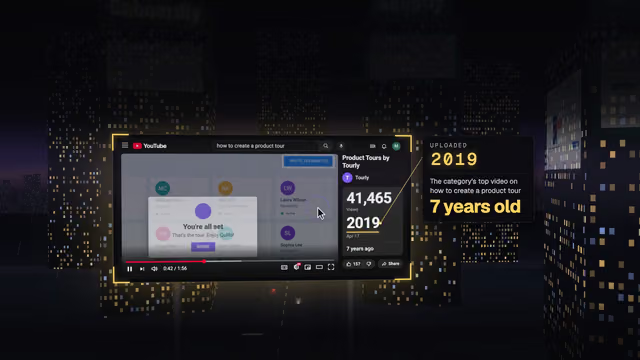
  • Tooltip tours6 of 12 films, this one at 1:12[5]
  • A drawn dashboard6 of 12 films, this one at 0:57[6]
  • Pop-ups on fake apps7 of 12 films, this one at 0:33[7]
  • Feature lists3 of 12 films, this one at 0:46[8]
  • Promises an easy fit2 of 12 films, this one at 1:12[5]

Ours: one real spot

The same field, now with its coach.
04The story
For your film, we write the story in your brand

We picked one story.

We wrote three film ideas, and the one we chose follows a single field where new users get stuck.

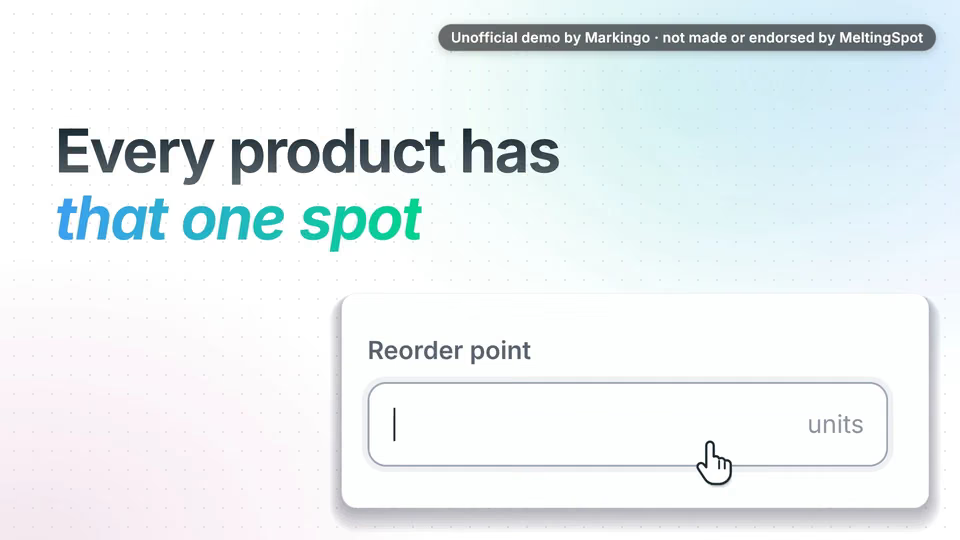
“Every product has that one spot... where new users get stuck.”

The film's opening words.

We chose the stuck spot.

  1. AThe stuck spotChosen

    Why we chose it: It shows their own idea literally: a coach at the exact spot, set up by pointing at it.

  2. BRaise a hand

    Why not: It turns the coach into a classroom scene and puts their mascot, Melty, before the product.

  3. CThe afternoon

    Why not: It shows how to set the coach up before what it does, and its clock times would have been made up.

The stuck spot, step by step.
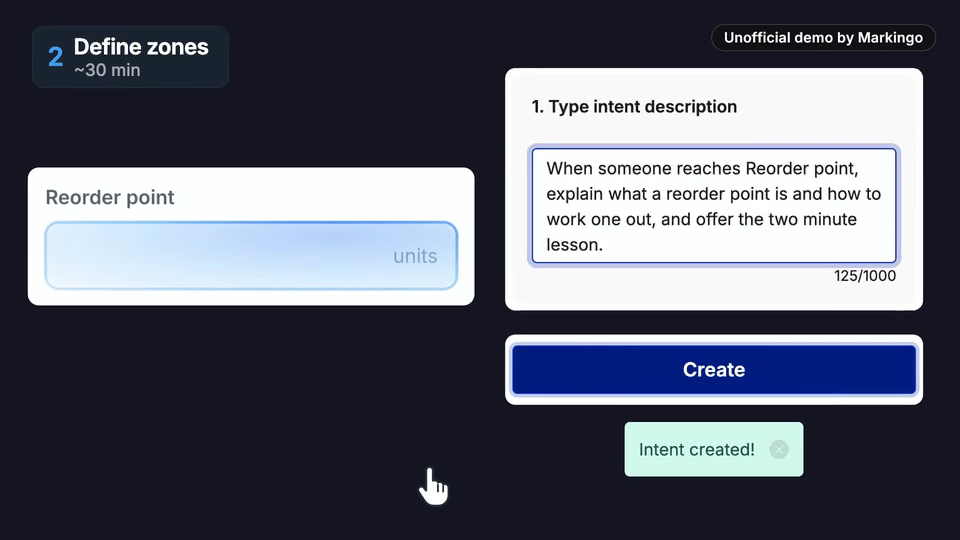
  1. 1Stuck

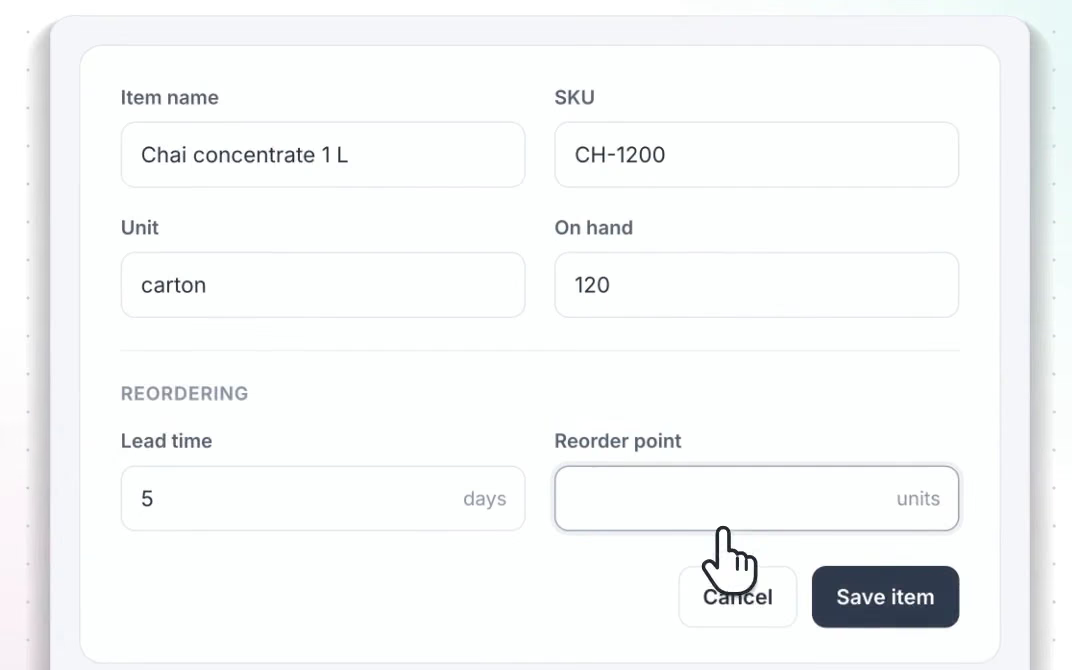
    One field a new user can't fill.

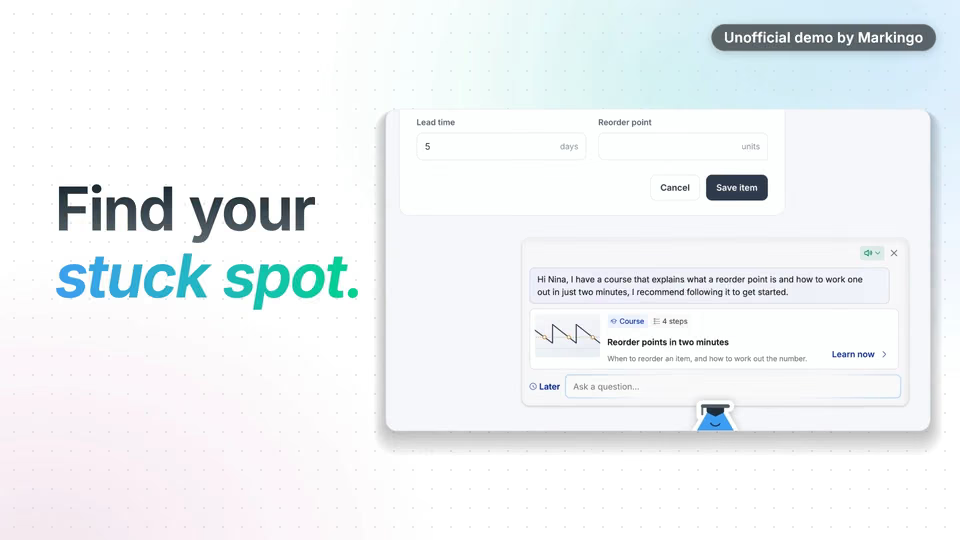
  2. 2Coached

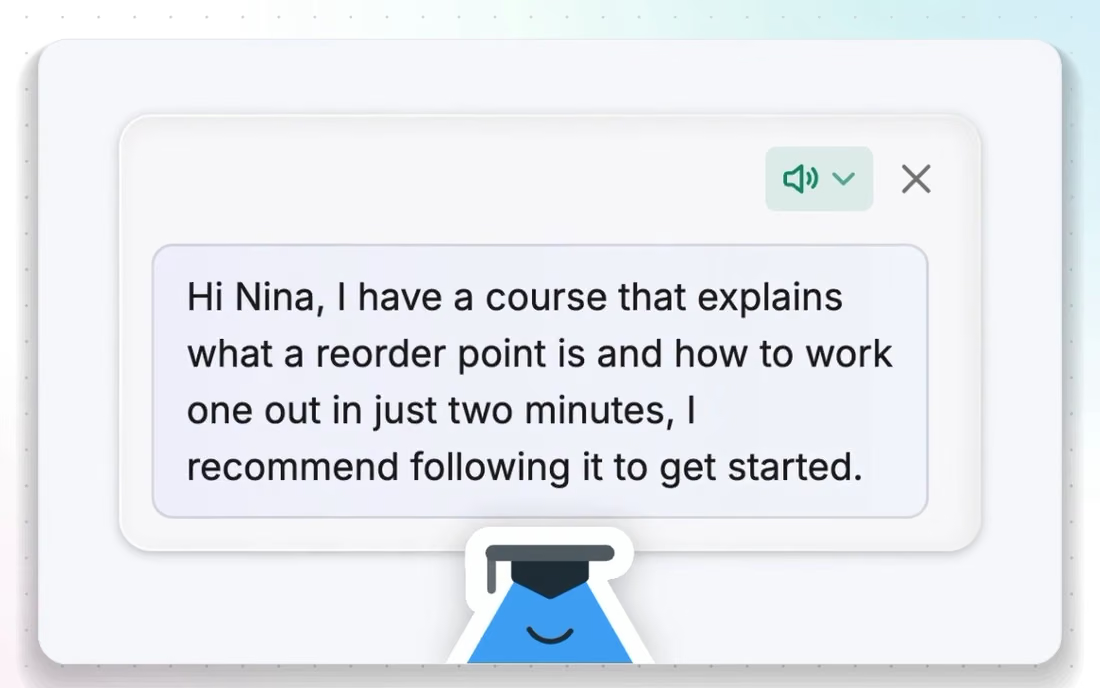
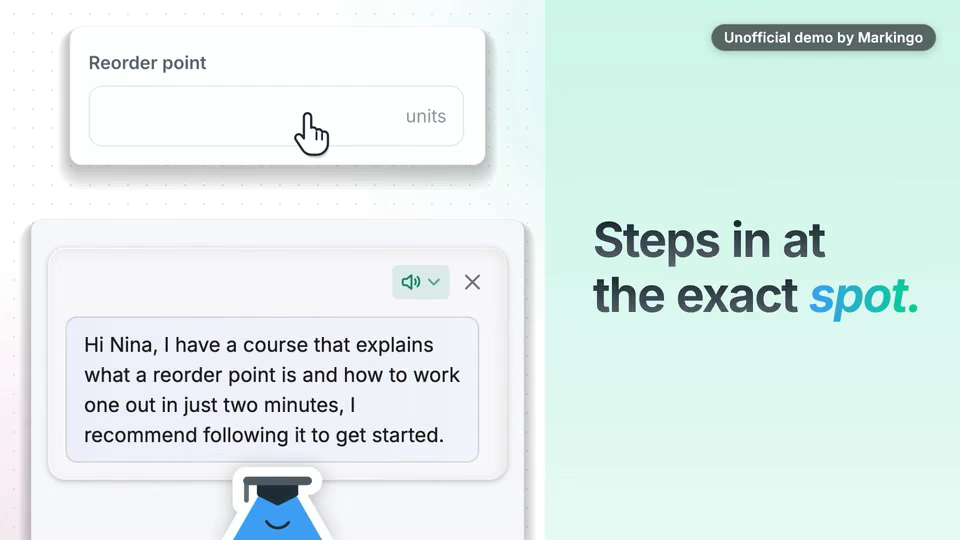
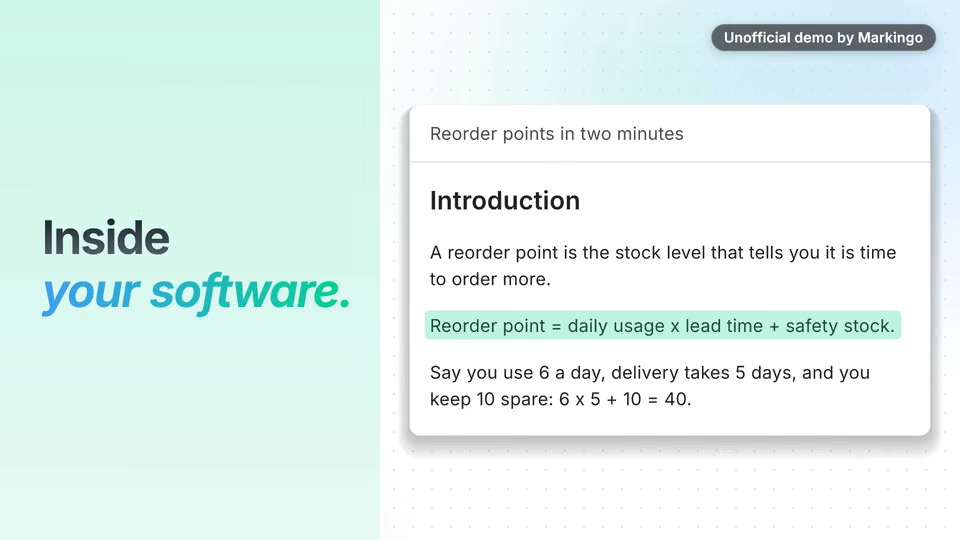
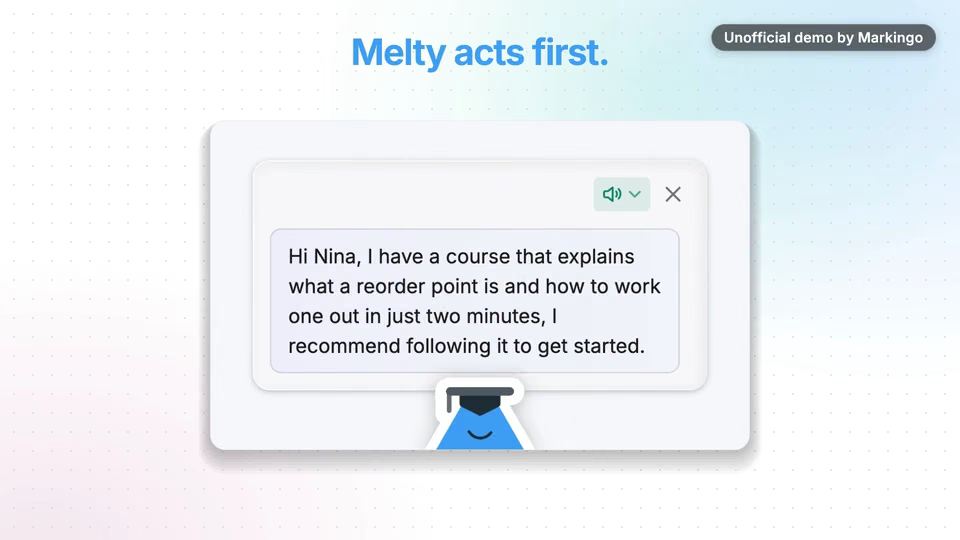
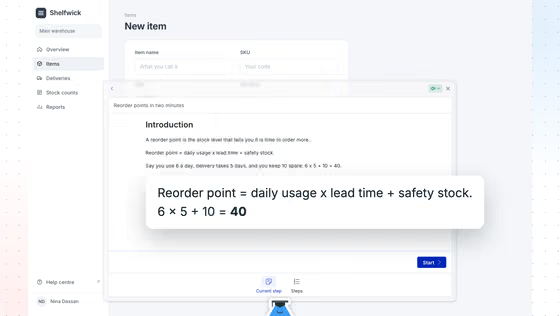
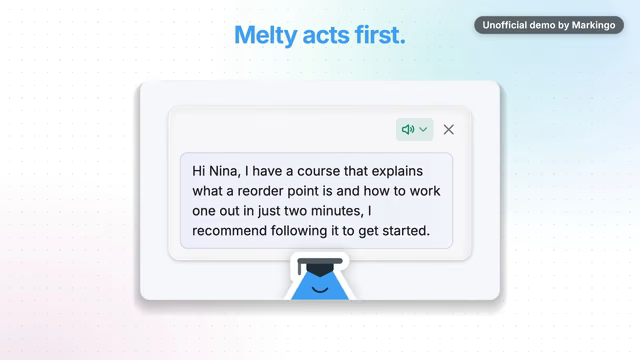
    The coach steps in and greets Nina, our new user, by name.

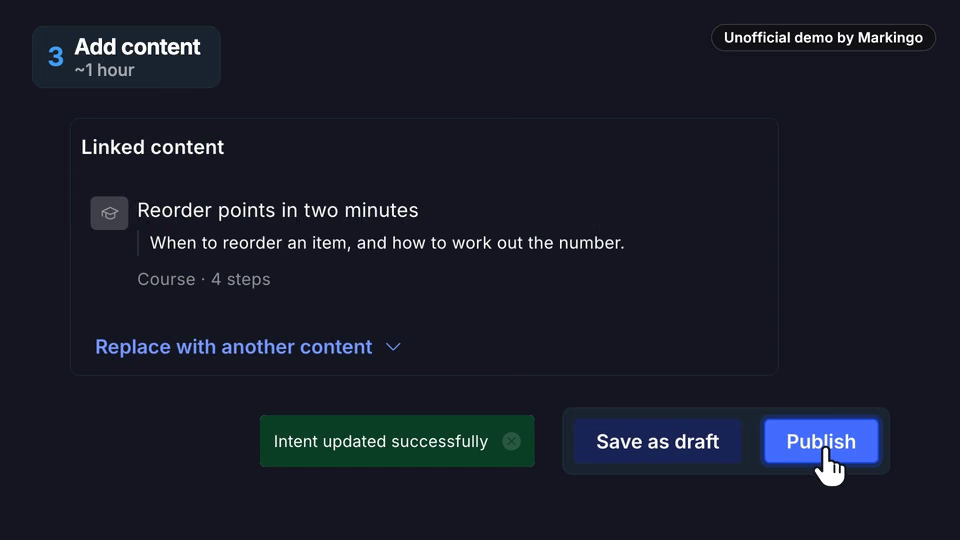
  3. 3Taught

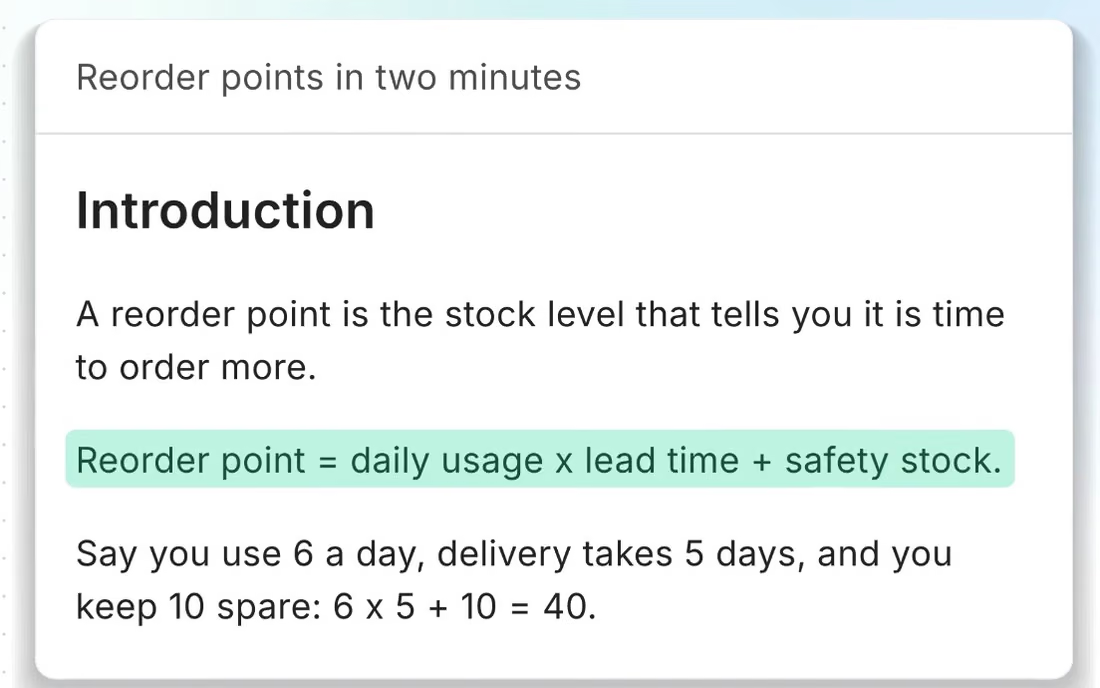
    The lesson opens over the app.

  4. 4Solved

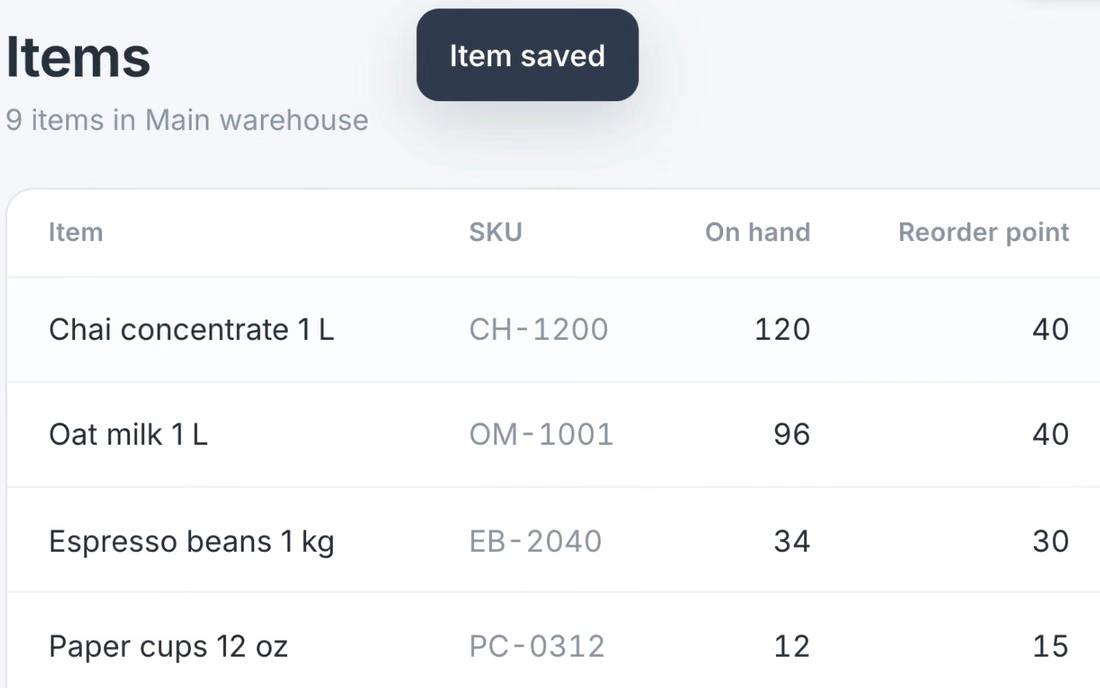
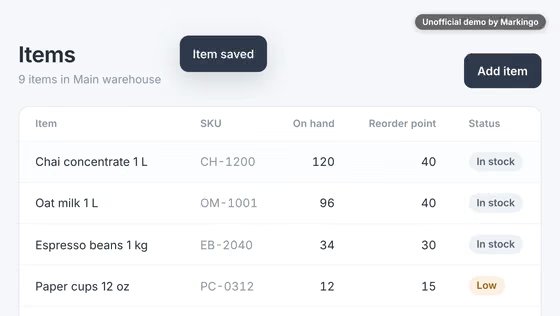
    Her reorder point (when to order more stock), saved.

  5. 5Pointed at

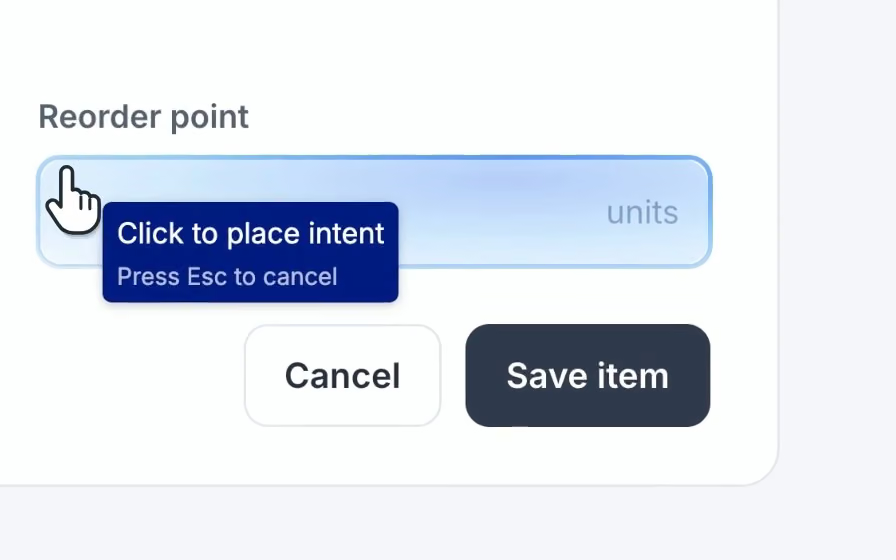
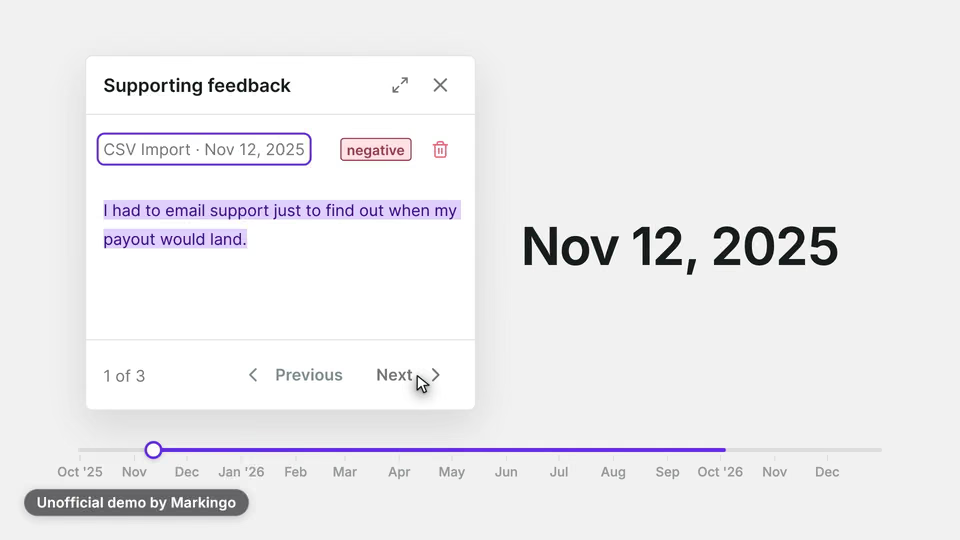
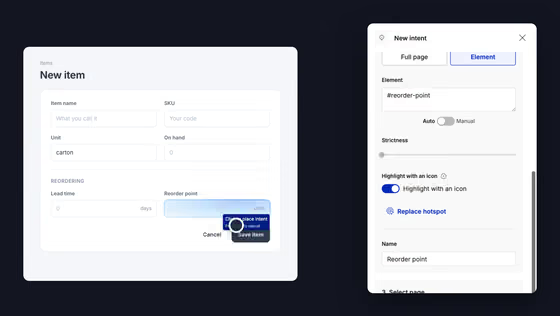
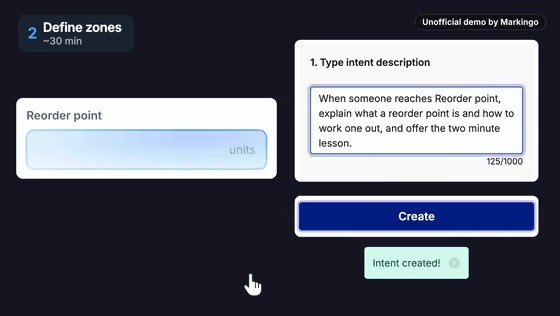
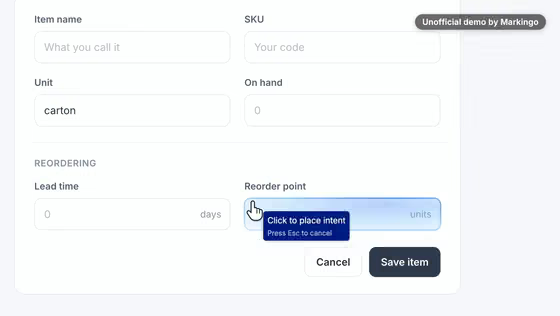
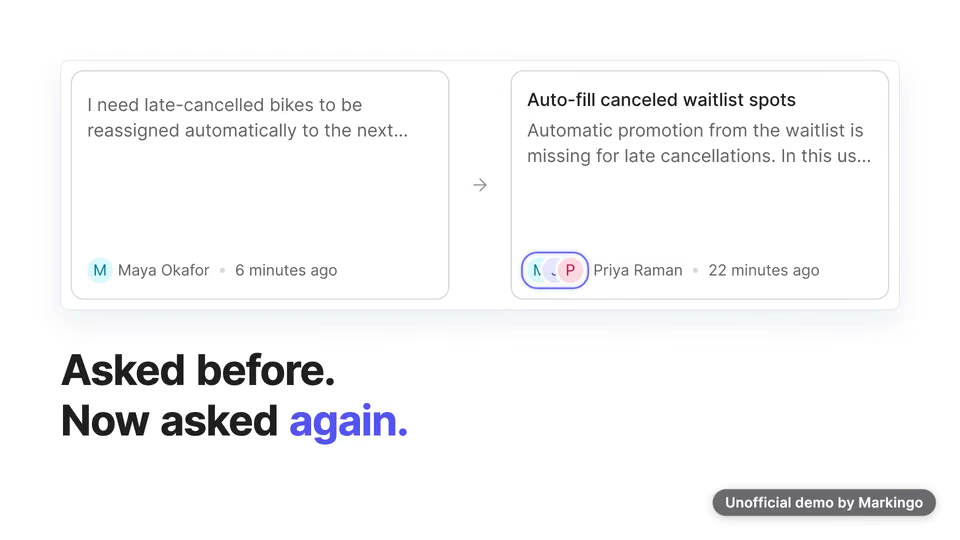
    The team points at the same field.

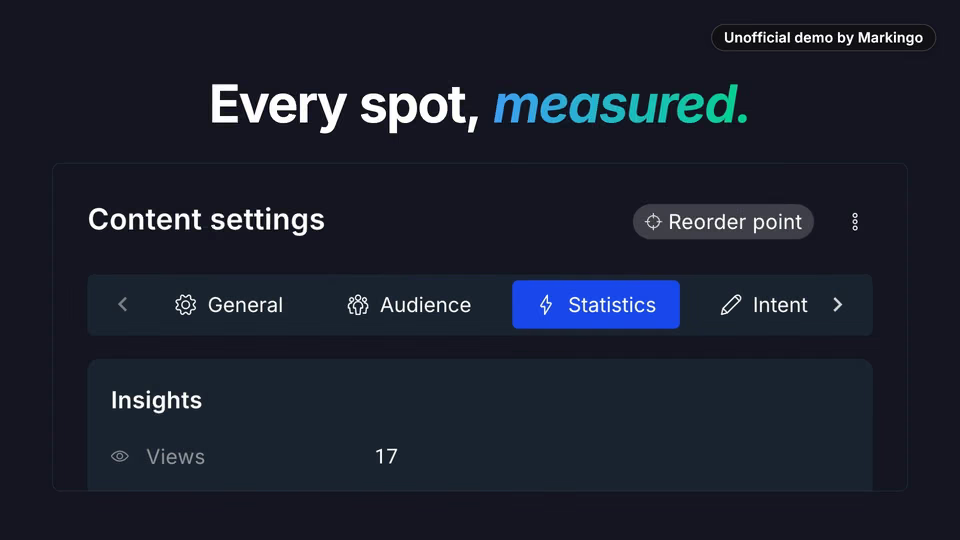
  6. 6Measured

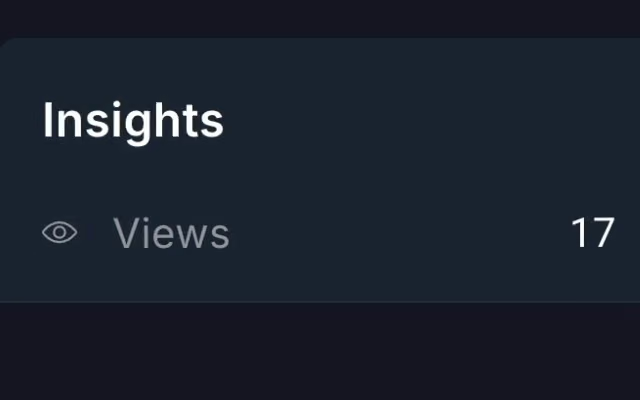
    Every view of it, counted.
05Screens, planned and filmed
For your film, we film every screen

We planned every screen, then filmed it.

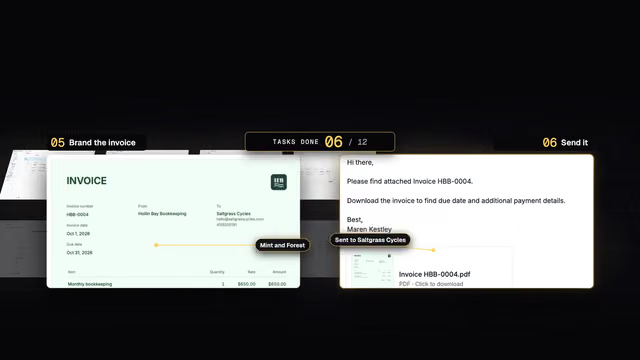
We drew twelve from MeltingSpot's real screens to plan both sides, the user's and the team's. Pick a moment to compare.

Changed from our plan: 10 of 10 momentsThe rest of the film

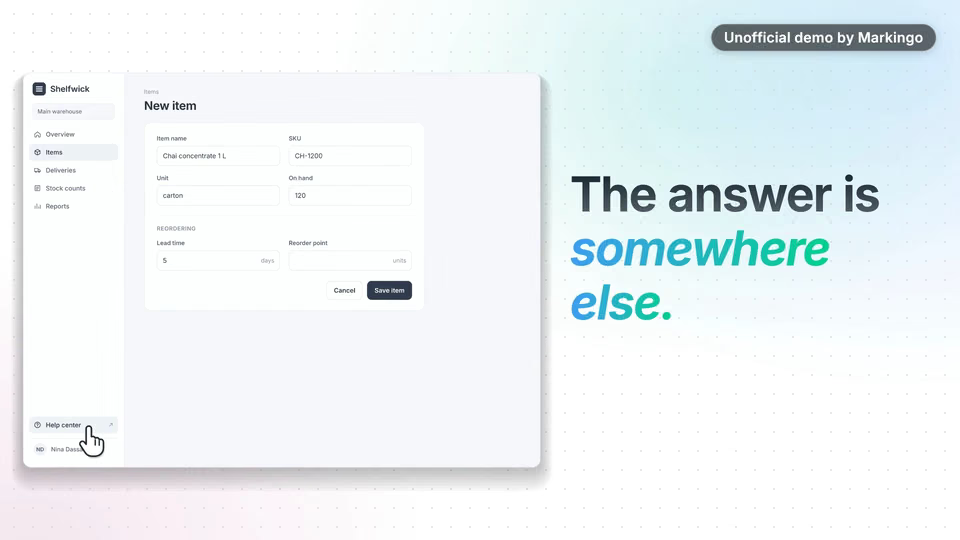
Somewhere else·

Somewhere else

PlannedThe whole app once; the pointer drifts to its help link.

WhyThe usual answer lives somewhere else.

ChangedThe pointer goes to the app's Help center link, and the words move on to a training session next week.

Every MeltingSpot screen is their real product; the app around it is ours.

06Motion and music
For your film, we animate it

We animated it and wrote its music.

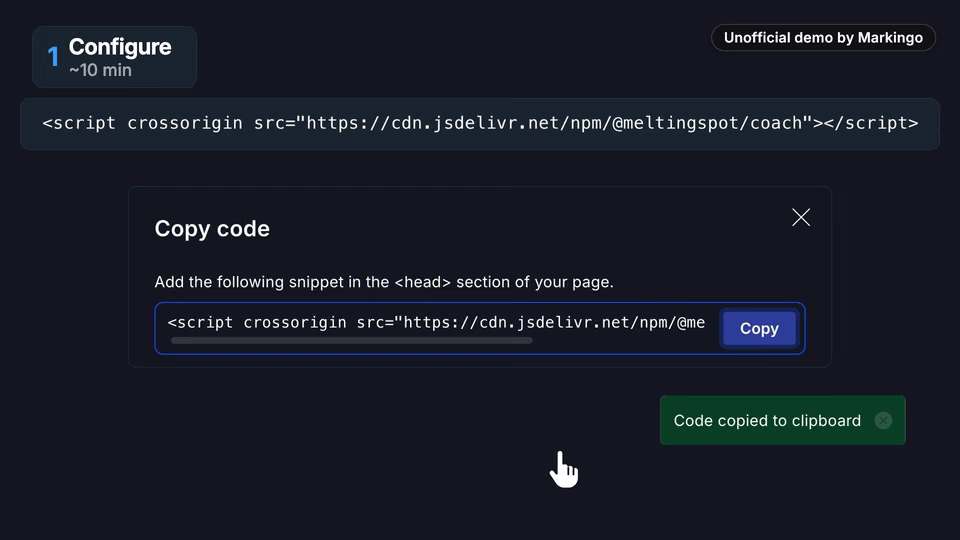
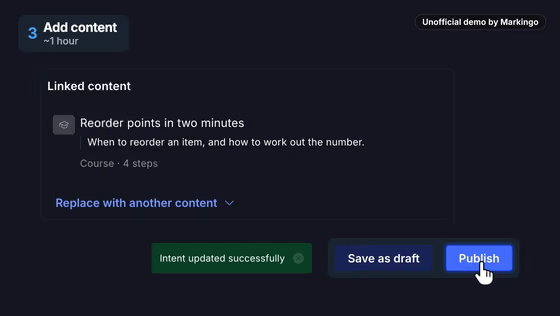
One click on Publish, and the coach is live. Then hear our music, from a wooden xylophone to the last chord.

Our storyboard·A small card beside the panel

The music softens for the name, and the drums start when the coach appears.

For your film, we write its music
Play the film from 0:00. Wooden xylophone · 0:00 to 0:13 · Light notes on a wooden xylophone and a soft shaking sound over a gentle beat, before the drums start.Play the film from 0:13. Softer for the name · 0:13 to 0:19 · The xylophone fades and one bright chord plays while the name is said; a soft popping sound as the mascot, Melty, appears.Play the film from 0:19. Building up · 0:19 to 0:22 · A few seconds that build up to the drums.Play the film from 0:22. Drums in: the coach · 0:22 to 0:39 · The drums and a deep bass start as the coach steps in on screen.Play the film from 0:39. The team's steps · 0:39 to 0:55 · For the team's three steps, the bass moves one note at a time and the cymbals sound longer.Play the film from 0:55. All together · 0:55 to 0:57 · Every instrument comes together on one chord, and a chime sounds as the narrator says it's live.Play the film from 0:57. Lighter: the results · 0:57 to 1:05 · The cymbals stop; only the bass and a soft, low hum play while the results are on screen.Play the film from 1:05. Last chord · 1:05 to 1:12 · All the instruments come back for a moment, then the final chord lasts to the end.
Play the film from 0:00: Every product has that one spot... where new users get stuck.Play the film from 0:05: And the answer is always somewhere else.Play the film from 0:08: A help center, a video, a training session next week.Play the film from 0:13: Meet MeltingSpot...Play the film from 0:16: the Learning Agent that lives inside your software.Play the film from 0:20: It's a coach, built into your product, that steps in at the exact spot... before anyone has to ask.Play the film from 0:26: It's not a chatbot.Play the film from 0:28: Chatbots wait.Play the film from 0:29: Melty acts first!Play the film from 0:31: The lesson opens right there, on top of the app Nina's working in... and she's back at work, with her number.Play the film from 0:38: And it's live in hours, not months.Play the film from 0:40: Here's how it works.Play the film from 0:42: First, you configure your agent.Play the film from 0:44: Give it a name and a tone, and add a snippet to your product.Play the film from 0:48: Then you define your coaching zones.Play the film from 0:50: You simply point at the spot... and tell Melty what to teach.Play the film from 0:53: Link the lesson, hit publish... and it's live!Play the film from 0:57: From then on, every spot is measured.Play the film from 1:00: And teams see five times the knowledge retention... with half the support tickets.Play the film from 1:05: So, find your stuck spot... and start free.
  1. Light notes on a wooden xylophone and a soft shaking sound over a gentle beat, before the drums start.

  2. The xylophone fades and one bright chord plays while the name is said; a soft popping sound as the mascot, Melty, appears.

    “Meet MeltingSpot”

  3. A few seconds that build up to the drums.

  4. The drums and a deep bass start as the coach steps in on screen.

    “that steps in at the exact spot”

  5. For the team's three steps, the bass moves one note at a time and the cymbals sound longer.

  6. The cymbals stop; only the bass and a soft, low hum play while the results are on screen.

  7. All the instruments come back for a moment, then the final chord lasts to the end.

We made 8 parts of music to go with the 171 spoken words.

07What we learned

What we learned.

What making MeltingSpot's film taught us about phones, pace and buttons, and one idea for yours.

The finished film

In the film the coach's window fills half the screen; our storyboard had it small at the bottom.

  1. 01

    On a phone, a window needs about half the screen to be readable, so we showed the coach's message in two close-ups.

  2. 02

    The product keeps its own pace: the coach's typing dots run for as long as they do in the app.

  3. 03

    Every button stays readable as it is clicked: the pointer clicks near its lower edge, so its label stays in view.

Try this on yours

Film the one spot where your users get stuck, from both sides: theirs and your team's.

Your turn

Your first film is on us.

You pay nothing, and it's ready in 48 hours.

Every step on this page, done for your product. Tell us what to change, as often as you like.

  • 48hYour film in under 48 hours
  • Every stepOn this page, included
  • YoursTo keep, even if you don't like it
11Words and sources

The film's own words.

Everything you hear in the film, word for word, with the time it is said. Choose a line to play from there.

The work behind this film

sources read
17
rival films watched
12
ideas written
3
storyboards drawn
12

Every word said in the film, in order.

  1. Narrator

Show all 20 lines

17 sources read for this film

The sources this page cites come first, numbered as you meet them; then every other source we read. All links accessed November 6 or 7, 2026.

Their own pages and posts, their videos, references and data 5

  1. 1MeltingSpot's homepage (opens in a new tab) MeltingSpot · their siteBack to the text
  2. 2Their launch, live on YouTube (opens in a new tab) MeltingSpot · their videoBack to the text
  3. 3MeltingSpot on YouTube (opens in a new tab) MeltingSpot · their channelBack to the text
  4. 9MeltingSpot's product page (opens in a new tab) MeltingSpot · their site
  5. 10Wikipedia: digital adoption platform (opens in a new tab) Wikipedia · a definition