Skip to the page
Your first film, on usin 48 hours

How we made BoardPro's product video.

An 83-second film we made from BoardPro's live product, as an example of our work. This page walks through every step, from their 214 videos to the hall roof the board finally decides on.

Board managementProduct film · 1:23 · B2B · Unofficial demo1:23 · Unofficial demoAlsoThe reel · 0:53

13 chapters

AlsoThe reel · 0:53

BoardPro is board management software for small businesses and nonprofits. Our film follows one agenda item, the hall roof repair, through a full board cycle, from the plan to the decision.

BoardPro's part
Press play.

BoardPro: the film

0:00 / 1:23
02What BoardPro does
For your film, we check how people find you

We studied BoardPro first.

Board software for small businesses and nonprofits. We went through every video on their channel to see how they show the product today.[1,2]

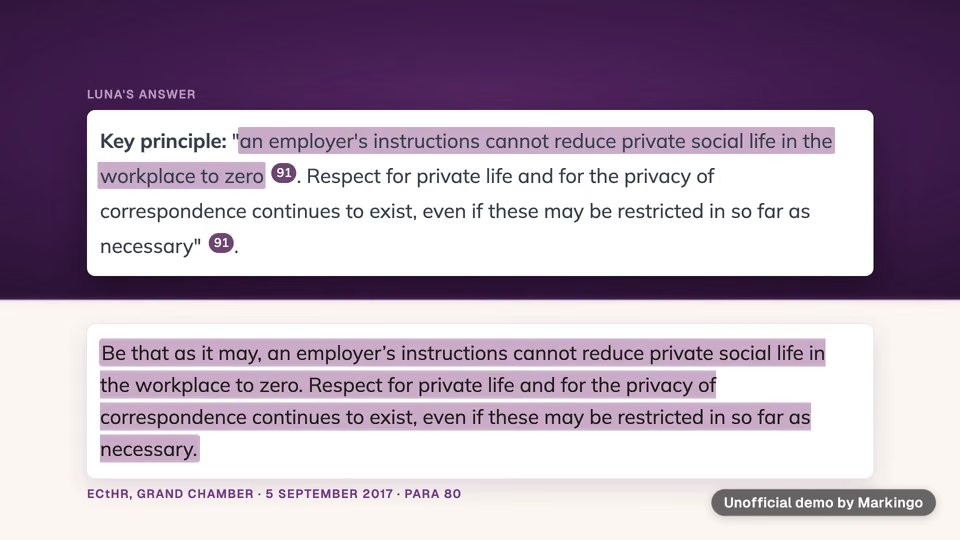
BoardPro keeps a board's year in one place: the plan, agendas, and . It drafts the plan and the minutes for a person to finish.[1,3]

“Build the agenda, and the board pack builds itself.”

A promise on BoardPro's homepage (opens in a new tab).
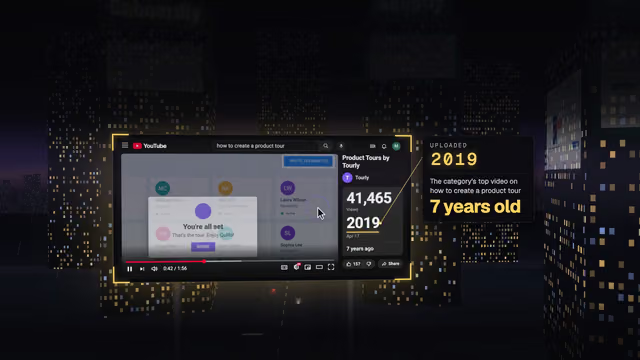
Their 214 videos: 116 run half an hour or more, most of them webinars.

One bar, one of their videos; its height is its length. We went through all 214.

03Board software films
For your film, we study your market

We watched board software films.

We looked for what board software films keep repeating. Ours follows one agenda item through a board's year.

Theirs

Most board software films promise hours saved.

We watched all 16 board software films in full and noted what keeps coming back.

  • Boardroom stock footage4 of 16 films, one of them at 0:56[8]
  • Hours-saved counters11 of 16 films, one of them at 0:41[9]
  • Feature montages8 of 16 films, one of them at 0:13[10]

Ours: one whole board cycle

Plan to confirmation, in one film.
04The story
For your film, we write the story in your brand

We picked one story.

We wrote three ideas for BoardPro and chose the one that follows a board through its whole year.

“Every board has items that keep coming round.”

The film's opening line.

We chose “One full cycle”.

  1. AOne full cycleChosen

    Why we chose it: A board's work runs in a yearly cycle. The film follows one item through all of it, one task at each stop.

  2. BDraft, then decision

    Why not: Its color rule, one color for drafts and another for decisions, needed explaining, and it had no single picture to share.

  3. CThe record that answers back

    Why not: It centered on asking the assistant, an older feature, and missed the whole cycle.

The hall roof item, step by step.
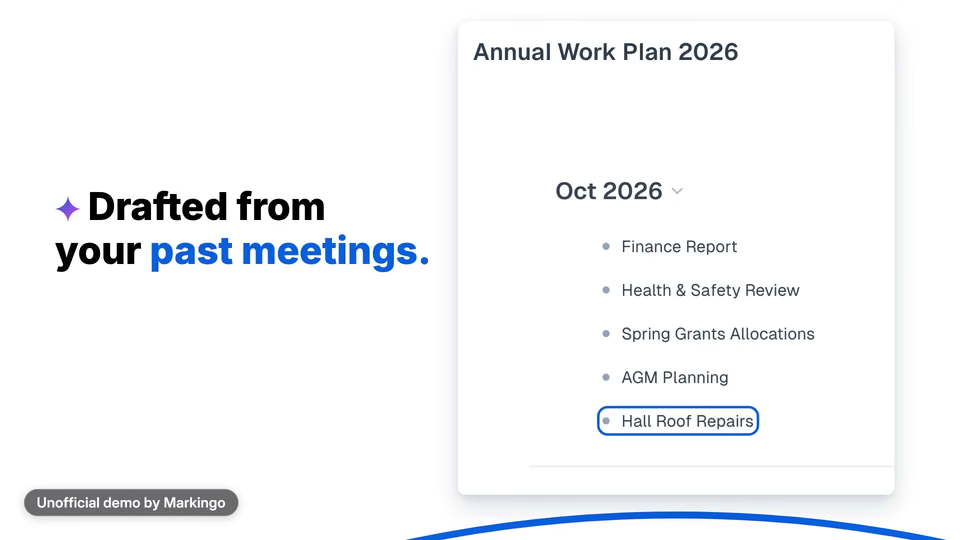
  1. 1Planned

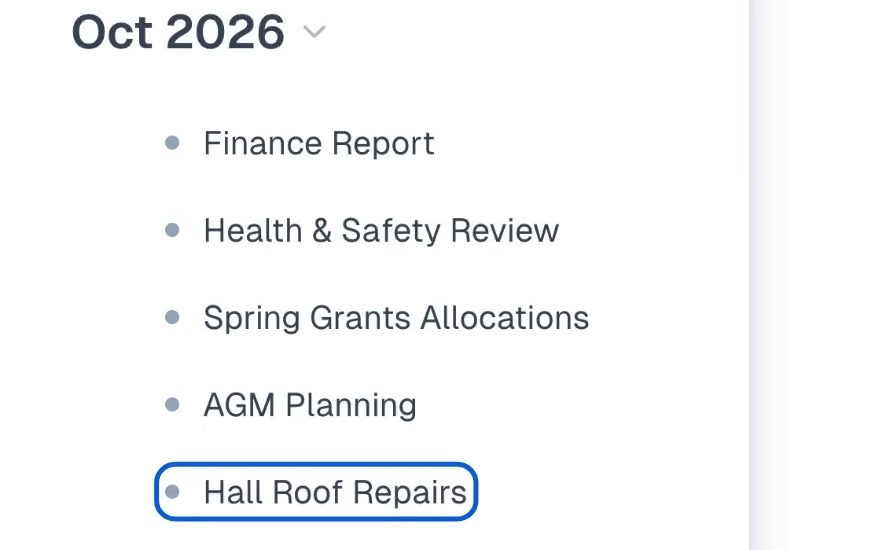
    BoardPro drafts the year from past meetings and puts the roof in October.

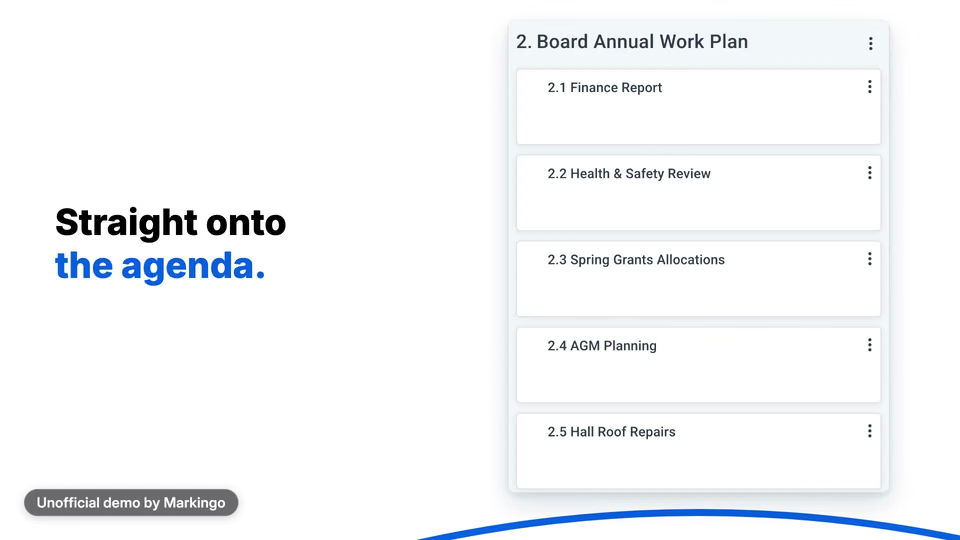
  2. 2On the agenda

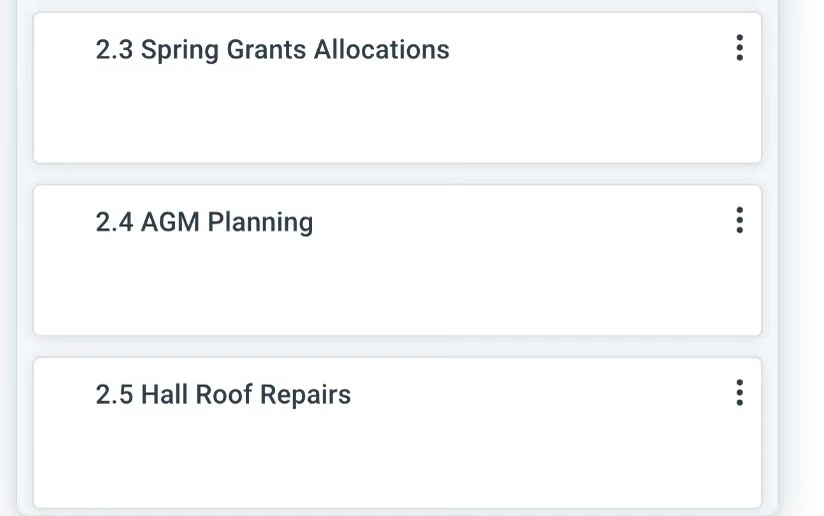
    Item 2.5, straight from the plan.

  3. 3In the pack

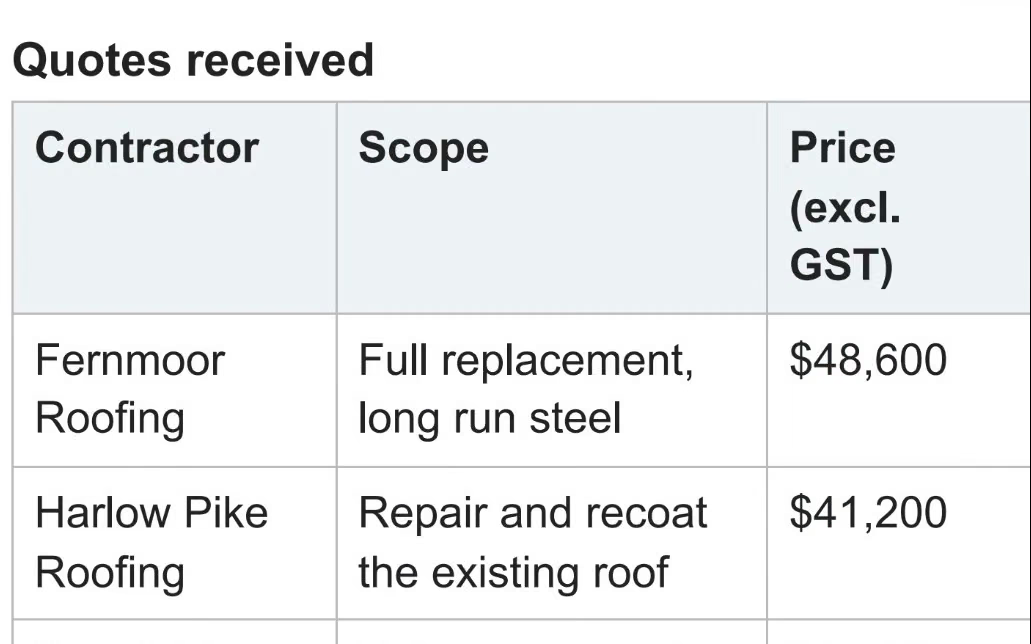
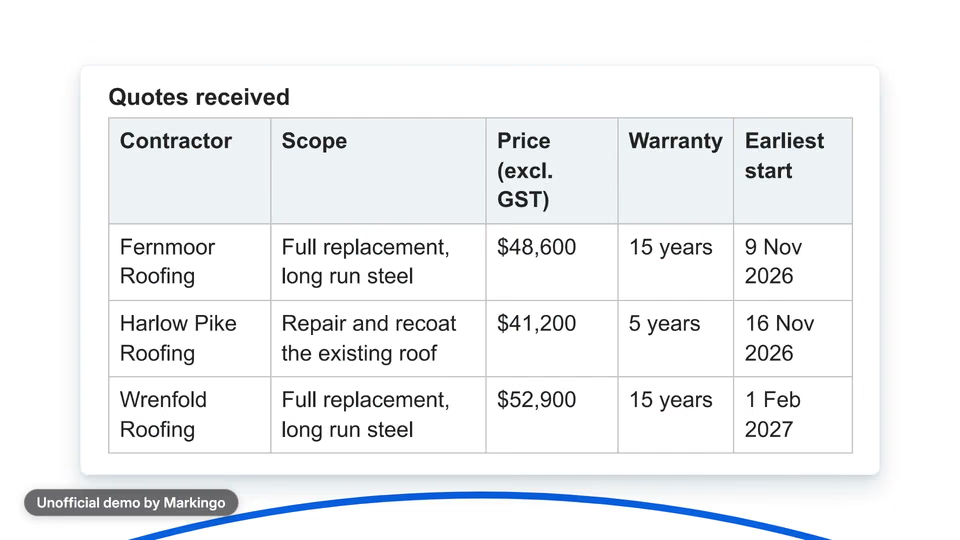
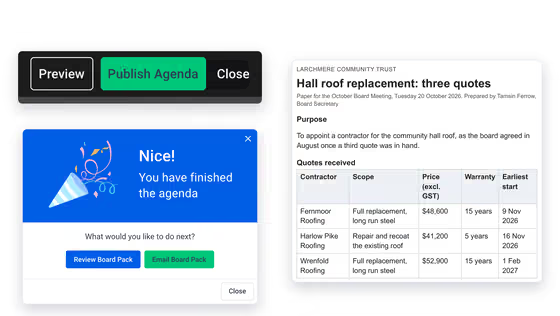
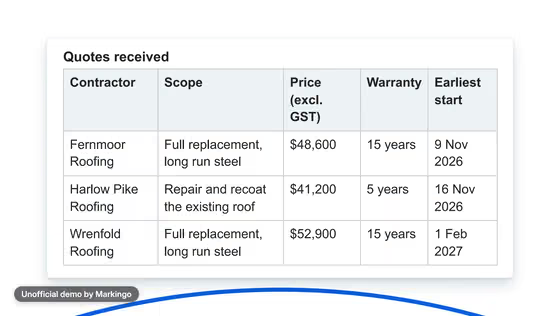
    The quotes, on page 10 of the pack.

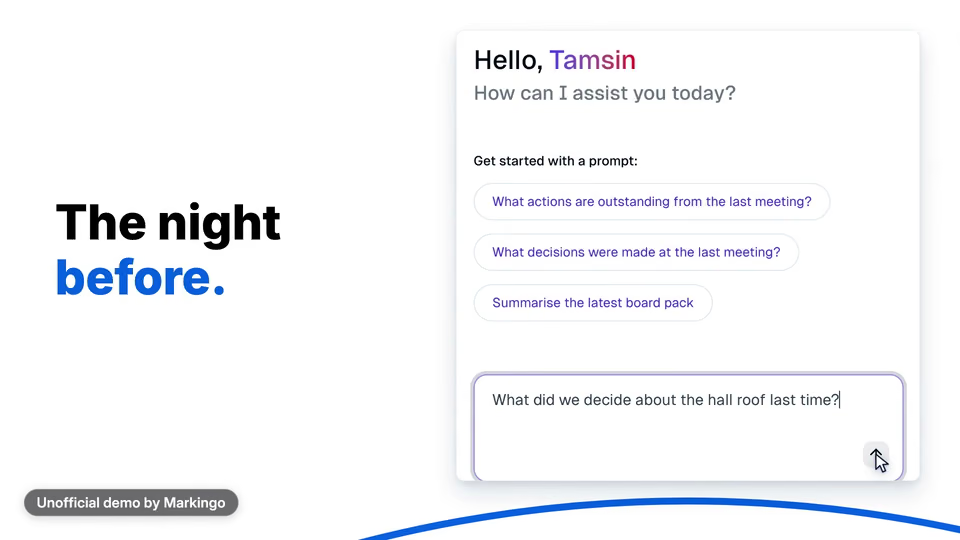
  4. 4Asked

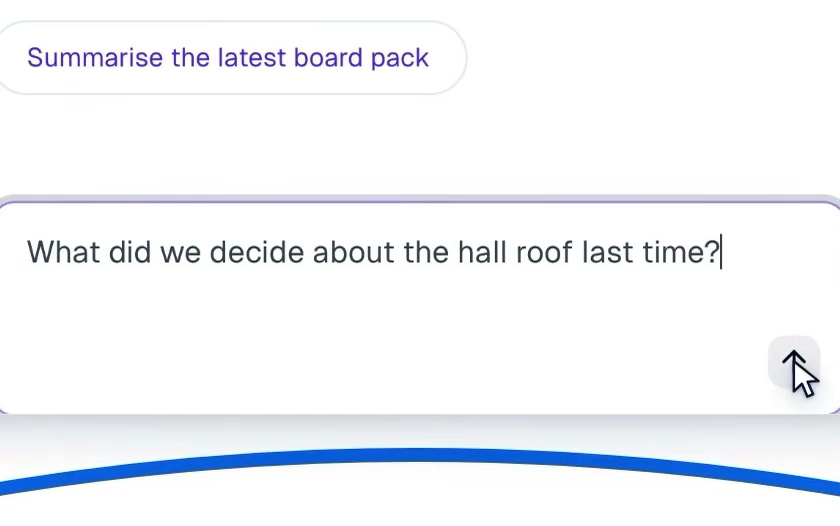
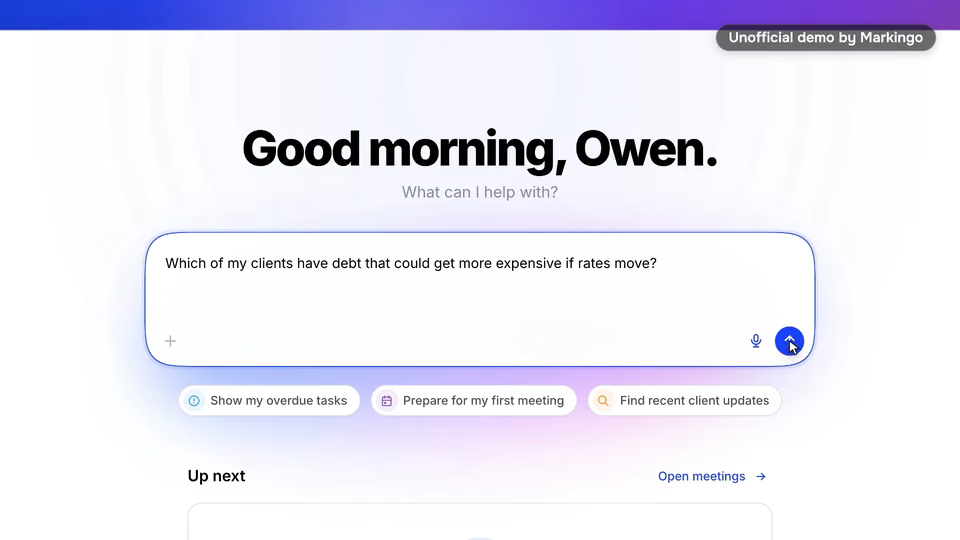
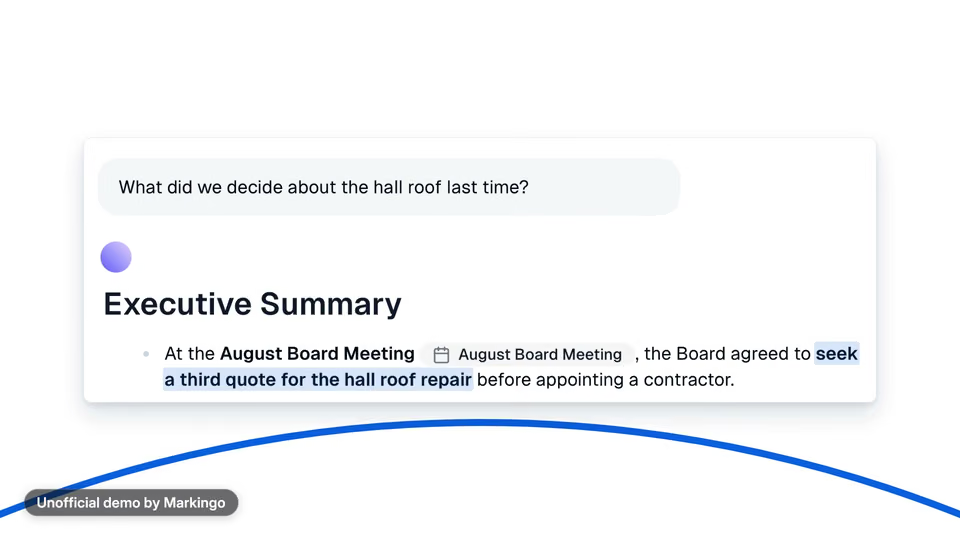
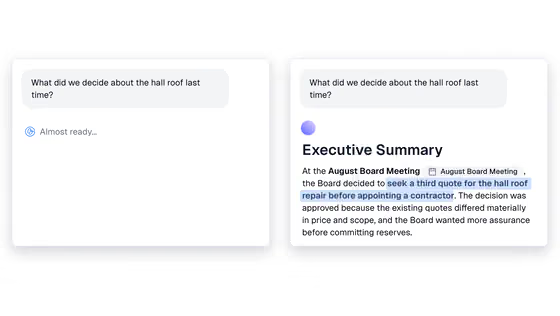
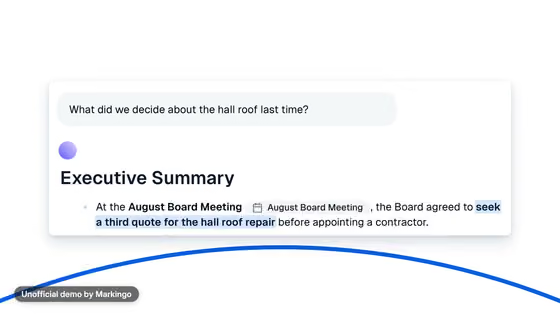
    What did we decide last time?

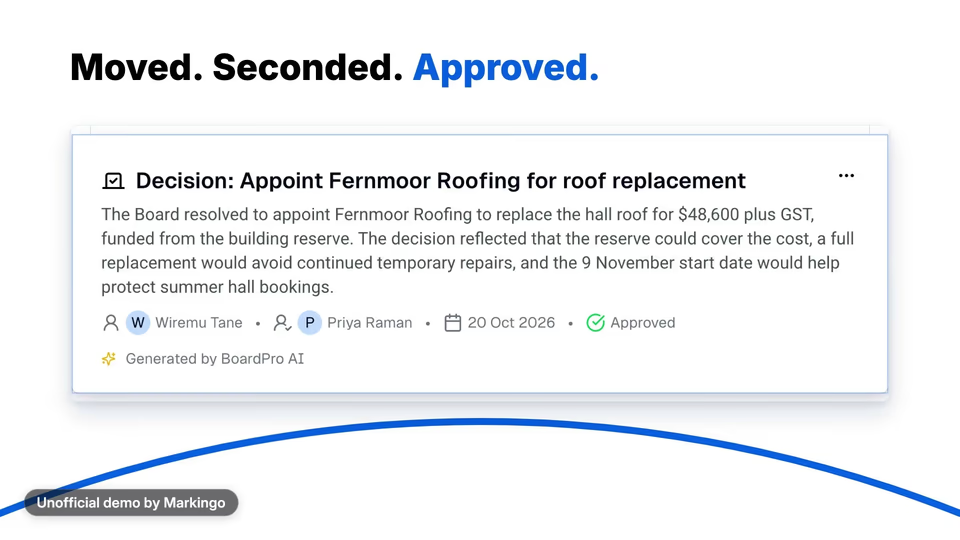
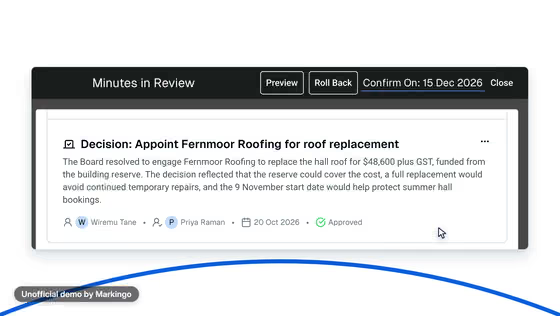
  5. 5Decided

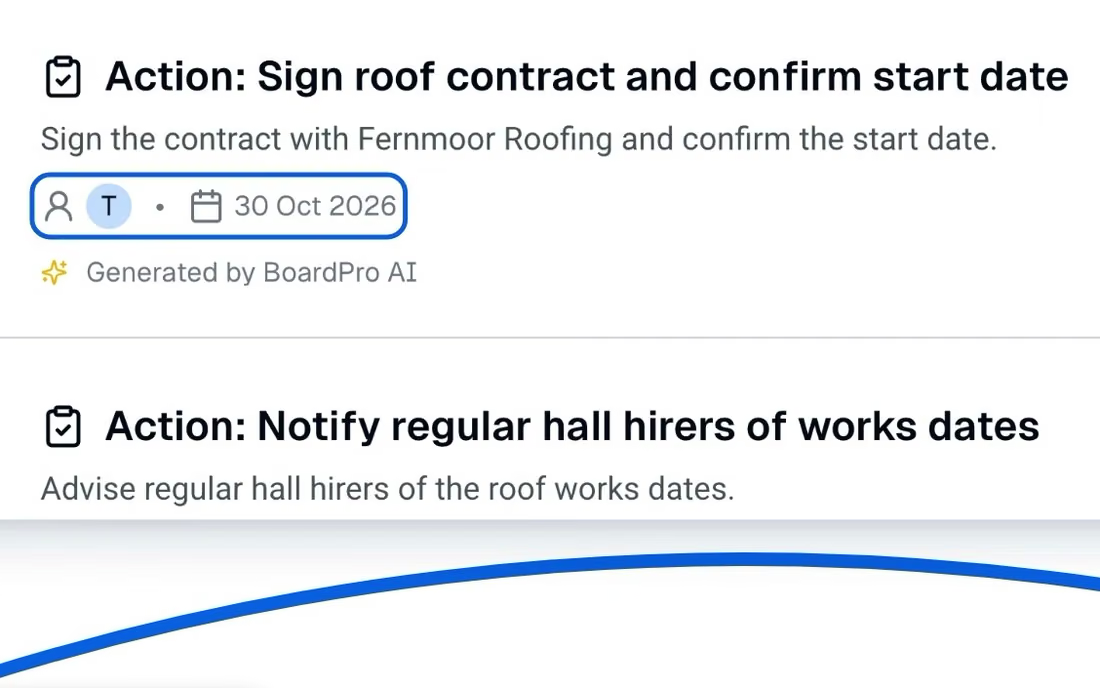
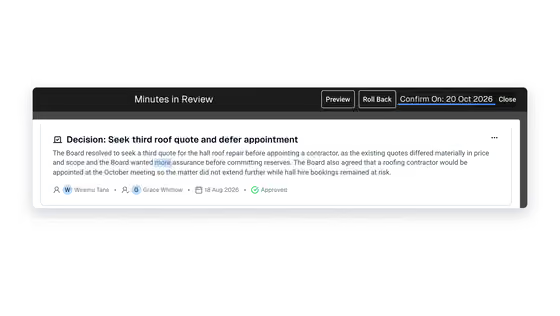
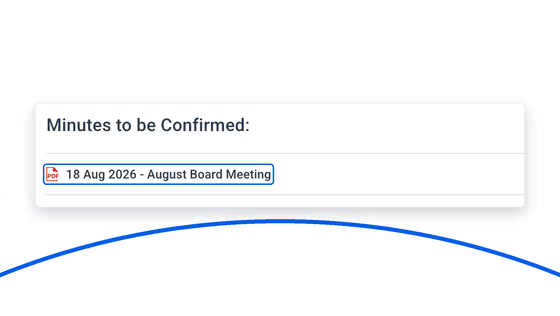
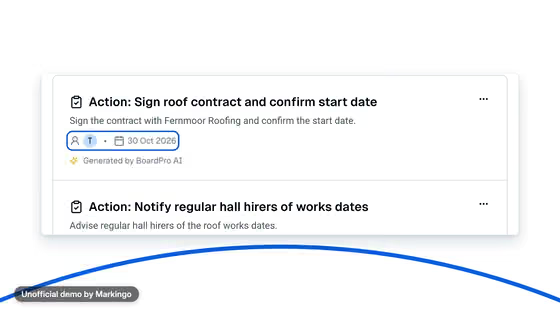
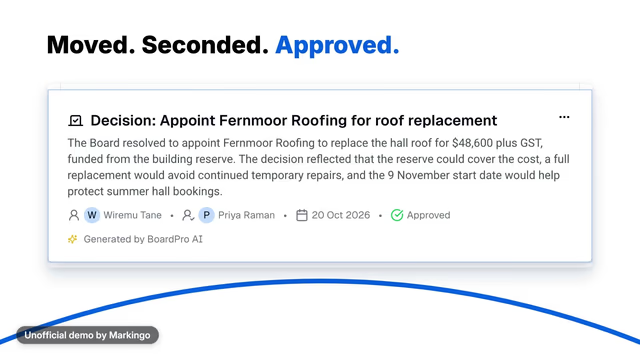
    Approved, with an owner and a date.

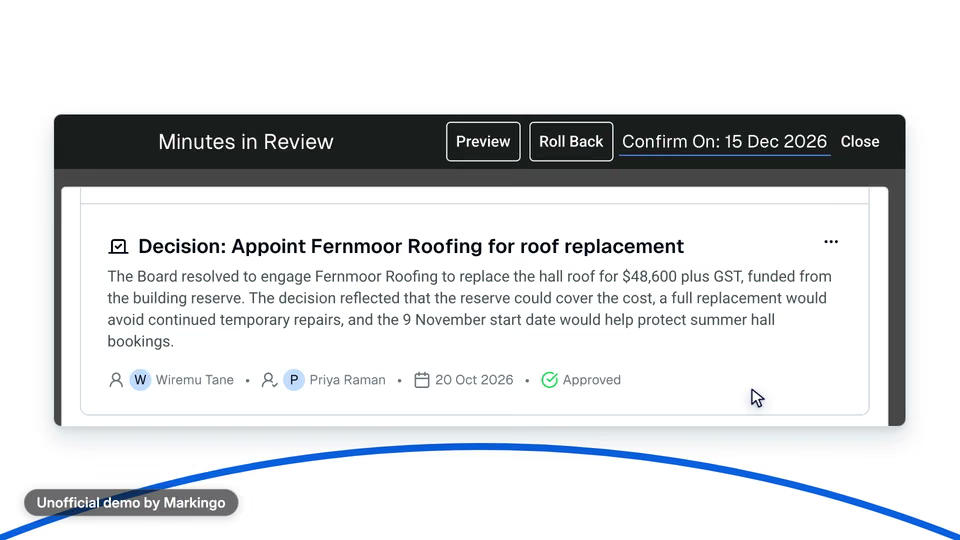
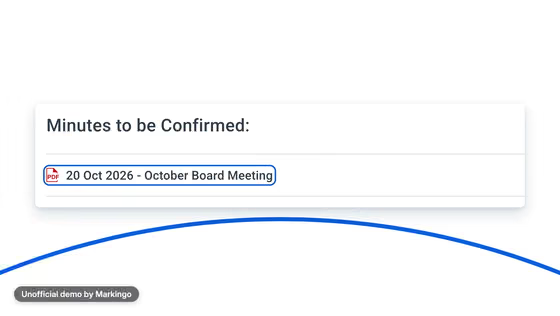
  6. 6Confirmed

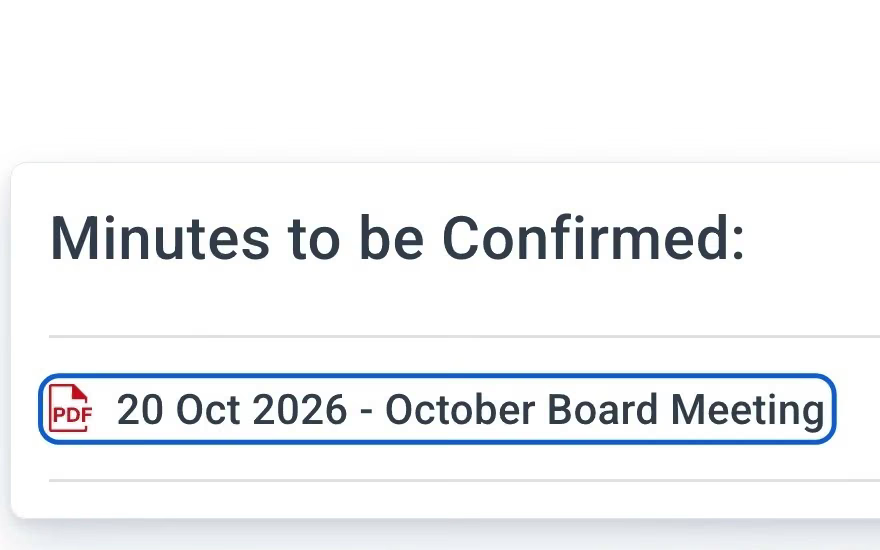
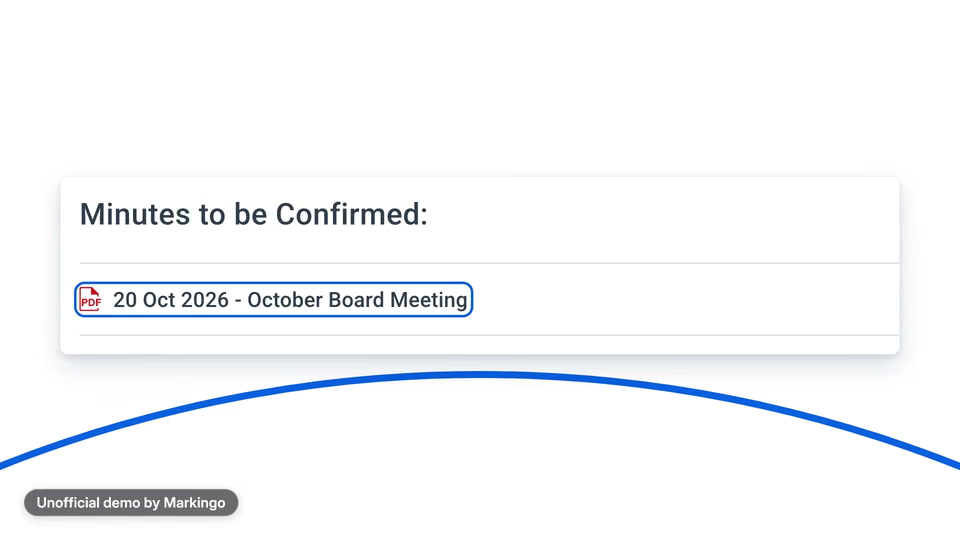
    Confirmed at the next meeting.
05Screens, planned and filmed
For your film, we film every screen

We planned every screen, then filmed it.

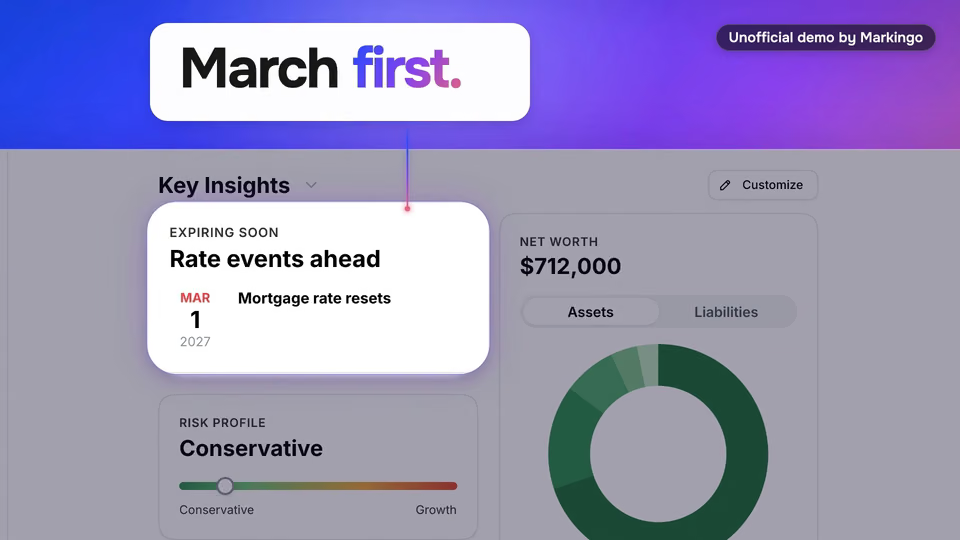
We drew twenty-two before filming, so each stop of the roof item's year had its screen. Pick a moment to compare.

Changed from our plan: 7 of 10 momentsFilmed as planned: 3 momentsThe rest of the film

Items that come round·

Items that come round

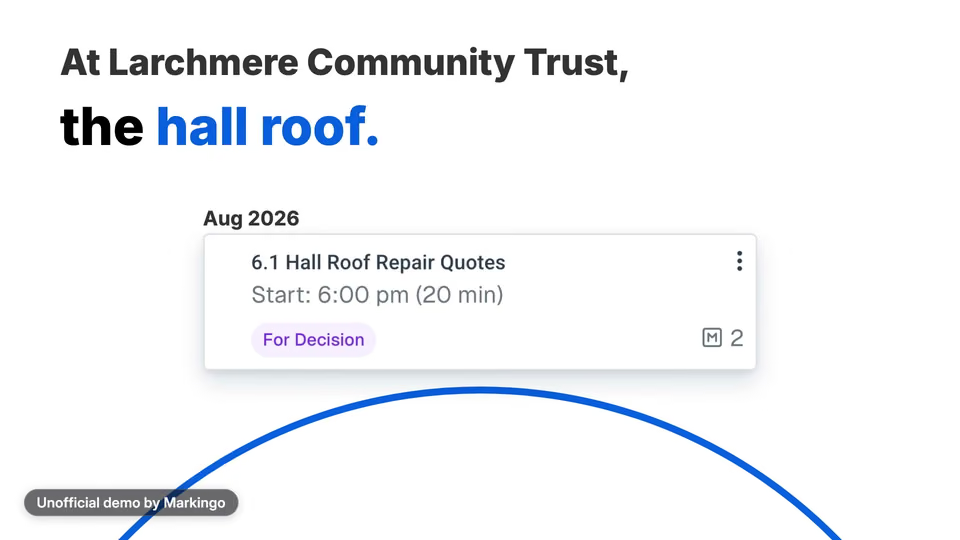
PlannedReal agenda cards travel round a blue circle; the roof card arrives as the narrator says roof.

WhyEvery board has an item that never goes away.

ChangedEach card on the circle carries its month, here Aug 2026 for the hall roof, shown as the narrator says it.

Every screen is BoardPro's own, filmed in the live product.

06Motion and music
For your film, we animate it

We animated it and wrote its music.

The board pack gives way to the night before the meeting. Then our music, part by part; on the word decided, the beat stops and one long chord plays.

The music stays on one chord for “decided”, then the opening tune comes back.

For your film, we write its music
Play the film from 0:00. Soft piano tune · 0:00 to 0:11 · A four-note tune on soft piano, with a soft, even tone under it, from the first second.Play the film from 0:11. Strings in · 0:11 to 0:16 · Low strings come in and play one long chord under the title.Play the film from 0:16. Beat and bass · 0:16 to 0:35 · Soft, quick notes keep a steady beat over a deep, soft bass while the work gets done.Play the film from 0:35. The beat drops out · 0:35 to 0:44 · For the question the beat stops, leaving the piano and that soft tone on their own.Play the film from 0:44. The beat returns · 0:44 to 0:52 · The beat comes back and the bass climbs toward the decision.Play the film from 0:52. One chord on decided · 0:52 to 0:59 · On “decided” the beat and bass stop, and one long chord plays with soft, bell-like notes over it.Play the film from 0:59. The bells fade · 0:59 to 1:05 · The bell-like notes fade, and the piano plays on under the decision as it is edited.Play the film from 1:05. The tune returns · 1:05 to 1:10 · The opening four-note tune comes back over the strings.Play the film from 1:10. Steady strings · 1:10 to 1:16 · The strings play one long, steady chord under the film's last two lines.Play the film from 1:16. Last chord · 1:16 to 1:23 · The last chord comes after the final word and fades out with the picture.
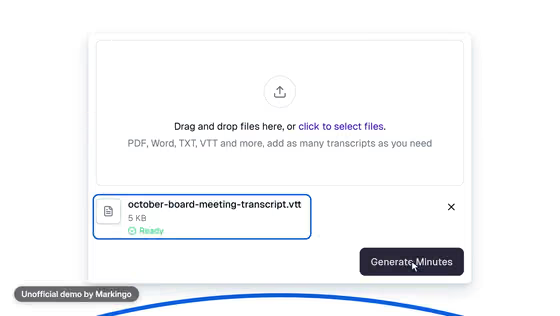
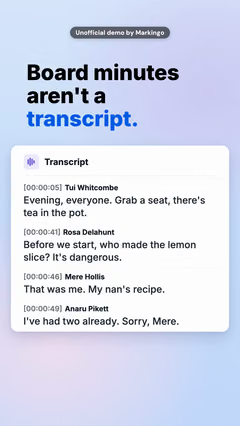
Play the film from 0:01: Every board has items that keep coming round.Play the film from 0:04: The budget every February... the audit every June... and at Larchmere Community Trust, the hall roof.Play the film from 0:12: So here's one board cycle, with BoardPro AI.Play the film from 0:17: It starts with the year.Play the film from 0:19: BoardPro AI drafts your annual work plan from your past meetings... roof included.Play the film from 0:24: Link October to the next meeting, and its items go straight onto the agenda.Play the film from 0:29: Attach the papers, publish, and the board pack builds itself... roof quotes and all.Play the film from 0:36: The night before, you ask what the board decided about the roof last time... and the answer brings back the decision, with its source: the August meeting.Play the film from 0:45: After the meeting, you upload the transcript... and BoardPro AI drafts the minutes against your agenda.Play the film from 0:52: The roof is decided at last!Play the film from 0:54: It shows who moved it, who seconded it, and the action, with its owner and its date.Play the film from 1:00: Nothing publishes automatically.Play the film from 1:02: You read it, make it yours, and finish the draft.Play the film from 1:06: And at the next meeting, the board confirms them... and the cycle comes round again.Play the film from 1:11: The AI takes on the preparation.Play the film from 1:13: The judgement stays with the board.Play the film from 1:16: Augmentation not automation.
  1. A four-note tune on soft piano, with a soft, even tone under it, from the first second.

  2. Low strings come in and play one long chord under the title.

  3. Soft, quick notes keep a steady beat over a deep, soft bass while the work gets done.

  4. For the question the beat stops, leaving the piano and that soft tone on their own.

  5. The beat comes back and the bass climbs toward the decision.

  6. On “decided” the beat and bass stop, and one long chord plays with soft, bell-like notes over it.

    “The roof is decided at last!”

  7. The bell-like notes fade, and the piano plays on under the decision as it is edited.

  8. The opening four-note tune comes back over the strings.

    “the cycle comes round again.”

  9. The strings play one long, steady chord under the film's last two lines.

  10. The last chord comes after the final word and fades out with the picture.

We made 10 parts of music to go with the 187 spoken words.

07What we learned

What we learned.

Making BoardPro's decision readable taught us three things about words on screen.

The finished film

In the film the decision stands alone, large. Our storyboard had two cards, the decision small.

  1. 01

    The proof has to be readable. We laid the decision out again, so its words are large enough to read on any screen.

  2. 02

    Words come up just before they are spoken. So each word is already there to read when the narrator reaches it.

  3. 03

    Cards move in one smooth motion. When the decision card moves to the front, it travels in one piece, so your eye can follow it.

Try this on yours

Build the film around the thing your buyer knows too well. For a board, the agenda item that keeps coming back.

08Done for them
Our process, step by step

Every step, done for them.

We set up a fictional community trust in BoardPro and walked through its whole year, then went over the film three times before we called it done.

  1. Research and story6 steps
    1. 01We studied BoardPro and its videos.
    2. 02We set up a demo community trust.
    3. 03We wrote three ideas for the story.
    4. 04We tried eight parts of BoardPro, from the year's plan to the minutes.
    5. 05We wrote the trust's papers and transcript.
    6. 06We drew 22 storyboards.
  2. Filmed, voiced, animated4 steps
    1. 07We went over the plan three times.
    2. 08We filmed BoardPro's live product, screen by screen.
    3. 09We wrote the narration, with room to pause before the big moments.
    4. 10We designed and animated it.
  3. Reviewed and finished2 steps
    1. 11We watched it again from the start and made eight changes.
    2. 12We watched it twice more, and the film was done: 1:23.

Our part

Twelve steps: the trust, the story, the filming and three reviews.

BoardPro's part

Your part

Your website, then any notes you like.

Your turn

Your first film is on us.

You pay nothing, and it's ready in 48 hours.

Every step on this page, done for your product. Tell us what to change, as often as you like.

  • 48hYour film in under 48 hours
  • Every stepOn this page, included
  • YoursTo keep, even if you don't like it
11Words and sources

The film's own words.

Everything you hear in the film, word for word, with the time it is said. Choose a line to play from there.

The work behind this film

sources read
42
parts of BoardPro tried
8
rival films watched
16
ideas written
3
storyboards drawn
22

Every word said in the film, in order.

  1. Narrator

Show all 17 lines

42 sources read for this film and its reel

The sources this page cites come first, numbered as you meet them; then every other source we read. All links accessed November 6 or 7, 2026.

Other films we studied 24

  1. 8A board software film, May 29, 2025 (2:15) (opens in a new tab) category filmBack to the text
  2. 9A board software film, Apr 18, 2024 (3:00) (opens in a new tab) category filmBack to the text
  3. 10A board software film, Jun 7, 2021 (1:41) (opens in a new tab) category filmBack to the text
  4. 14A board software film, Mar 13, 2025 (0:58) (opens in a new tab) category film
  5. 15A board software film, Oct 17, 2022 (2:43) (opens in a new tab) category film
  6. 16A board software film, Mar 22, 2020 (1:25) (opens in a new tab) category film
  7. 17A board software film, Feb 8, 2021 (1:35) (opens in a new tab) category film
  8. 18A board software film, May 10, 2018 (1:23) (opens in a new tab) category film
  9. 19A board software film, Jun 28, 2026 (1:08) (opens in a new tab) category film
  10. 20A board software film, Mar 16, 2017 (2:43) (opens in a new tab) category film
  11. 21A board software film, Apr 6, 2011 (2:39) (opens in a new tab) category film
  12. 22A board software film, Jun 29, 2023 (1:40) (opens in a new tab) category film
  13. 23A board software film, Sep 7, 2022 (2:00) (opens in a new tab) category film
  14. 24A board software film, Jan 8, 2024 (1:00) (opens in a new tab) category film
  15. 25A board software film, Nov 8, 2021 (1:40) (opens in a new tab) category film
  16. 26A board software film, Nov 24, 2017 (0:43) (opens in a new tab) category film
  17. 35A how-to video: meeting minutes do's and don'ts (Mar 14, 2022) (opens in a new tab) YouTube · how-to video
  18. 36A how-to video: writing meeting minutes (Sep 12, 2020) (opens in a new tab) YouTube · how-to video
  19. 37A how-to video: meeting minutes, with an example (Oct 2, 2021) (opens in a new tab) YouTube · how-to video
  20. 38A how-to video: keeping board minutes, for nonprofits (Feb 24, 2022) (opens in a new tab) YouTube · how-to video
  21. 39A board software video on drafting minutes, Feb 6, 2026 (1:11) (opens in a new tab) YouTube · category video
  22. 40A board software video on drafting minutes, Mar 14, 2026 (4:01) (opens in a new tab) YouTube · category video
  23. 41A board software video on drafting minutes, Jul 31, 2025 (1:00) (opens in a new tab) YouTube · category video
  24. 42A board software video on drafting minutes, Nov 5, 2025 (5:55) (opens in a new tab) YouTube · category video