Skip to the page
Your first film, on usin 48 hours

How we made BriefCatch's product video.

A 75-second film we made from BriefCatch's live product, as an example of our work. We wrote a brief with two mistakes in it for the film; every step from there is below.

Legal writingProduct film · 1:15 · B2B · Unofficial demo1:15 · Unofficial demoAlsoThe reel · 0:52

14 chapters

AlsoThe reel · 0:52

BriefCatch is legal writing software that checks whether the cases a cites say what the brief claims. Our film follows one brief until a wrong is caught, before signing.

BriefCatch's part
Press play.

BriefCatch: the film

0:00 / 1:15
02What BriefCatch does
For your film, we check how people find you

We studied BriefCatch first.

We studied all 10 videos on their channel and what they launched, to see what a new film could add.

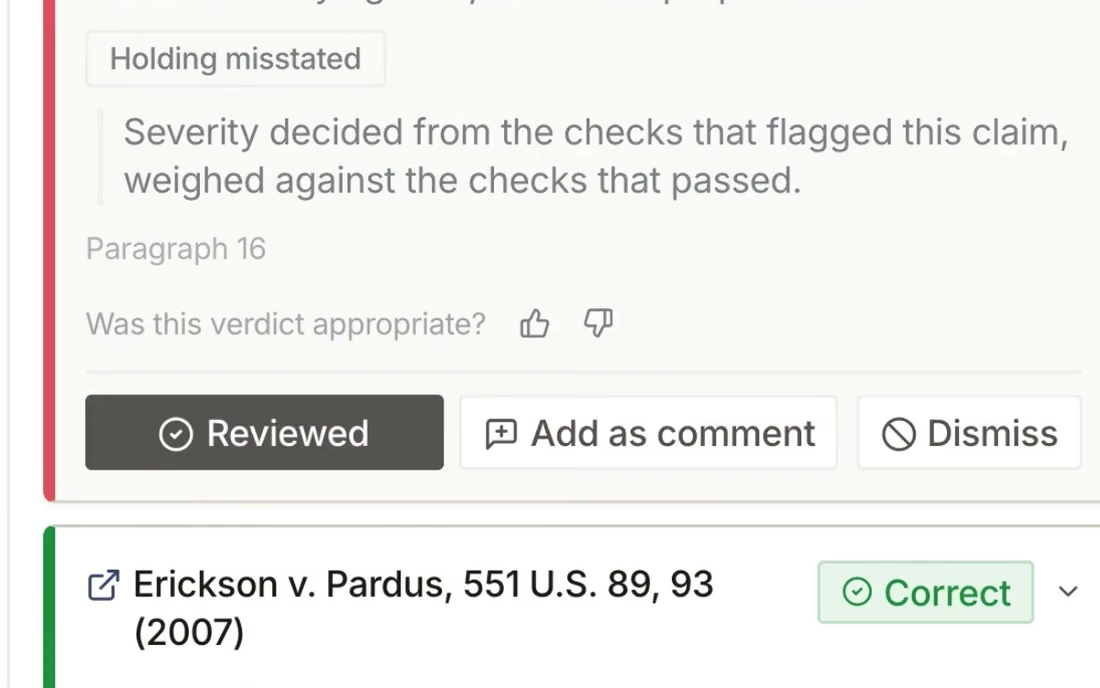
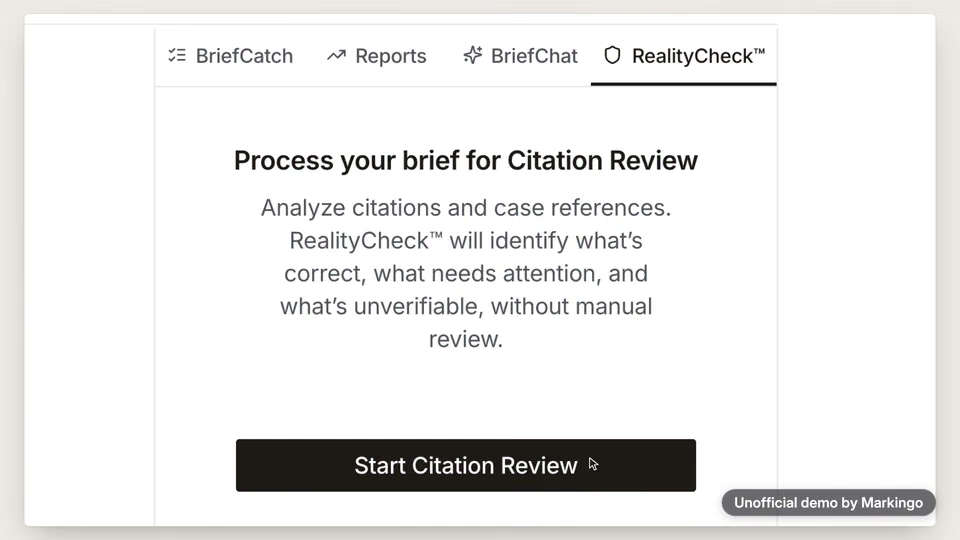
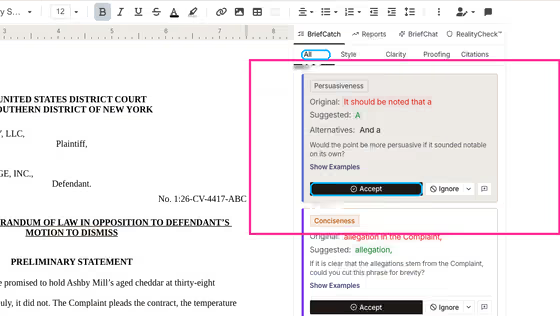
BriefCatch edits legal and checks their . Its RealityCheck reads each case a brief cites and says whether the case really says what the brief claims.[1]

“Why would any legal writer not use BriefCatch?”

A former judge of the Kansas Court of Appeals, on BriefCatch's site (opens in a new tab).
160 days without a video, with their new web app launched partway through, then our film.[2]
  1. LaunchRealityCheck[6]
  2. 160 days, no video
  3. LaunchThe new web app[7]
10 videos, May 2022 to Apr 2026
  1. 3 videos, earlier product demos
  2. Video6 videos
  3. Ad · 1:33 (opens in a new tab)
03Legal software films
For your film, we study your market

We watched 10 legal software films.

Most of them tour features or sell the brand.

  1. Harvey Platform Overview (opens in a new tab)[15]

    What it does: A narrated tour of every module.

  2. Thomson Reuters The Progenitors (opens in a new tab)[16]

    What it does: A mascot; no product.

  3. LexisNexis Lexis+ with Protégé (opens in a new tab)[17]

    What it does: A title card, then a walkthrough.

  4. Spellbook Associate (opens in a new tab)[18]

    What it does: A co-founder talking into the camera.

  5. Clearbrief Timeline in Word (opens in a new tab)[19]

    What it does: A screen recording in Word.

  6. Clio (vLex) Vincent (opens in a new tab)[20]

    What it does: A live demo on stage.

All 10 films
  1. Harvey Harvey inside Microsoft 365 (opens in a new tab)[21]

    What it does: Product icons, then how it connects.

  2. Harvey What software should give lawyers more time for (opens in a new tab)[22]

    What it does: A famous actor in an office.

  3. Thomson Reuters CoCounsel Legal, early access (opens in a new tab)[23]

    What it does: A skyline and giant type.

  4. LexisNexis Canada Protégé (opens in a new tab)[24]

    What it does: A fast montage of product shots.

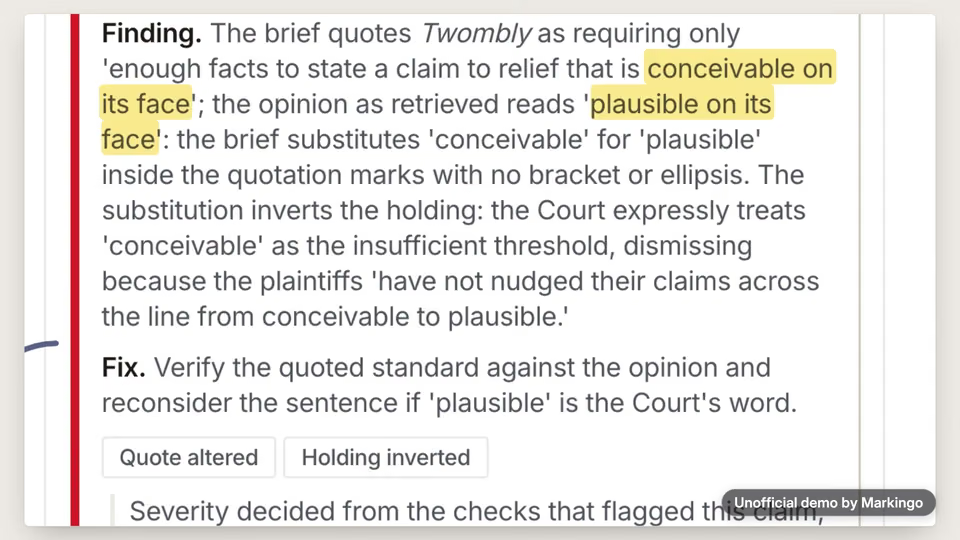
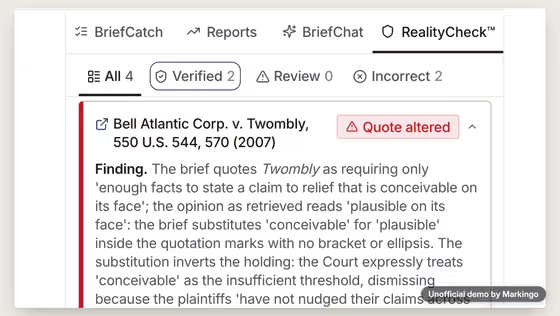
Only ours shows a check marking a brief's sentence wrong.

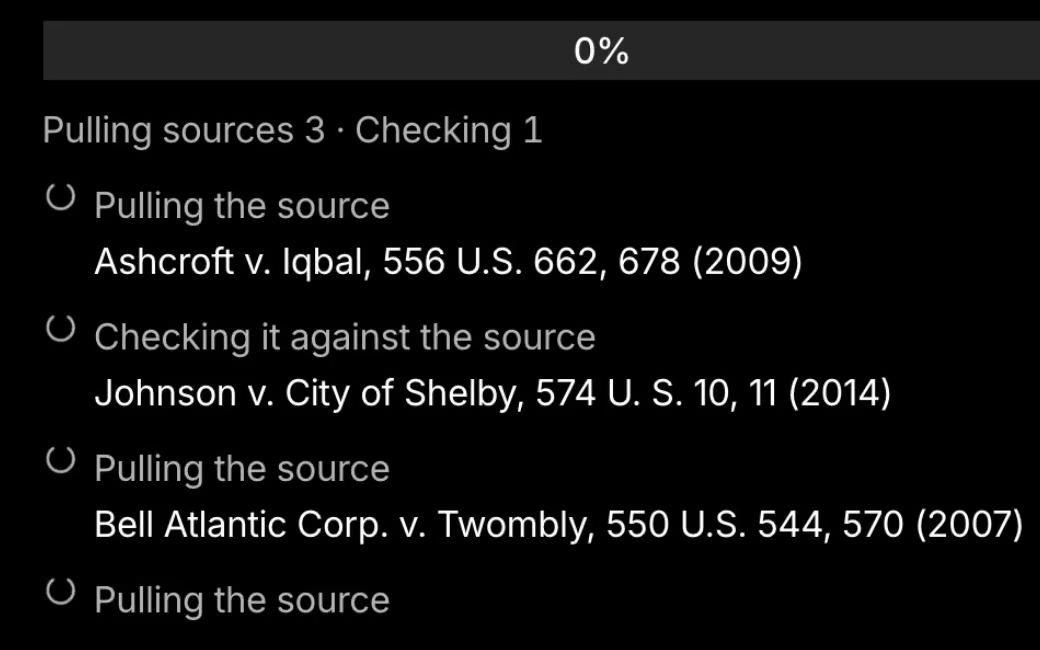
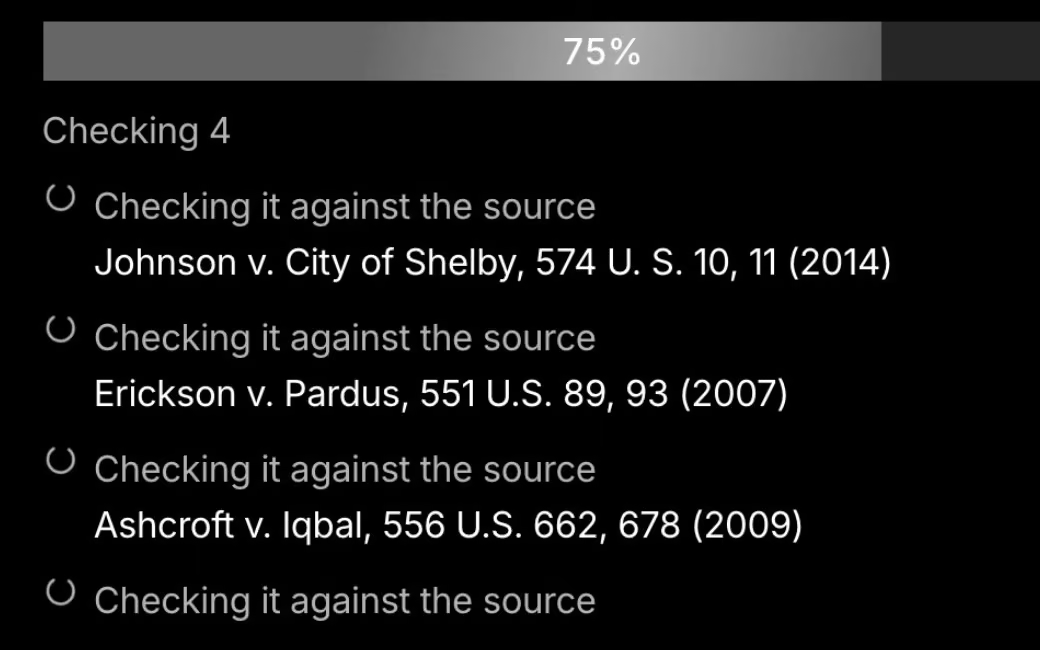
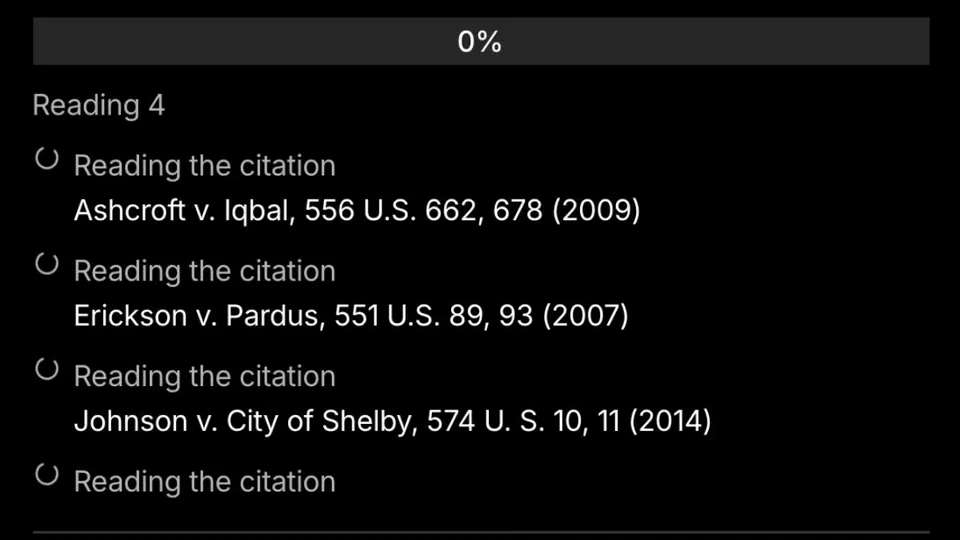
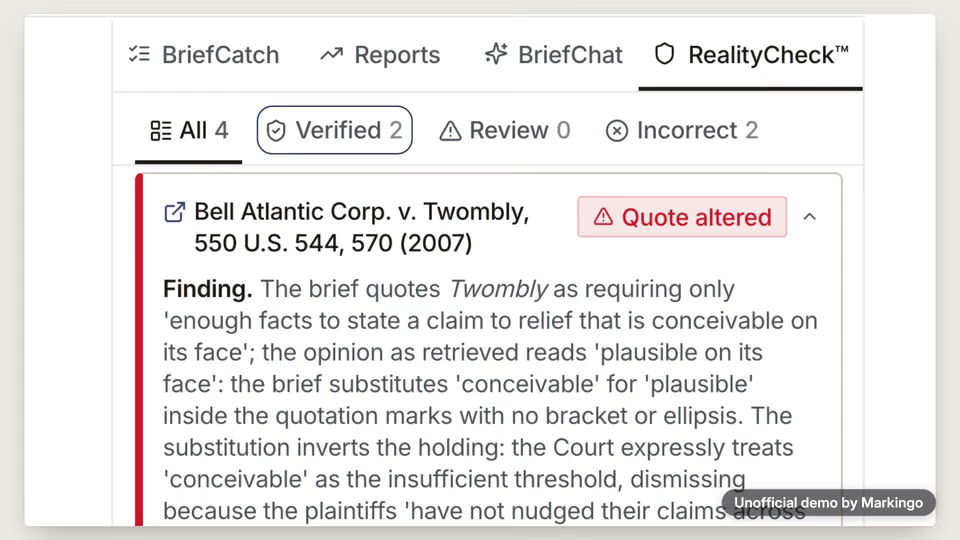
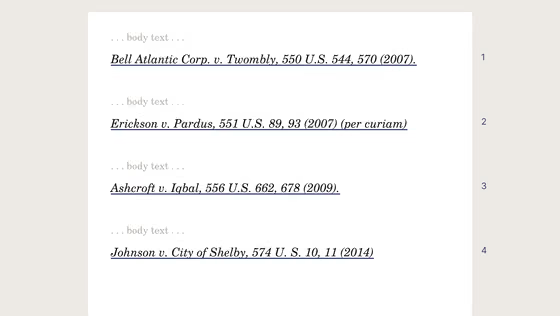
Ours: four cases checked, two flagged.
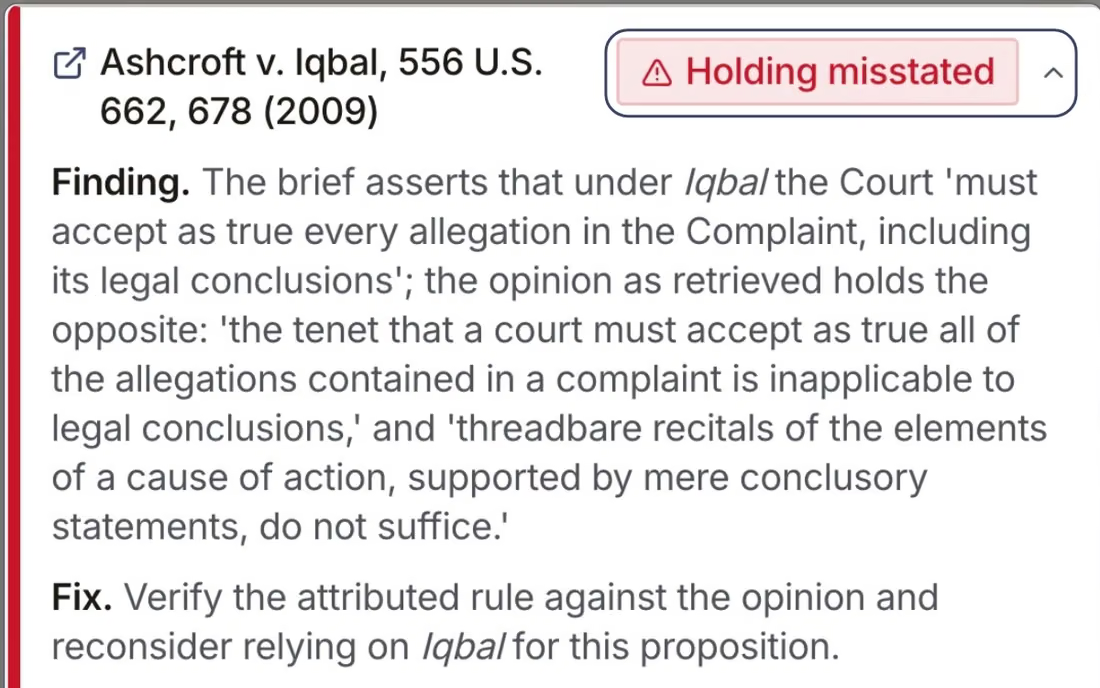
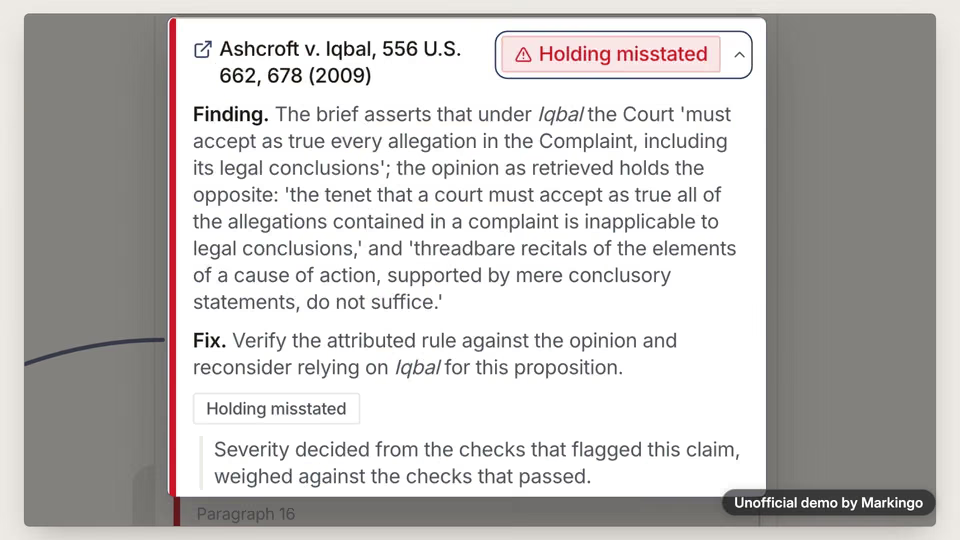
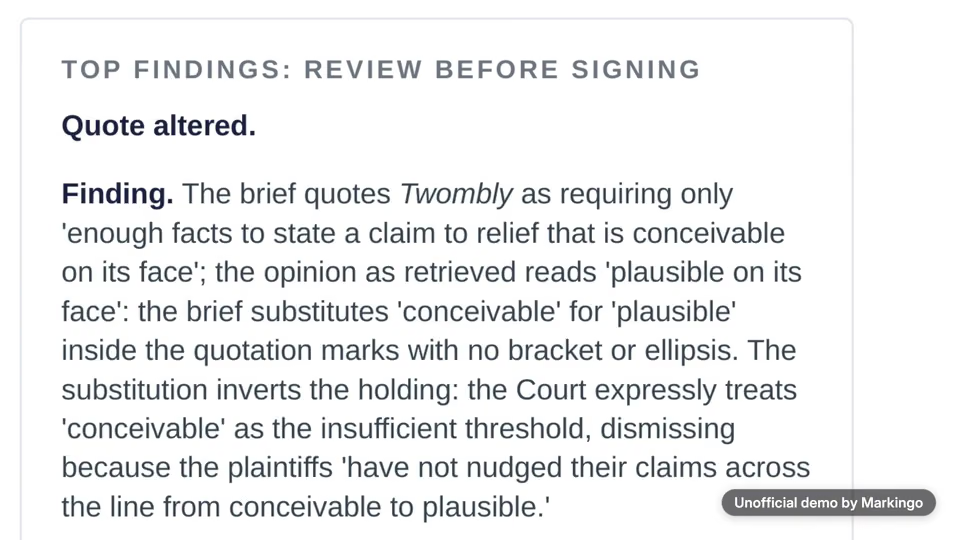
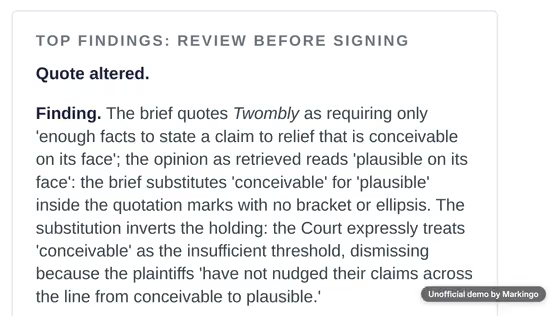
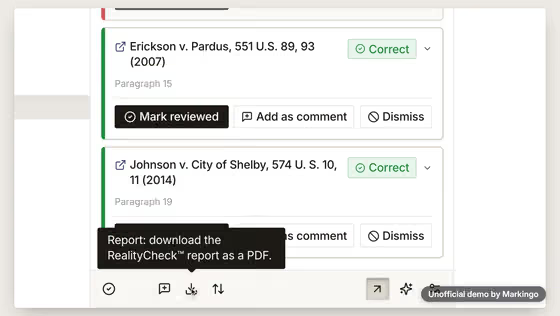
Ours: the findings, reviewed before signing.
04The story
For your film, we write the story in your brand

We picked one story.

Of the three ideas we wrote, the one we picked follows a brief to its last check before signing.

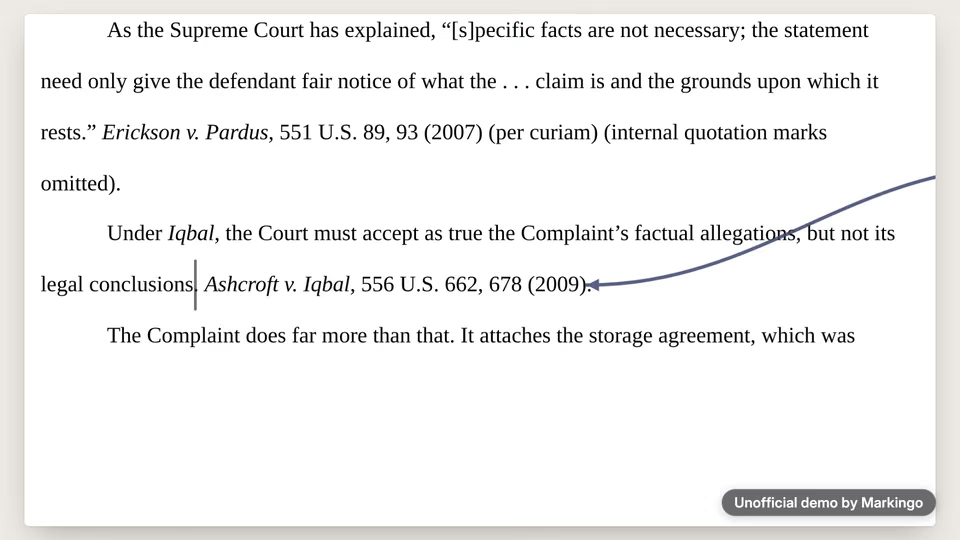
“Every case in this brief is real. But one is cited for the opposite of what it held.”

The film, at .

We chose “Before you sign it”.

  1. ABefore you sign itChosen

    Why we chose it: Their launch post warned that faster legal writing also brings mistakes. Our story shows BriefCatch catching one in that new app, then ends on the lawyer's decision.

  2. BAgainst the clock

    Why not: It sells speed; their own words sell accuracy.

  3. CTwo questions before filing

    Why not: Its numbered chapters were too close to an earlier film of ours, and it opened on a dark screen for a light, bright brand.

The wrong citation, step by step.
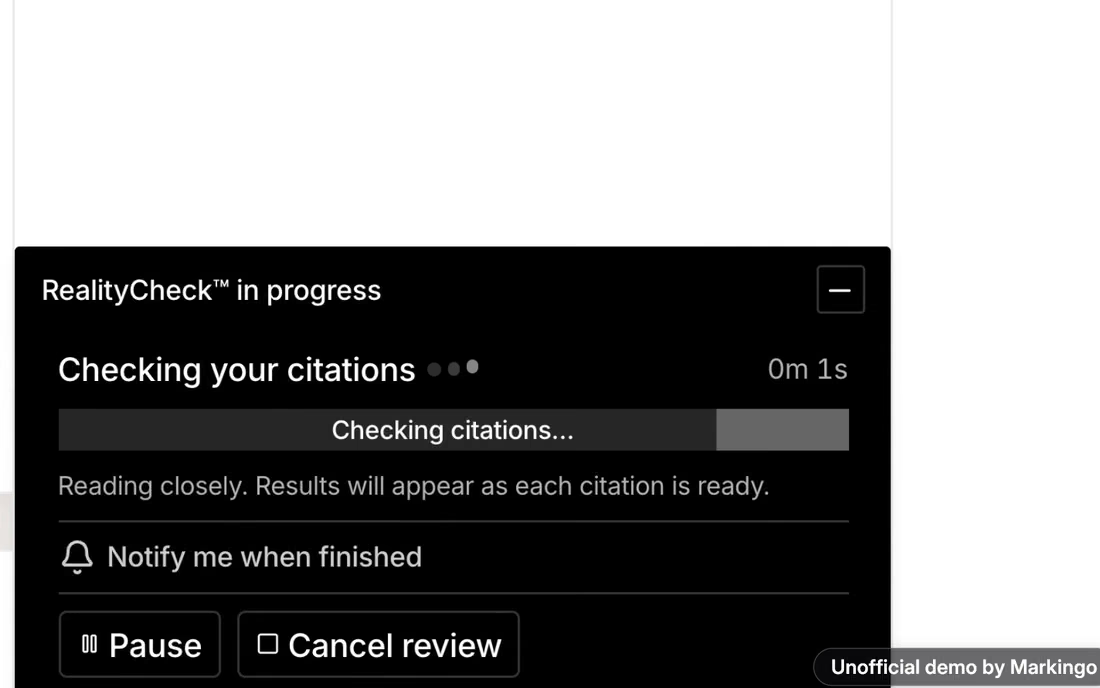
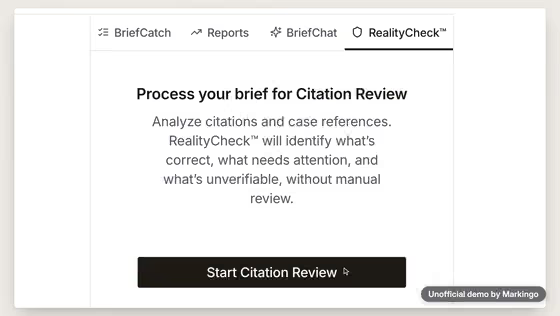
  1. 1Read

    Every case the brief cites.

  2. 2Pulled

    The Court's opinion itself.

  3. 3Checked

    The sentence against the Court's words.

  4. 4Flagged

    Cited for the opposite of its .

  5. 5Fixed

    The lawyer rewrites the sentence.

  6. 6Reviewed

    Marked reviewed, ready for the report.
05Screens, planned and filmed
For your film, we film every screen

We planned every screen, then filmed it.

We drew fourteen before filming, one for each moment of the brief's review. Pick a moment to play it.

Changed from our plan: 7 of 12 momentsFilmed as planned: 5 momentsThe rest of the film

Their launch line·

Their launch line

PlannedTheir launch line beside a draft appearing line by line.

WhyWe kept their editor out of this frame, so nobody thinks BriefCatch wrote the draft.

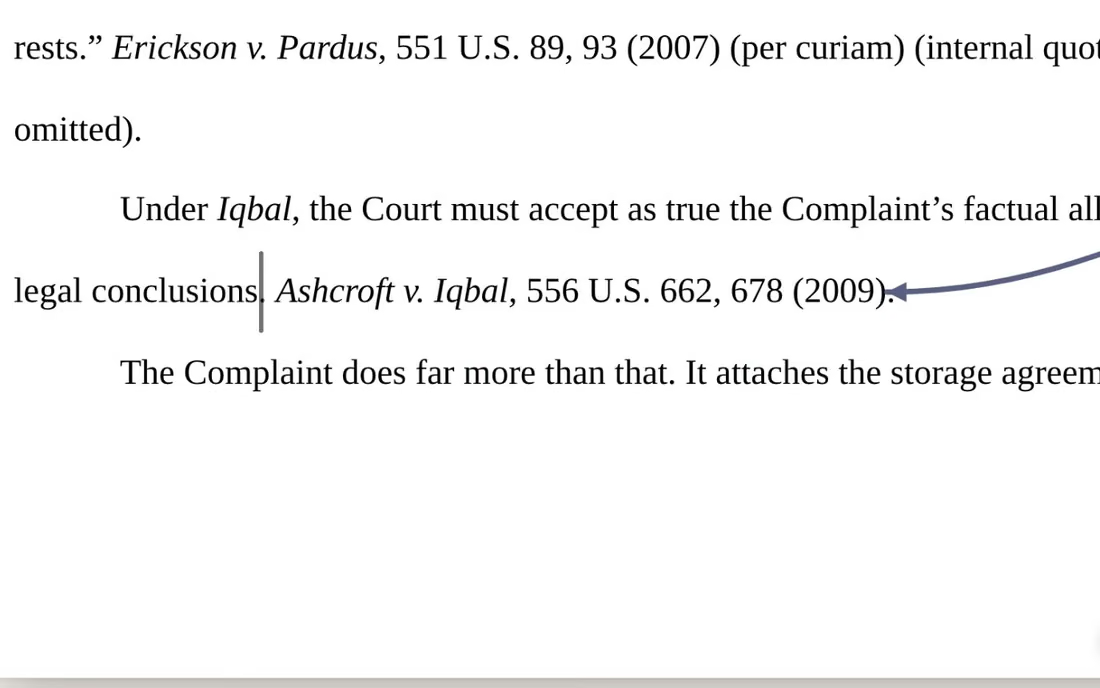
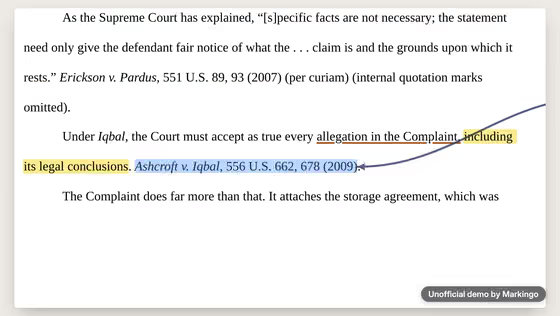
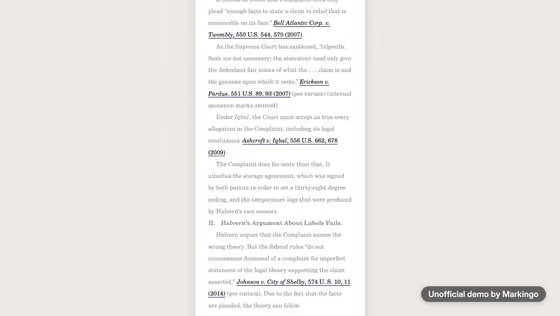
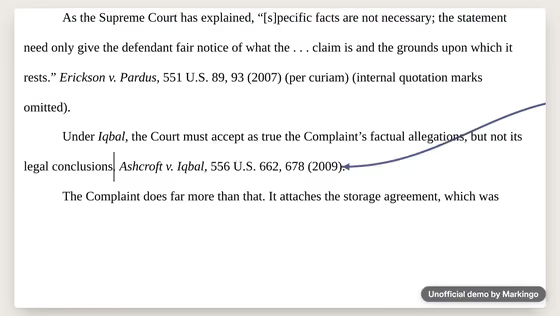
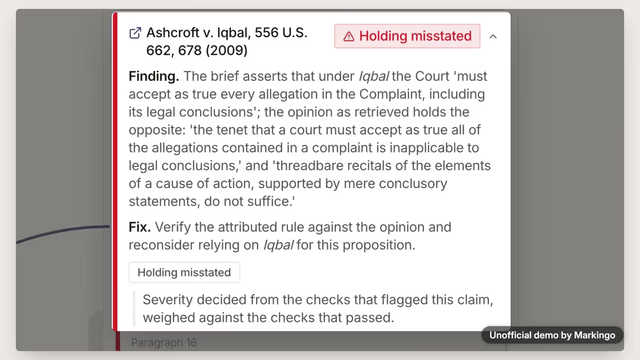
ChangedThe typing now stops partway through the sentence citing Ashcroft v. Iqbal, the case the film later flags.

Each screen here is BriefCatch's own web app, filmed as we used it.

06Motion and music
For your film, we animate it

We animated it and wrote its music.

BriefCatch flags a case the brief misstates. Then the music, part by part, from soft typing ticks to a warm, bright close.

The music drops to one low note, then turns bright.

For your film, we write its music
Play the film from 0:00. Typing ticks · 0:00 to 0:02 · Soft ticks, like typing, while the draft appears on the page.Play the film from 0:02. The draft · 0:02 to 0:12 · A low, careful hum rises with a few piano notes, and thins out on “opposite”.Play the film from 0:12. Before the title · 0:12 to 0:17 · The piano stops, and only a soft, quiet layer plays on, so the sound never drops out.Play the film from 0:17. Title chord · 0:17 · One warm chord as a streak of light passes across the BriefCatch name.Play the film from 0:18. The walk · 0:18 to 0:30 · A soft bass and slow, rippling notes, from the first screen to the redline.Play the film from 0:30. Piano alone · 0:30 to 0:36 · Four sparse notes for the real question.Play the film from 0:36. The check · 0:36 to 0:44 · The rippling notes return over a quiet, low beat while each case is checked.Play the film from 0:44. One low note · 0:44 to 0:54 · Everything drops to one low note just before “Iqbal” and stays there under the flag.Play the film from 0:53. Twombly · 0:53 to 1:00 · The music comes back, lighter, still sounding serious.Play the film from 1:00. Turns bright · 1:00 to 1:07 · The music turns bright as the lawyer fixes the sentence and marks it reviewed.Play the film from 1:07. Warm close · 1:07 to 1:15 · One warm piano chord with two soft bells, fading out under the end card.
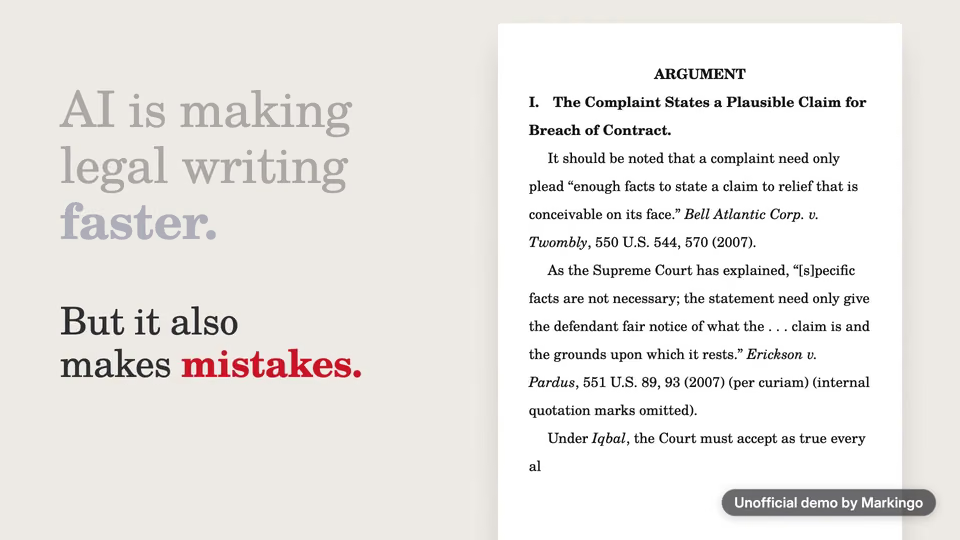
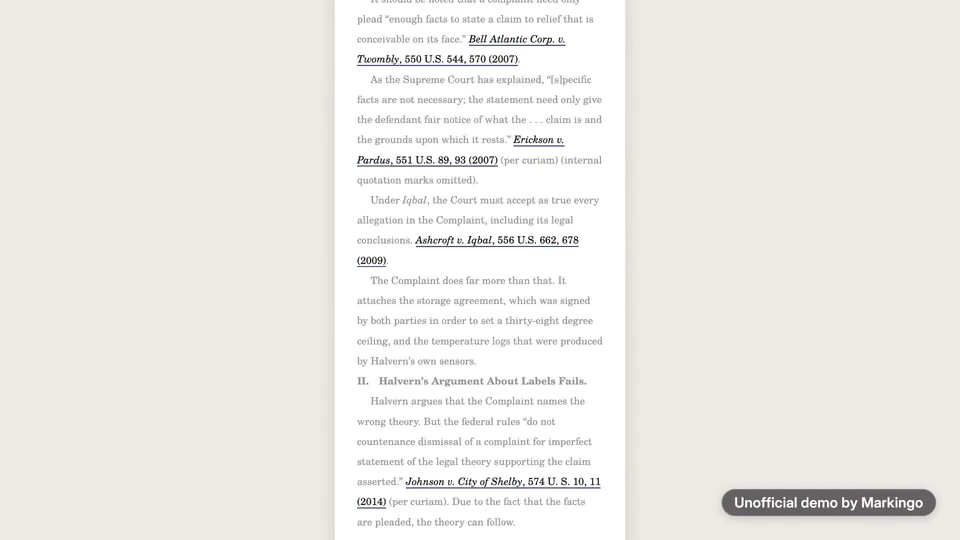
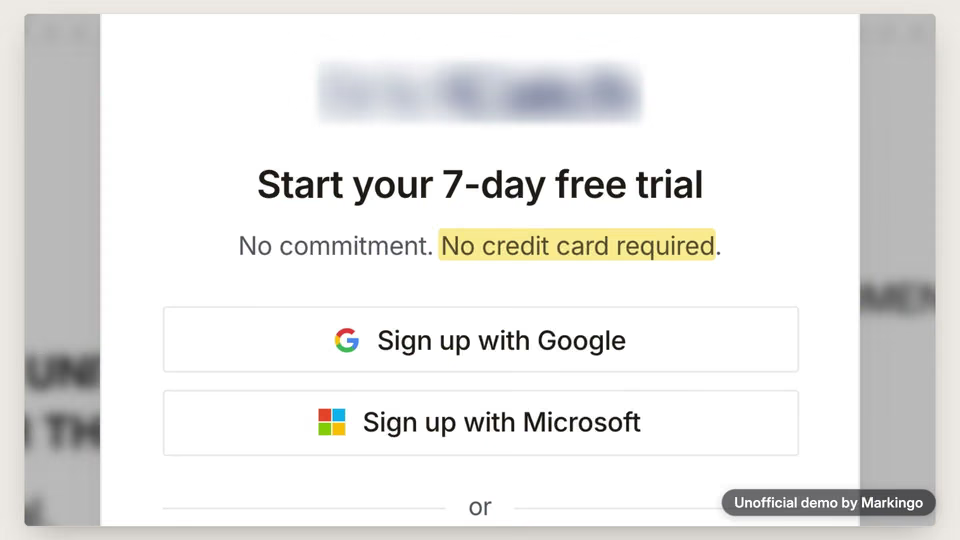
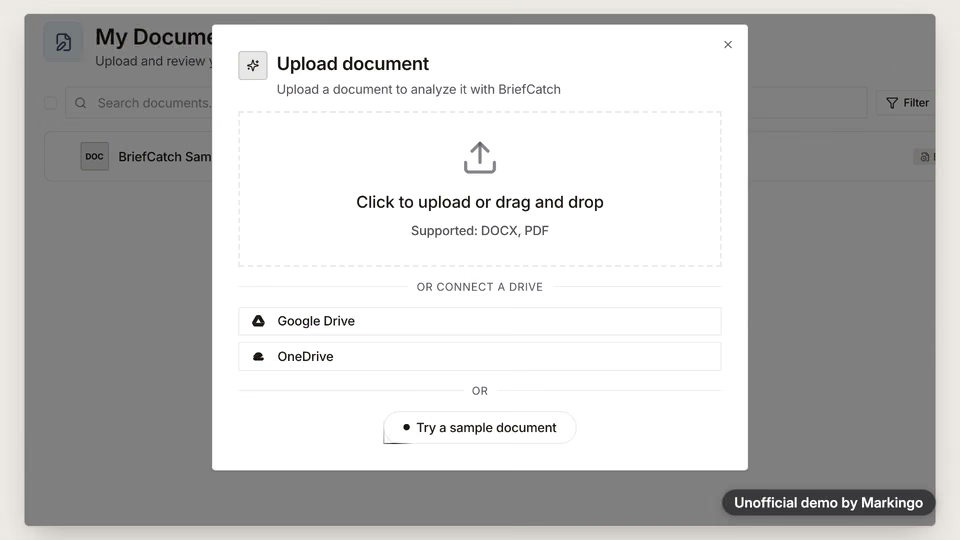
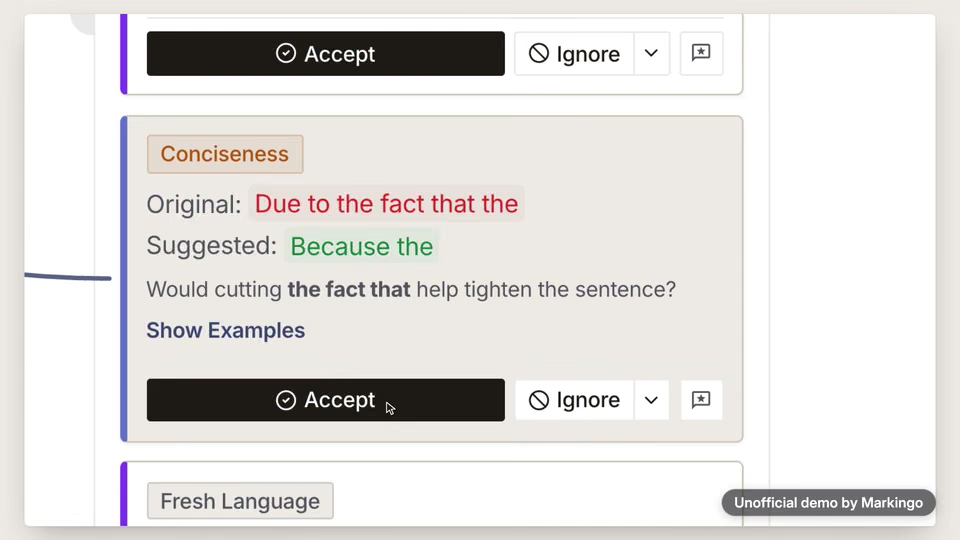
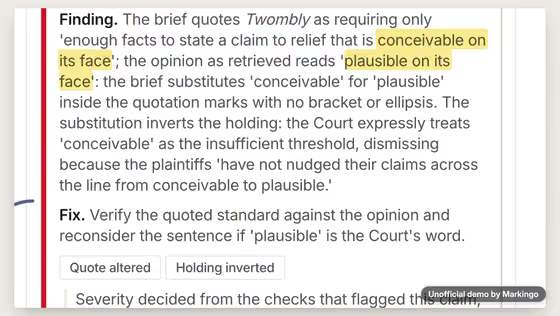
Play the film from 0:01: AI is making legal writing faster.Play the film from 0:04: But it also makes mistakes.Play the film from 0:06: Every case in this brief is real.Play the film from 0:09: But one is cited for the opposite of what it held.Play the film from 0:13: So before you sign it, you run it through... BriefCatch.Play the film from 0:18: Now, the trial takes a work email, no card, and you're in.Play the film from 0:22: Drop in your draft, and it opens in the editor.Play the film from 0:26: Accept a suggestion, and it lands as a clean redline.Play the film from 0:30: Then comes the real question.Play the film from 0:32: Does each case say what your brief says it says?Play the film from 0:36: RealityCheck reads each citation, pulls the source, and checks your sentence against it.Play the film from 0:41: Two come back verified.Play the film from 0:44: And then, Iqbal. Holding misstated.Play the film from 0:47: Your brief says the Court must accept legal conclusions as true.Play the film from 0:51: The Court held the opposite.Play the film from 0:54: And Twombly, with one word swapped: conceivable, where the Court wrote plausible.Play the film from 1:00: You read what the Court wrote, fix the sentence, and mark it reviewed.Play the film from 1:04: Then the report, to review before you sign.Play the film from 1:07: BriefCatch. Verify your authorities. Verify your argument.
  1. Soft ticks, like typing, while the draft appears on the page.

  2. A low, careful hum rises with a few piano notes, and thins out on “opposite”.

  3. The piano stops, and only a soft, quiet layer plays on, so the sound never drops out.

  4. A soft bass and slow, rippling notes, from the first screen to the redline.

  5. Four sparse notes for the real question.

  6. The rippling notes return over a quiet, low beat while each case is checked.

  7. Everything drops to one low note just before “Iqbal” and stays there under the flag.

  8. The music comes back, lighter, still sounding serious.

  9. The music turns bright as the lawyer fixes the sentence and marks it reviewed.

  10. One warm piano chord with two soft bells, fading out under the end card.

We made 11 parts of music and 12 sound effects to go with the 164 spoken words.

07What we learned

What we learned.

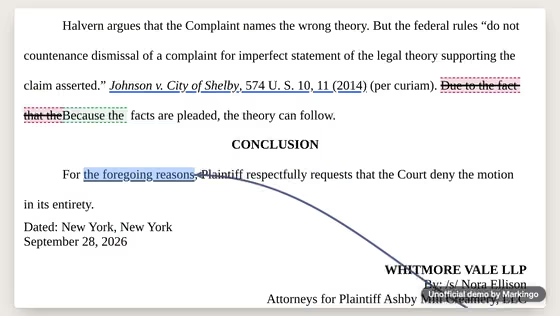
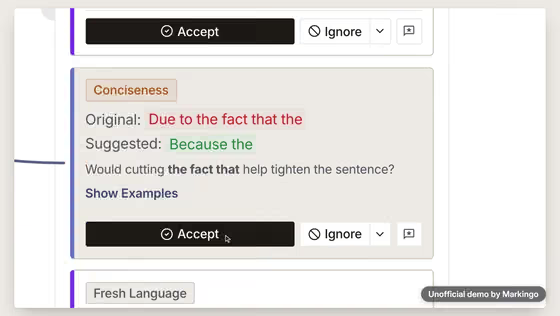
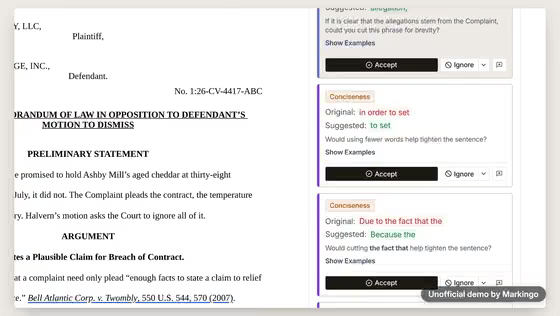
BriefCatch's film taught us to show one real catch, mark it in amber and leave the last word to the lawyer.

Seen in the film·
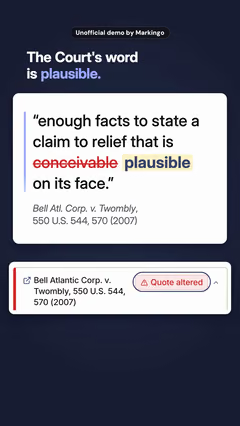
The Court's words, beside the brief's.

Try this on yours

Write a draft with one real mistake in it, and let your product find it on camera.

08Done for them
Our process, step by step

Every step, done for them.

We started as a lawyer opening their new web app for the first time. We finished when our founder asked for the sound to run without a break.

  1. Research and story4 steps
    1. 01We used it like a newcomer.
    2. 02We tried our brief in the product once, start to finish.
    3. 03We studied them and their rivals.
    4. 04We chose the story: Before you sign it.
  2. Filmed and cut3 steps
    1. 05We filmed every screen, from the first upload to the report.
    2. 06We wrote the narration and planned its pauses.
    3. 07We made the first full cut.
  3. Reviewed and finished5 steps
    1. 08We went over it and made six changes, to type, framing and the end card.
    2. 09We put the complete film together.
    3. 10We went over it again and made two changes.
    4. 11One more watch from the start: three changes.
    5. 12On our founder's note, we kept the sound going with no gaps.

Our part

Twelve steps, from the brief we wrote to the delivered film.

BriefCatch's part

Your part

Your website, then any notes you like.

Your turn

Your first film is on us.

You pay nothing, and it's ready in 48 hours.

Every step on this page, done for your product. Tell us what to change, as often as you like.

  • 48hYour film in under 48 hours
  • Every stepOn this page, included
  • YoursTo keep, even if you don't like it
11Words and sources

The film's own words.

Everything you hear in the film, word for word, with the time it is said. Choose a line to play the film from there.

The work behind this film

sources read
81
rival films watched
10
ideas written
3
storyboards drawn
14

Every word said in the film, in order.

  1. Narrator

Show all 19 lines

81 sources read for this film and its reel

The sources this page cites come first, numbered as you meet them; then every other source we read. All links accessed November 5 or 7, 2026.

Their videos 14

  1. 2BriefCatch on YouTube (opens in a new tab) BriefCatch · video channelBack to the text
  2. 3BriefCatch 4: The Premier Legal Writing Assistant (opens in a new tab) BriefCatch (YouTube) · their videoBack to the text
  3. 4BriefCatch Express Demo: Instantly Enhance Your Legal Writing with Real-Time Feedback (opens in a new tab) BriefCatch (YouTube) · their videoBack to the text
  4. 5BriefCatch 3 - Expert Legal Editing By Your Side (opens in a new tab) BriefCatch (YouTube) · their videoBack to the text
  5. 8Billable Hour Finally Over (opens in a new tab) BriefCatch (YouTube) · their videoBack to the text
  6. 9BriefCatch clip (1:11), Oct 2025 (opens in a new tab) BriefCatch (YouTube) · their videoBack to the text
  7. 10BriefCatch ad (0:57), Feb 2026 (opens in a new tab) BriefCatch (YouTube) · their videoBack to the text
  8. 11BriefCatch ad (0:56), Feb 2026 (opens in a new tab) BriefCatch (YouTube) · their videoBack to the text
  9. 12Become a better writer, a better lawyer (opens in a new tab) BriefCatch (YouTube) · their videoBack to the text
  10. 13Intelligent Legal Writing Built by Experts (opens in a new tab) BriefCatch (YouTube) · their videoBack to the text
  11. 14RealityCheck ad (1:33), Apr 2026 (opens in a new tab) BriefCatch (YouTube) · their videoBack to the text
  12. 44BriefCatch Online App Overview, a 4:00 screen recording (Loom) (opens in a new tab) BriefCatch (Loom) · their video
  13. 69BriefCatch on YouTube: the Shorts tab (opens in a new tab) BriefCatch · video channel
  14. 70BriefCatch on X (opens in a new tab) BriefCatch · video channel

Other films we studied 16

  1. 15Harvey Platform Overview (opens in a new tab) Harvey (YouTube) · rival filmBack to the text
  2. 16CoCounsel, 'The Progenitors' (opens in a new tab) Thomson Reuters (YouTube) · rival filmBack to the text
  3. 17The New Lexis+ with Protégé User Interface (opens in a new tab) LexisNexis (YouTube) · rival filmBack to the text
  4. 18Spellbook Associate (opens in a new tab) Spellbook (YouTube) · rival filmBack to the text
  5. 19Clearbrief: a hyperlinked timeline in Word (opens in a new tab) Clearbrief (YouTube) · rival filmBack to the text
  6. 20A litigator's take on Vincent (opens in a new tab) Clio (vLex) (YouTube) · rival filmBack to the text
  7. 21Harvey inside Microsoft 365 (opens in a new tab) Harvey (YouTube) · rival filmBack to the text
  8. 22Harvey: what software should give lawyers more time for (opens in a new tab) Harvey (YouTube) · rival filmBack to the text
  9. 23CoCounsel Legal, early access (opens in a new tab) Thomson Reuters (YouTube) · rival filmBack to the text
  10. 24LexisNexis Protege (Canada) (opens in a new tab) LexisNexis Canada (YouTube) · rival filmBack to the text
  11. 43BriefCatch YouTube feed (opens in a new tab) YouTube · feed
  12. 71Spellbook's Short: a lawyer reviews the tool (opens in a new tab) Spellbook · a rival video
  13. 72CoCounsel Legal's Short (Thomson Reuters) (opens in a new tab) Thomson Reuters · a rival video
  14. 73Lexis+ with Protégé's Short (LexisNexis UK) (opens in a new tab) LexisNexis UK · a rival video
  15. 74Clearbrief's vertical clip on LinkedIn (opens in a new tab) Clearbrief · a rival video
  16. 75Clearbrief's reel on Instagram (opens in a new tab) Clearbrief · a rival video

Press and reviews 14

  1. 6BriefCatch Launches RealityCheck to Verify Legal Authorities Before Filing (opens in a new tab) PR Newswire · press releaseBack to the text
  2. 7BriefCatch launches its unified legal writing suite (opens in a new tab) PR Newswire · press releaseBack to the text
  3. 37BriefCatch Expands Team with Strategic Hires Across Marketing, Operations and Enterprise Sales (opens in a new tab) PR Newswire · press release
  4. 38BriefCatch names its Chief Operating Officer PR Newswire · press release
  5. 39BriefCatch names its Chief of AI Products PR Newswire · press release
  6. 41Their marketing chief's launch post, Sep 9, 2026 LinkedIn · staff post
  7. 42We closed our 4th round of funding yesterday. LinkedIn · staff post
  8. 45BriefCatch Reviews & Product Details (opens in a new tab) G2 · review site
  9. 67Track Changes And Redlining (opens in a new tab) American Bar Association, Law Technology Today · article
  10. 76Reuters: error-ridden court filings keep rising (Sep 17, 2026) (would not open when we looked) Reuters · news article
  11. 78Virginia Lawyers Weekly: a sanction for made-up quotes (Sep 9, 2026) (opens in a new tab) Virginia Lawyers Weekly · news article
  12. 79Hicks Johnson: a $15,000 sanction in Illinois (Sep 2026) (opens in a new tab) Hicks Johnson · law firm article
  13. 8032 LinkedIn Video Statistics for 2026 (opens in a new tab) Teleprompter.com · article
  14. 8179 percent of your viewers are not listening (opens in a new tab) inventive studios · article

References and data 23

  1. 46Ashcroft v. Iqbal, 556 U.S. 662 (2009), opinion of the Court (opens in a new tab) Cornell Law School, Legal Information Institute · court opinion
  2. 47Bell Atlantic Corp. v. Twombly, 550 U.S. 544 (2007), opinion of the Court (opens in a new tab) Cornell Law School, Legal Information Institute · court opinion
  3. 48Erickson v. Pardus, 551 U.S. 89 (2007) (per curiam) (opens in a new tab) Cornell Law School, Legal Information Institute · court opinion
  4. 49Johnson v. City of Shelby, 574 U.S. 10 (2014) (per curiam) (opens in a new tab) Cornell Law School, Legal Information Institute · court opinion
  5. 50brief (Wex) (opens in a new tab) Cornell Law School, Legal Information Institute · legal glossary
  6. 51citation (Wex) (opens in a new tab) Cornell Law School, Legal Information Institute · legal glossary
  7. 52holding (Wex) (opens in a new tab) Cornell Law School, Legal Information Institute · legal glossary
  8. 53motion to dismiss (Wex) (opens in a new tab) Cornell Law School, Legal Information Institute · legal glossary
  9. 54pleading (Wex) (opens in a new tab) Cornell Law School, Legal Information Institute · legal glossary
  10. 55primary authority (Wex) (opens in a new tab) Cornell Law School, Legal Information Institute · legal glossary
  11. 56per curiam (Wex) (opens in a new tab) Cornell Law School, Legal Information Institute · legal glossary
  12. 57complaint (Wex) (opens in a new tab) Cornell Law School, Legal Information Institute · legal glossary
  13. 58opinion (Wex) (opens in a new tab) Cornell Law School, Legal Information Institute · legal glossary
  14. 59case law (Wex) (opens in a new tab) Cornell Law School, Legal Information Institute · legal glossary
  15. 60precedent (Wex) (opens in a new tab) Cornell Law School, Legal Information Institute · legal glossary
  16. 61Rule 8. General Rules of Pleading (opens in a new tab) Cornell Law School, Legal Information Institute · court rule
  17. 62Rule 11. Signing Pleadings, Motions, and Other Papers (opens in a new tab) Cornell Law School, Legal Information Institute · court rule
  18. 63Rule 12. Defenses and Objections (opens in a new tab) Cornell Law School, Legal Information Institute · court rule
  19. 64Twiqbal (opens in a new tab) Wikipedia · reference
  20. 65The Court and Its Procedures (opens in a new tab) Supreme Court of the United States · official page
  21. 66Track changes in Word (opens in a new tab) Microsoft Support · help article
  22. 68Cite Checking (opens in a new tab) LawShelf · course page
  23. 77A federal court's order in Utah, Sep 9, 2026 (Justia) (would not open when we looked) Justia · court order