Skip to the page
Your first film, on usin 48 hours

How we made MeshInspector's product video.

A 68-second film we made in MeshInspector's live web app, as an example of our work. We built it on one real scan of a printed part, holes and all.

3D scanningProduct film · B2B · Unofficial demo1:08 · Unofficial demo

12 chapters

Our film follows one real 3D scan from 337 holes to 24 copies packed for printing. We watched 18 films from their field, and only ours shows a scan's holes closed.

MeshInspector's part
Press play.

MeshInspector: the film

0:00 / 1:08
02What MeshInspector does
For your film, we check how people find you

We studied MeshInspector first.

They make 3D scan and mesh software. We went through all 136 videos on their YouTube channel to see how they show it.[1]

MeshInspector takes a raw 3D scan to a part ready to make, in the browser or on the desktop. It repairs the , lines it up with its , measures how far it is from the design and packs copies for printing.[2]

We sorted all 136 videos by kind from their titles and watched three in full, their newest among them. We read all 380 pages of their site and noted every video on them. 62 of those pages carry a video, 58 different ones in all: 42 tutorials, 10 tool demos, 5 case studies and 1 about their code library.[3] Their homepage carries eight.[2]

“Scans, CT data and meshes never leave your computer, in the desktop app or the web app, on any plan.”

Their own words, on MeshInspector's homepage (opens in a new tab).
136 videos. The eight on their homepage are tutorials and case studies.[1]

One square for each of their 136 videos, sorted by kind from its title.

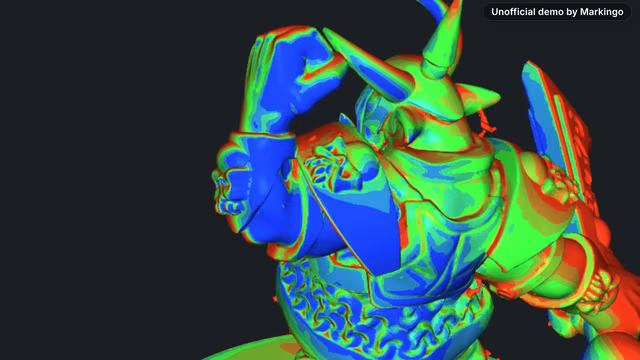
Their 136 videos by kind: 83 tutorials, 29 tool demos and overviews, 8 about their code library, 7 Shorts, 5 case studies, 2 webinars and 2 company news videos. The eight on their homepage are six tutorials and two case studies; ours shows the whole product.

Tutorials 83

Tool demos and overviews 29

Their code library 8

Shorts 7

Case studies 5

Webinars 2

Company news 2

The whole product, on their homepage

Theirs: 0

Ours

68 seconds172 spoken words

The whole product, on their homepageTheirs: 0

We went through all 136. Tap a kind to see its videos.

Tutorials83 videos
Tool demos and overviews29 videos
Their code library8 videos
Shorts7 videos
Case studies5 videos
Webinars2 videos
Company news2 videos
0318 scanning films
For your film, we study your market

We watched 18 scanning and inspection films.

We searched YouTube 28 times for films by makers of 3D scan, inspection and print software. We watched 18 of the 27 we found to see what they show. 13 of them open on the maker's logo.

in the film not in itWe watched all 18 in full and noted every word, spoken or on screen.

13 of 18 films open on the maker's logo; only ours shows holes found and closed.
13 of 1811 of 188 of 180 of 18Only ours shows it
FilmOpens on the logoPromises saved timeA deviation color mapHoles found, then closed
A quality inspection software film, Nov 5, 2026 (opens in a new tab)[7]NoYesYesNo
A photo to 3D model software film, Jun 17, 2025 (opens in a new tab)[8]NoNoNoNo
An additive manufacturing software film, Apr 15, 2025 (opens in a new tab)[9]YesNoNoNo
A scan to mesh software film, Jul 1, 2024 (opens in a new tab)[10]YesYesYesNo
A 3D print preparation software film, May 15, 2024 (1:12) (opens in a new tab)[11]YesNoNoNo
A 3D print preparation software film, May 15, 2024 (1:14) (opens in a new tab)[12]YesNoNoNo
A reverse engineering software film, Apr 24, 2024 (opens in a new tab)[13]NoYesYesNo
An additive manufacturing software film, Apr 4, 2024 (opens in a new tab)[14]YesNoNoNo
A scan inspection software film, Mar 21, 2024 (opens in a new tab)[15]YesYesYesNo
A 3D inspection software film, Nov 28, 2023 (opens in a new tab)[16]YesYesYesNo
A 3D scanning software film, Oct 21, 2022 (opens in a new tab)[17]NoYesNoNo
A point cloud inspection software film, Sep 30, 2021 (opens in a new tab)[18]YesNoYesNo
A 3D metrology software film, Apr 7, 2021 (opens in a new tab)[19]YesYesYesNo
A scan inspection software film, Jan 30, 2019 (opens in a new tab)[20]YesNoYesNo
A 3D scanning software film, Dec 19, 2017 (opens in a new tab)[21]YesYesNoNo
A 3D scanning software film, Apr 5, 2017 (opens in a new tab)[22]YesYesNoNo
A 3D print preparation software film, Jan 25, 2017 (opens in a new tab)[23]YesYesNoNo
A metrology software film, Sep 18, 2013 (opens in a new tab)[24]NoYesNoNo
Our filmNoNoYesYes
Show all 8
13 of 18 films open on the maker's logo; only ours shows holes found and closed.
FilmLengthOpens on the logoPromises saved timeA deviation color mapScans lined upA measured resultPass or fail shownParts nested to printHoles found, then closed
A quality inspection software film, Nov 5, 2026 (opens in a new tab)[7]NoYesYesNoNoYesNoNo
A photo to 3D model software film, Jun 17, 2025 (opens in a new tab)[8]NoNoNoNoNoNoNoNo
An additive manufacturing software film, Apr 15, 2025 (opens in a new tab)[9]YesNoNoNoNoNoNoNo
A scan to mesh software film, Jul 1, 2024 (opens in a new tab)[10]YesYesYesNoNoNoNoNo
A 3D print preparation software film, May 15, 2024 (1:12) (opens in a new tab)[11]YesNoNoNoNoNoYesNo
A 3D print preparation software film, May 15, 2024 (1:14) (opens in a new tab)[12]YesNoNoNoNoNoYesNo
A reverse engineering software film, Apr 24, 2024 (opens in a new tab)[13]NoYesYesNoNoNoNoNo
An additive manufacturing software film, Apr 4, 2024 (opens in a new tab)[14]YesNoNoNoNoNoNoNo
A scan inspection software film, Mar 21, 2024 (opens in a new tab)[15]YesYesYesYesNoNoNoNo
A 3D inspection software film, Nov 28, 2023 (opens in a new tab)[16]YesYesYesYesYesYesNoNo
A 3D scanning software film, Oct 21, 2022 (opens in a new tab)[17]NoYesNoNoNoNoNoNo
A point cloud inspection software film, Sep 30, 2021 (opens in a new tab)[18]YesNoYesNoYesNoNoNo
A 3D metrology software film, Apr 7, 2021 (opens in a new tab)[19]YesYesYesYesYesYesNoNo
A scan inspection software film, Jan 30, 2019 (opens in a new tab)[20]YesNoYesYesYesYesNoNo
A 3D scanning software film, Dec 19, 2017 (opens in a new tab)[21]YesYesNoYesNoNoNoNo
A 3D scanning software film, Apr 5, 2017 (opens in a new tab)[22]YesYesNoYesNoNoNoNo
A 3D print preparation software film, Jan 25, 2017 (opens in a new tab)[23]YesYesNoNoNoNoYesNo
A metrology software film, Sep 18, 2013 (opens in a new tab)[24]NoYesNoYesYesYesNoNo
Films that do it13 of 1811 of 188 of 187 of 185 of 185 of 183 of 180 of 18
Our filmNoNoYesYesYesYesYesYes

The 18 run from 0:38 to 3:50. Eight show a deviation map and three pack parts for printing; ours is the one film that does both.[16,11]

in the film not in it oursWe watched all 18 in full and noted every word, spoken or on screen.

The 18 run from 0:38 to 3:50. Eight show a deviation map and three pack parts for printing; ours is the one film that does both.[16,11]

Show all 8

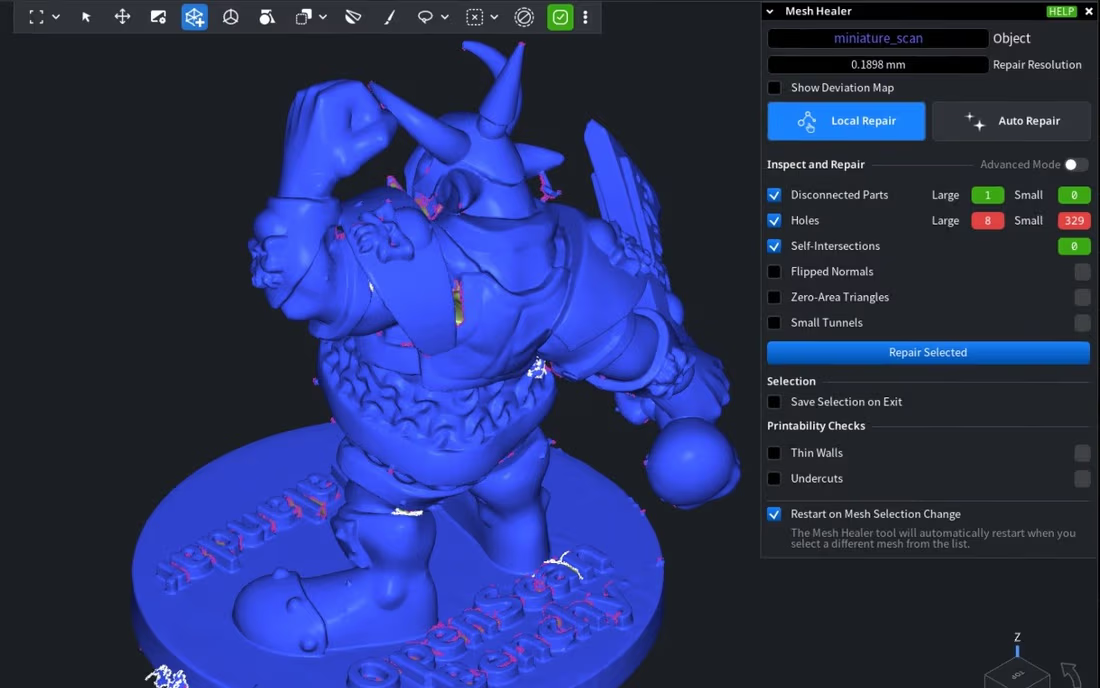
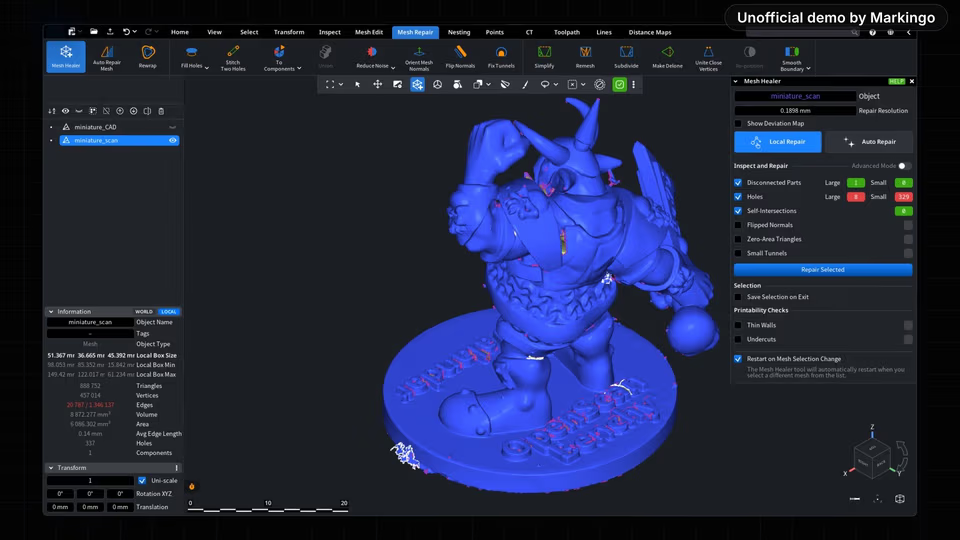
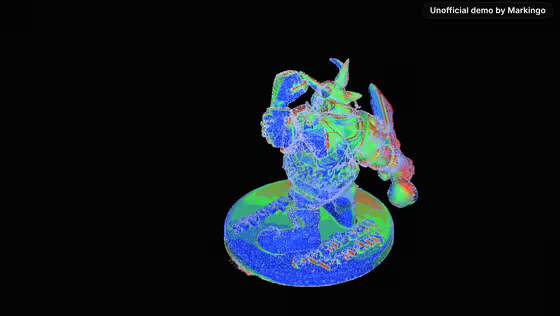
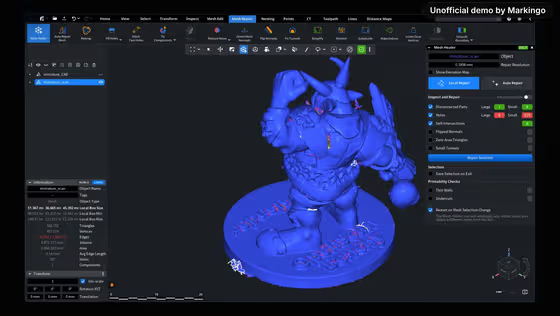
Our film: 337 holes found on the scan.
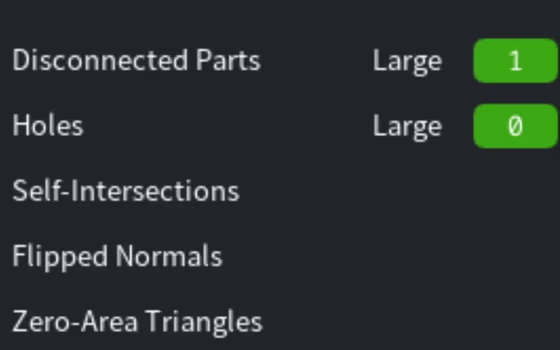
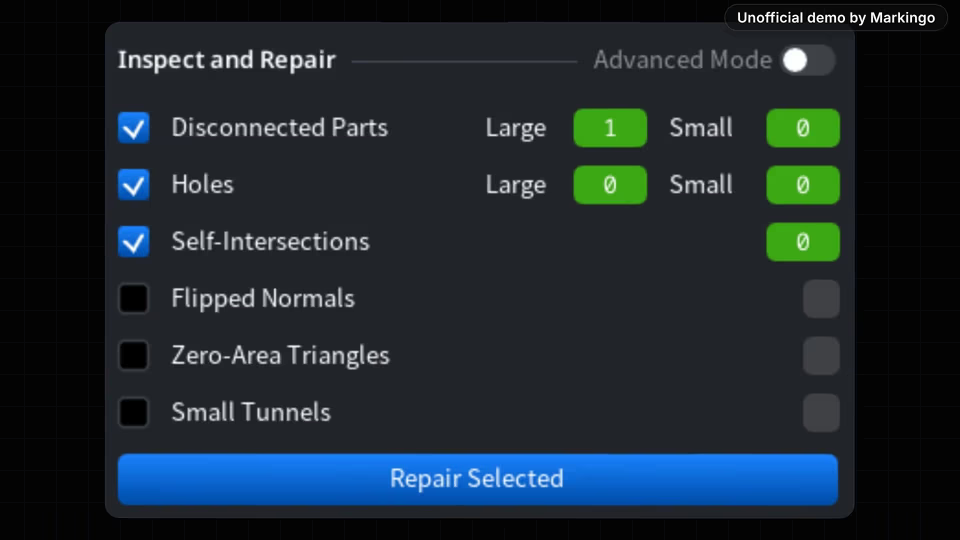
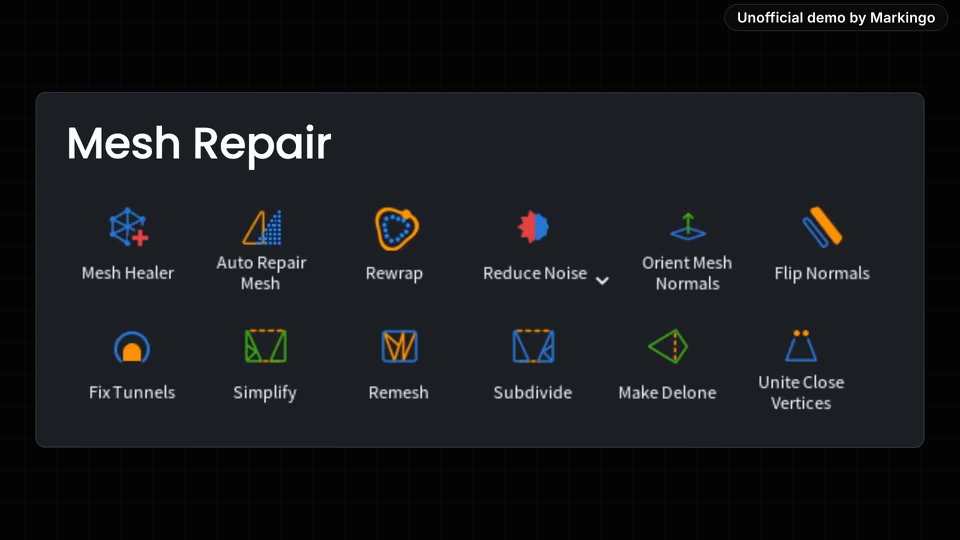
Our film: every hole closed, every check green.
04The story
For your film, we write the story in your brand

We picked one story.

We wrote six ideas: three possible films, and once we had picked one, three ways to tell it.

“Every point, accounted for.”

The film's title. We open on the question every print leaves with, and answer it with the two halves of their homepage line.

From their own line

“Scan to Mesh. Mesh to Production.”

MeshInspector's homepage.[2]

We chose their homepage line, filmed end to end.

  1. F1Their homepage line, filmed end to endChosen

    Why we chose it: Their homepage line is the whole product in six words. We ran one real scan through every step of it in the product before filming.

  2. F3One app instead of three

    Why not: Easy to film, but it compares apps and shows only part of the product's path. It became one line of the film.

  3. F2Their newest nesting release

    Why not: Their own Oct 19 film already shows nesting.

One print goes from a raw scan to a packed build plate, in six moments of the film.
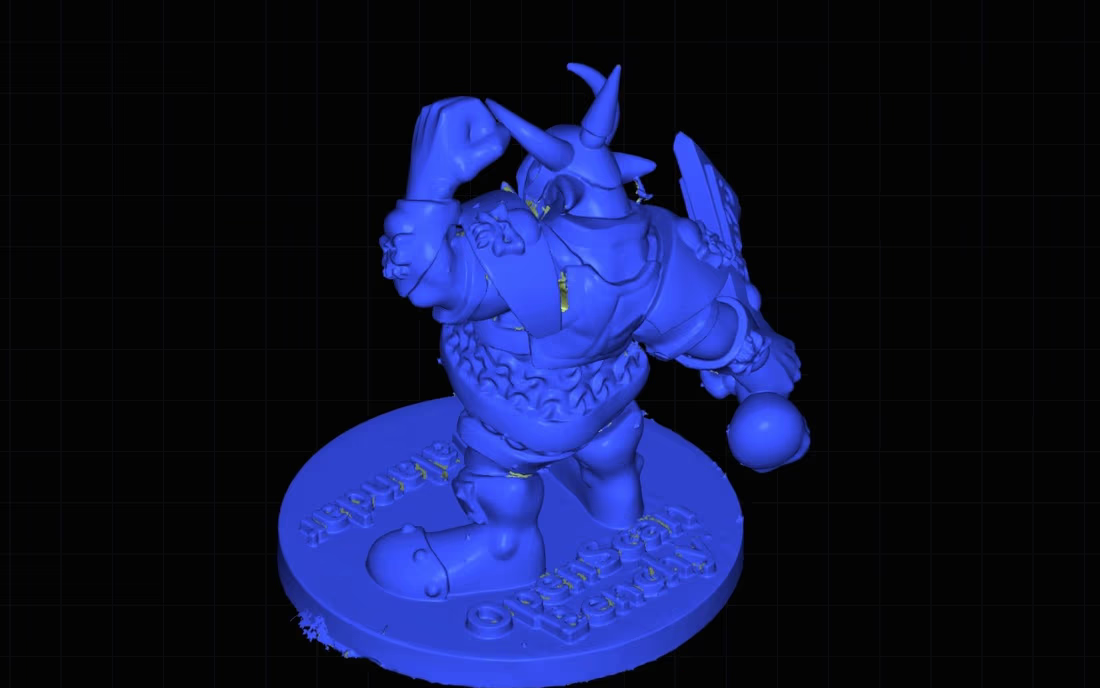
  1. 1Scanned

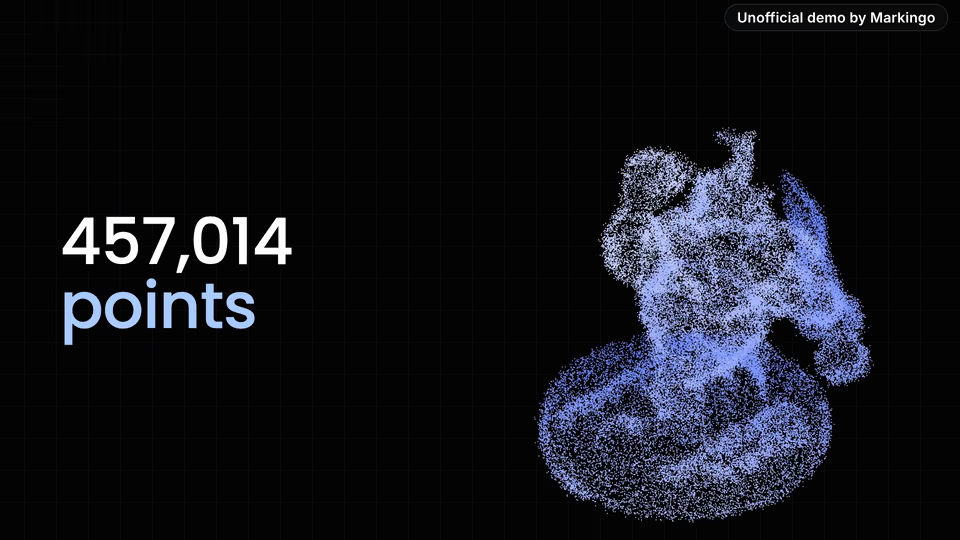
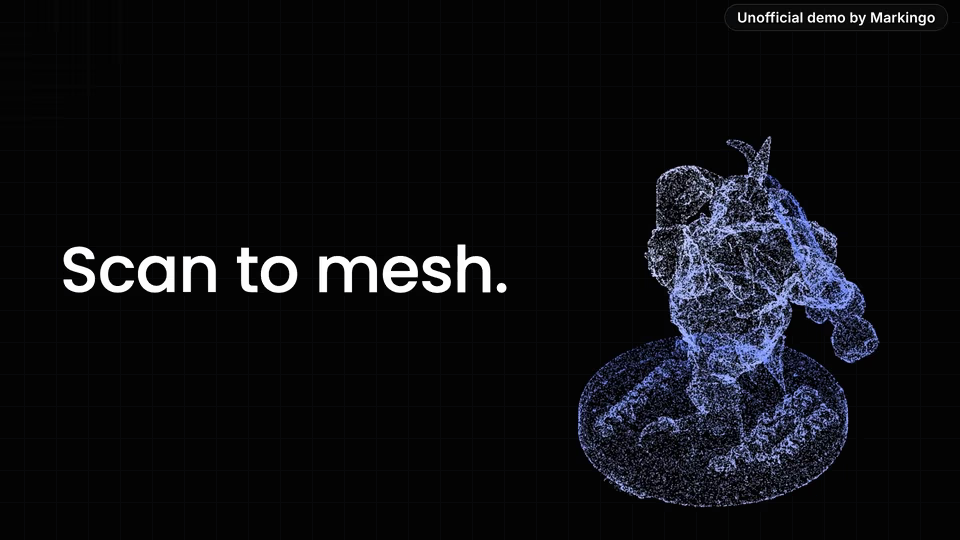
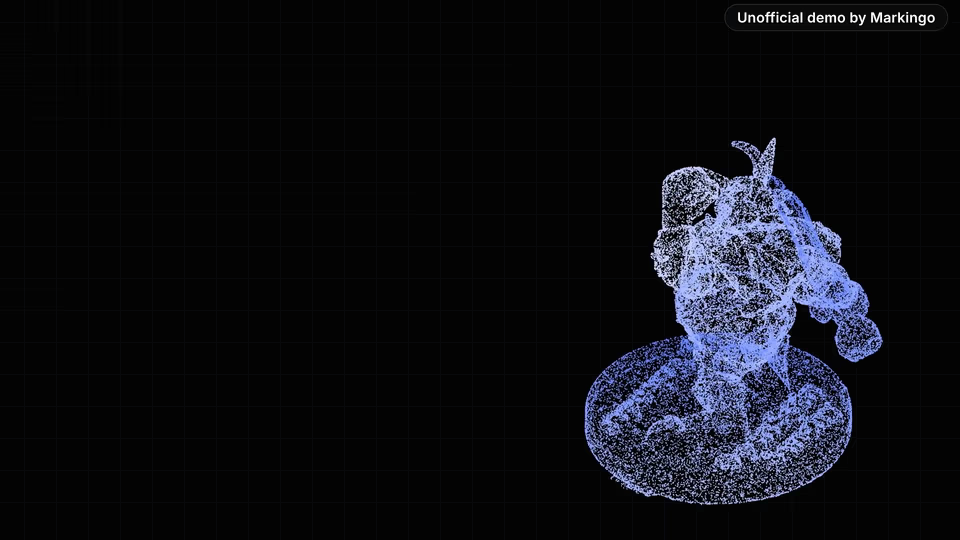
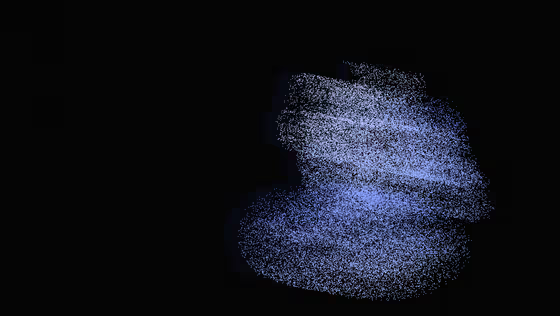
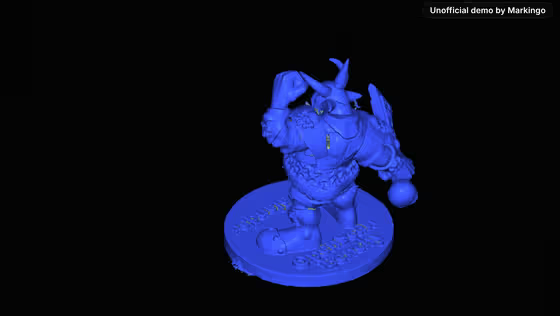
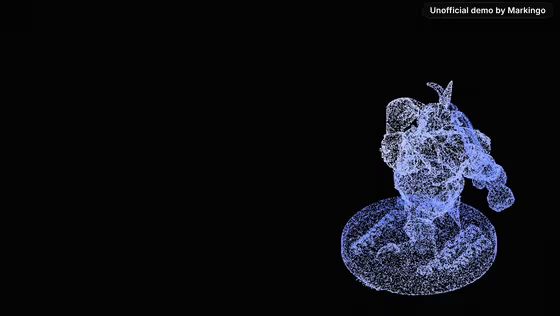
    A real print, scanned: 457,014 points.

  2. 2Holes found

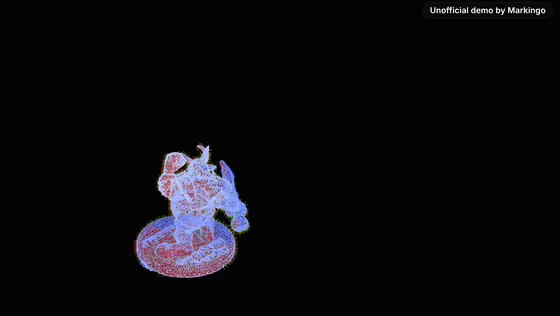
    8 large holes and 329 small ones.

  3. 3Repaired

    Mesh Repair closes every one.

  4. 4Aligned

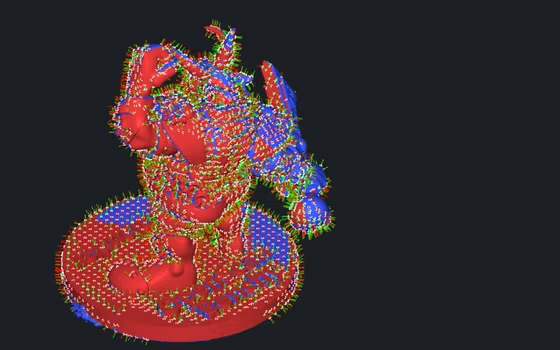
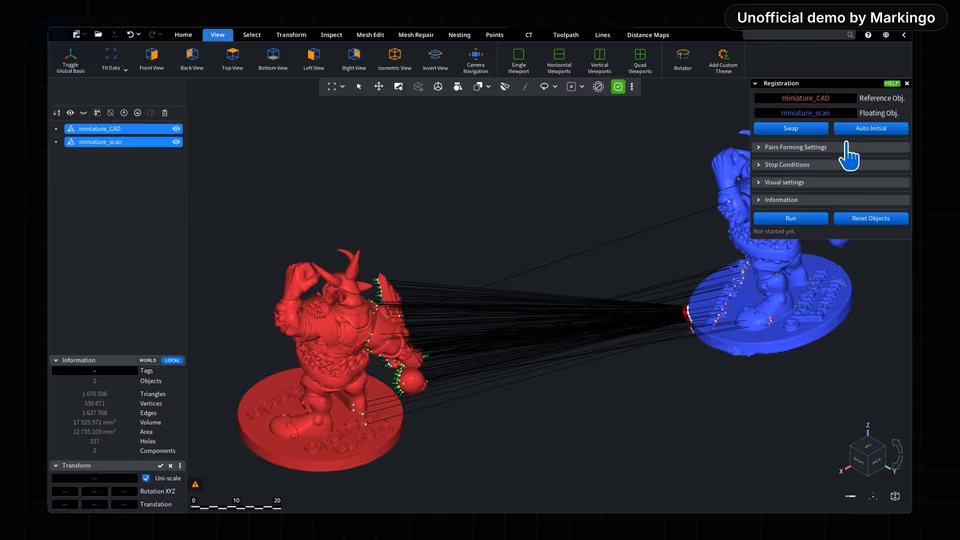
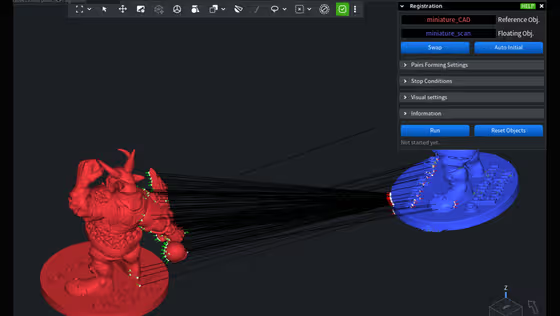
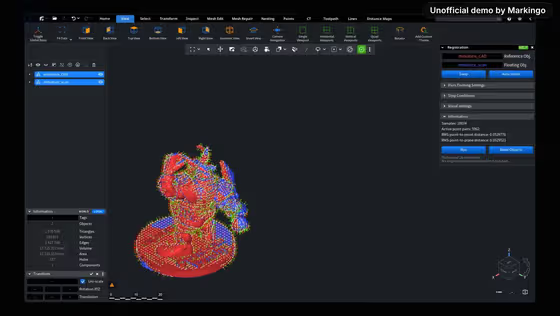
    Lined up with its design file, point by point.

  5. 5Measured

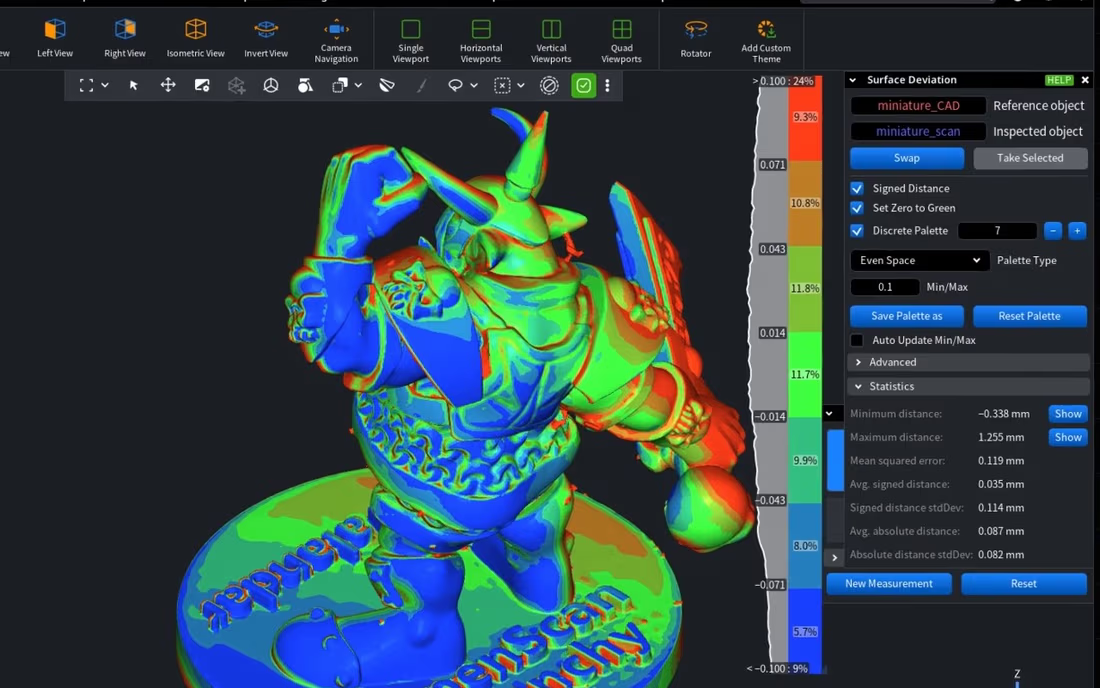
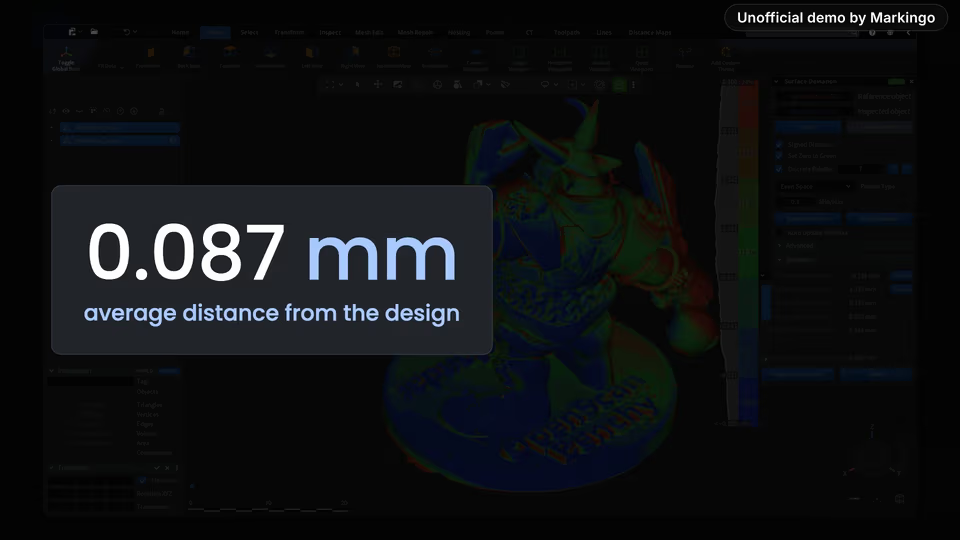
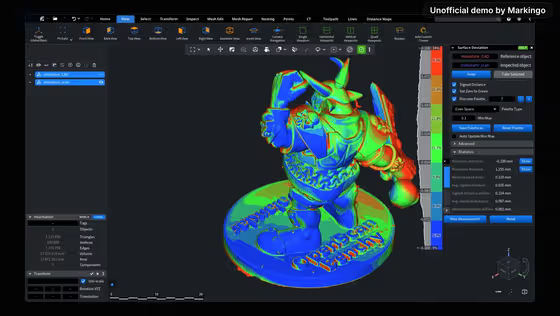
    On average 0.087 mm from the design.

  6. 6Nested

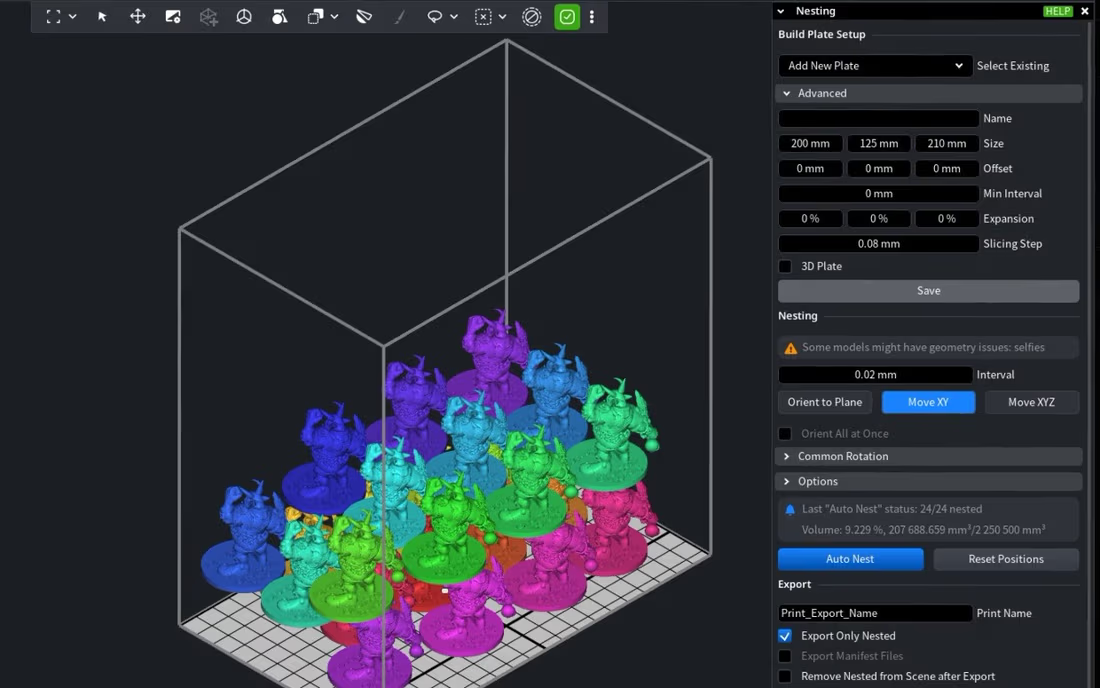
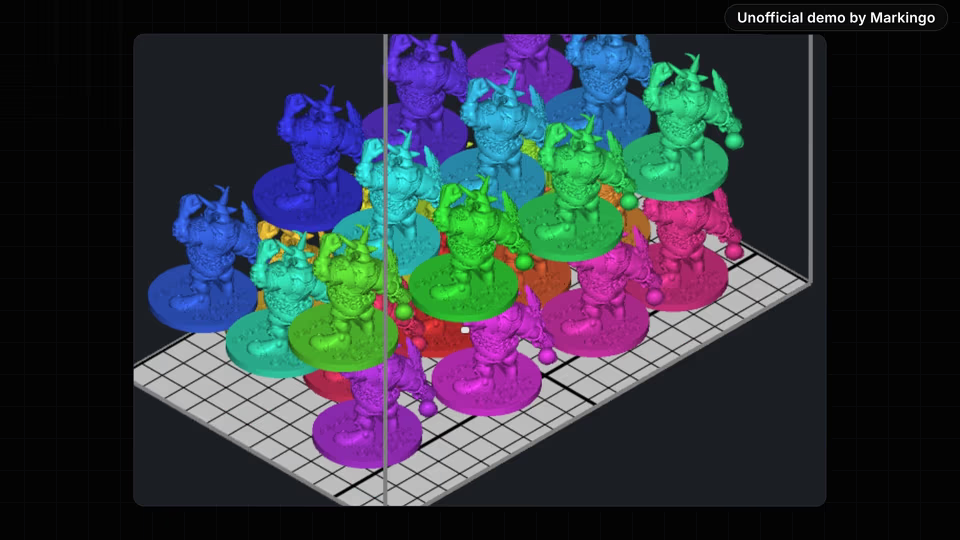
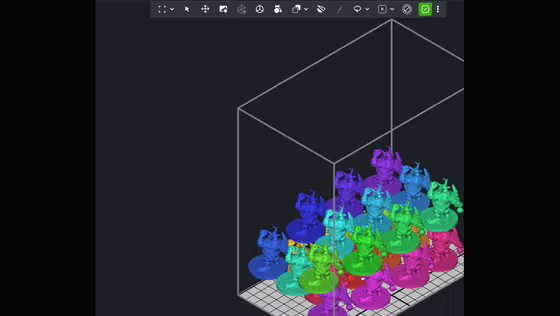
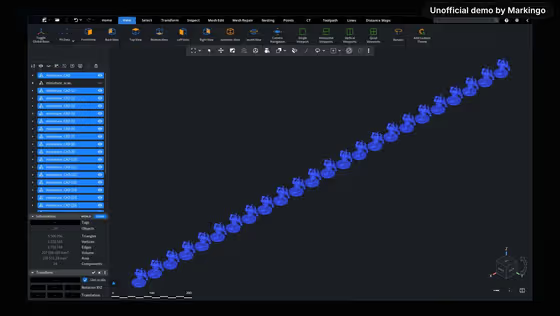
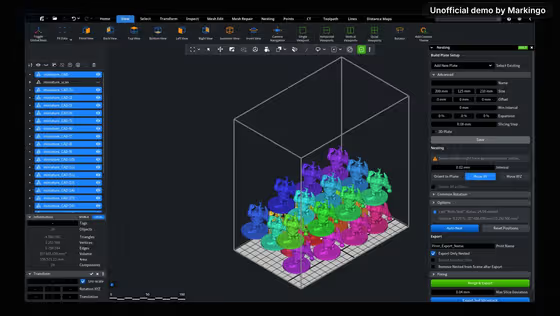
    24 copies placed on one build plate.
05Screens, planned and filmed
For your film, we film every screen

We drew 12 storyboards, then filmed every moment.

Each one told us the shot, the words on screen and the move before we filmed the live app. Pick one to see its plan and play it.

Changed from our plan: 6 of 9 momentsFilmed as planned: 3 momentsThe rest of the film

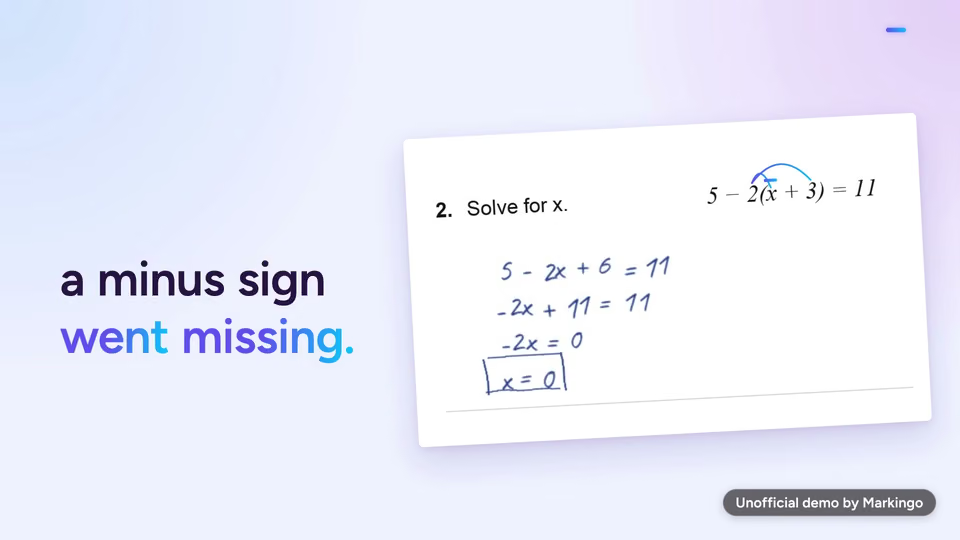
Inside the tolerance or outside it·

As first planned·Our storyboard: the whole print, one label

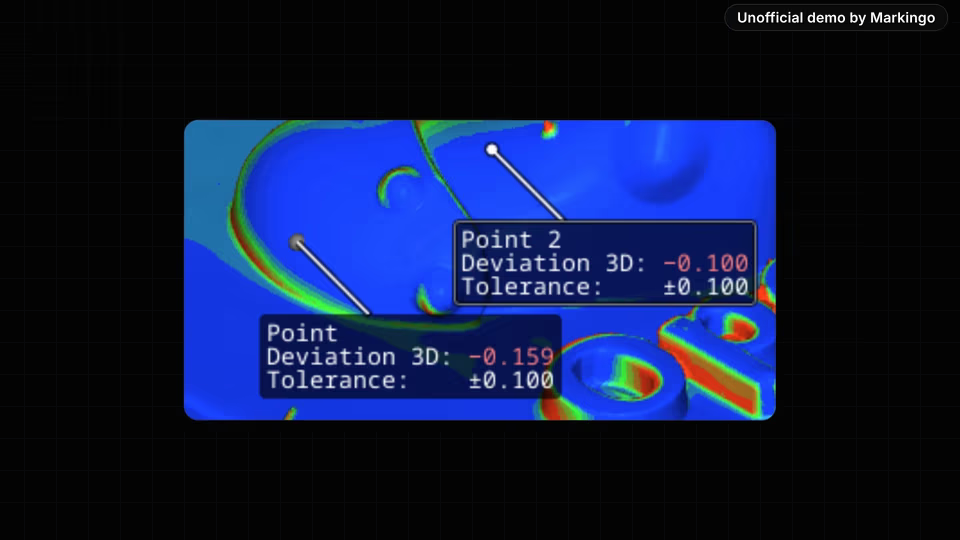
The finished film··A close-up: one point inside the tolerance, its deviation in green

PlannedOne point inside the band, then a cut to one point outside.

WhyPass or fail, point by point, against a tolerance a buyer sets.

ChangedOur storyboard showed the whole print with one label. In the film we go in close: one point inside plus or minus 0.1 mm, then two marked red.

Every screen is MeshInspector's own web app: we filmed 54 shots in it, live. The scan is a real print's, from OpenScan's public benchmark.[25]

06Motion and music
For your film, we animate it

We animated it and wrote its music.

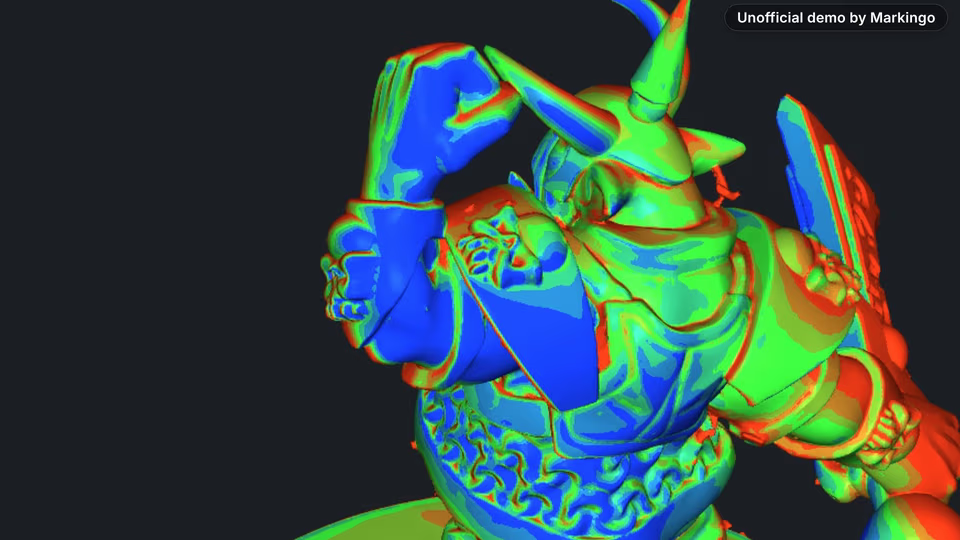
The pointer presses Auto Nest, and the film jumps from the pile to the packed plate as the narrator says “run”. Then our music, in six parts, from the question to the closing screen.

Six parts, one for each turn of the story.

For your film, we write its music
Play the film from 0:00. Curious and spacious · 0:00 to 0:12 · A bright, plucked tune over a low, steady beat, under the question and the raw scan.Play the film from 0:12. Quick and capable · 0:12 to 0:25 · The beat settles in, and light cymbals and a soft shaking sound come in as the 337 holes are found.Play the film from 0:25. The drums step aside · 0:25 to 0:27 · The drums stop, and one long chord plays under “Scan to mesh.”Play the film from 0:27. Confident and precise · 0:27 to 0:46 · The drums and bass come back, at their loudest under the deviation map.Play the film from 0:46. Proud, the peak · 0:46 to 1:02 · The music is at its fullest under the packed plate, then softens for the three tools.Play the film from 1:02. Warm and settled · 1:02 to 1:08 · One long chord under the closing screen, fading out with the picture.
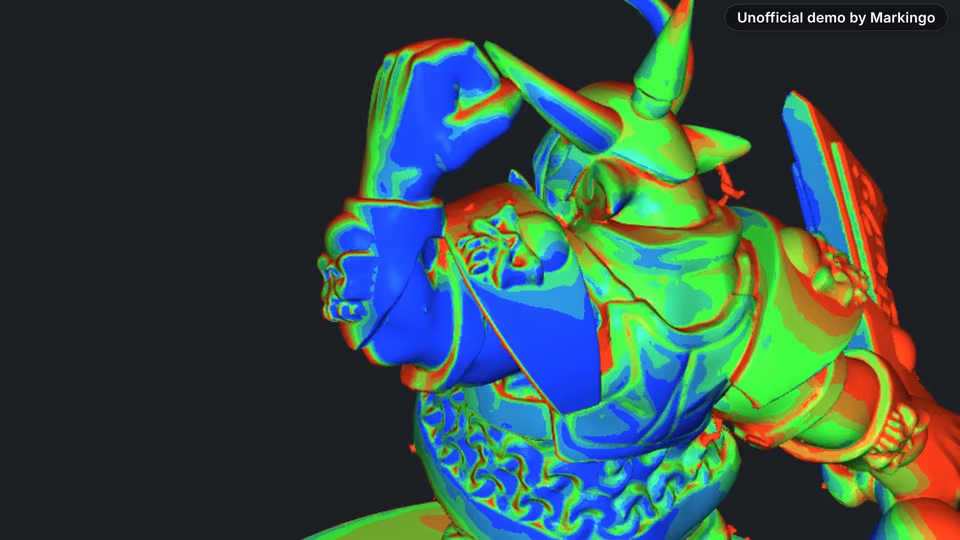
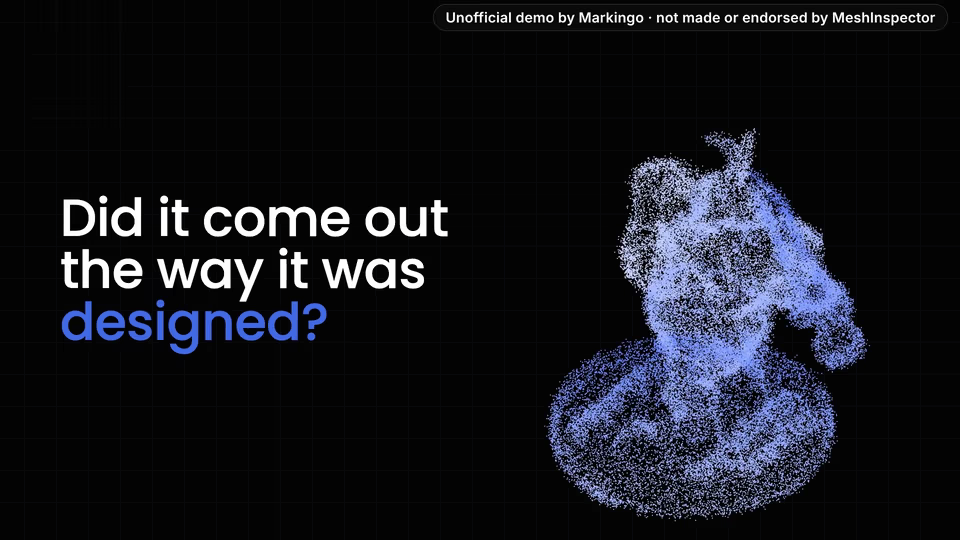
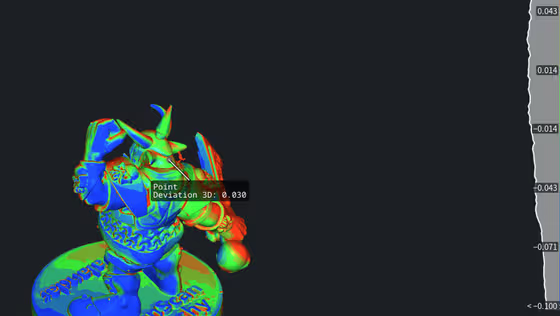
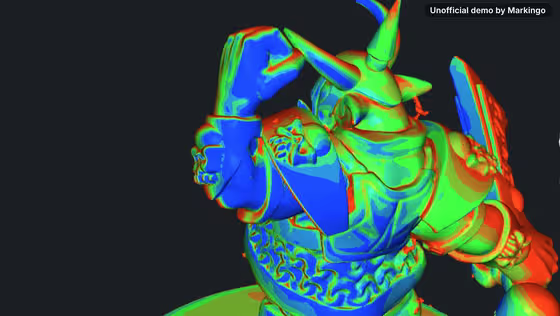
Play the film from 0:01: Every print leaves with one question... did it come out the way it was designed?Play the film from 0:06: A scanner answers in almost half a million points, and a raw scan comes back full of holes.Play the film from 0:12: MeshInspector opens it right in your browser and finds every one: three hundred thirty seven.Play the film from 0:18: Mesh Repair closes them, and the scan is watertight!Play the film from 0:22: Registration lines it up with your CAD, point by point.Play the film from 0:26: Scan to mesh.Play the film from 0:27: Surface Deviation paints the print by its distance from the design: green is right on it, red is too much material, blue too little.Play the film from 0:36: On average, it's off by less than a tenth of a millimeter.Play the film from 0:40: Click any point, set your tolerance, and see exactly where it passes, and where it doesn't.Play the film from 0:46: Then the same app nests the whole run on one build plate. Twenty four, packed tight!Play the film from 0:52: It does the work of Meshmixer, MeshLab and an inspection tool, by hand, by script or by your AI agent, and your scans and meshes never leave your computer.Play the film from 1:02: That's MeshInspector. Mesh to production.
  1. A bright, plucked tune over a low, steady beat, under the question and the raw scan.

  2. The beat settles in, and light cymbals and a soft shaking sound come in as the 337 holes are found.

  3. The drums stop, and one long chord plays under “Scan to mesh.”

    “Scan to mesh.”

  4. The drums and bass come back, at their loudest under the deviation map.

  5. The music is at its fullest under the packed plate, then softens for the three tools.

  6. One long chord under the closing screen, fading out with the picture.

    “That's MeshInspector. Mesh to production.”

We made 6 parts of music and 2 sound effects to go with the 172 spoken words.

07What we learned

What we learned.

Three small things that make MeshInspector's film easy to follow, and one idea for your own.

Seen in the film·
The hand rests in the field, beside its value.

Try this on yours

Build your film from the picture your brand already shows. MeshInspector's homepage is a cloud of points, so ours is drawn from the real scan's own points.

08Done for them
Our process, step by step

Every step, done for them.

We took every step below ourselves, from choosing their homepage line to the second review of the film.

  1. Research and plan4 steps
    1. 01We chose a film for their homepage.
    2. 02We found a real scan and its own design file.
    3. 03We ran the whole story in the product first.
    4. 04We chose the story and drew 12 storyboards.
  2. Making the film5 steps
    1. 05We made 8 still designs in their look.
    2. 06We wrote the narration around the scan's real numbers.
    3. 07We filmed their live web app.
    4. 08We wrote the film's music in six parts.
    5. 09We animated it in three drafts, the third with sound.
  3. Review and finish3 steps
    1. 10We put together the first finished film.
    2. 11We reviewed the whole film and wrote down nine changes.
    3. 12We made those changes and finished the film.

Our part

Everything above, from finding the scan to the last change.

MeshInspector's part

Your part

Tell us your website.

Your turn

Your first film is on us.

You pay nothing, and it's ready in 48 hours.

Every step on this page, done for your product. Tell us what to change, as often as you like.

  • 48hYour film in under 48 hours
  • Every stepOn this page, included
  • YoursTo keep, even if you don't like it
11Words and sources

The film's own words.

Everything you hear in the film, word for word, with the time it is said. Choose a line to play from there.

The work behind this film

sources read
91
rival films watched
18
ideas written
6
storyboards drawn
12

Every word said in the film, in order.

  1. Narrator

Show all 12 lines

91 sources read for this film

The sources this page cites come first, numbered as you meet them; then every other source we read. All links accessed November 12, 2026.

Their own pages and posts 63

  1. 2MeshInspector's homepage (opens in a new tab) MeshInspector · their siteBack to the text
  2. 3The site's page list we read in full (380 pages) (opens in a new tab) MeshInspector · their siteBack to the text
  3. 31A MeshInspector page: /3d-viewers/stl/ (opens in a new tab) MeshInspector · their site
  4. 32Global Objects Case Study | Scanning Workflow Transformation - MeshInspector (opens in a new tab) MeshInspector · their site
  5. 33Susteni AS case study - MeshInspector (opens in a new tab) MeshInspector · their site
  6. 34A MeshInspector page: /3d-converters/model-to-obj/ (opens in a new tab) MeshInspector · their site
  7. 35A MeshInspector page: /3d-converters/obj-to-3mf/ (opens in a new tab) MeshInspector · their site
  8. 36A MeshInspector page: /3d-converters/obj-to-stl/ (opens in a new tab) MeshInspector · their site
  9. 37A MeshInspector page: /3d-converters/step-to-stl/ (opens in a new tab) MeshInspector · their site
  10. 38A MeshInspector page: /3d-converters/stp-to-stl/ (opens in a new tab) MeshInspector · their site
  11. 393-2-1 Align in MeshInspector: Precise 3D Model Alignment (opens in a new tab) MeshInspector · their site
  12. 40Align Manually Tool in MeshInspector Explained (opens in a new tab) MeshInspector · their site
  13. 41Align to Plane in MeshInspector: Orient 3D Objects to Global Axes (opens in a new tab) MeshInspector · their site
  14. 42Global Registration in MeshInspector: Tool Guide (opens in a new tab) MeshInspector · their site
  15. 43Point Cloud to Mesh in MeshInspector: Which Method to Use (opens in a new tab) MeshInspector · their site
  16. 44Exporting Objects - MeshInspector (opens in a new tab) MeshInspector · their site
  17. 45Importing Data - MeshInspector (opens in a new tab) MeshInspector · their site
  18. 46Saving Scenes - MeshInspector (opens in a new tab) MeshInspector · their site
  19. 47How to Create and Measure Features in MeshInspector - MeshInspector (opens in a new tab) MeshInspector · their site
  20. 48Measure Thickness in MeshInspector: Find Thin Walls on a Mesh (opens in a new tab) MeshInspector · their site
  21. 49How to Generate Quality Control Reports in MeshInspector (opens in a new tab) MeshInspector · their site
  22. 50Section Tool in MeshInspector: Cross-Sections, Section Lines and Cuts (opens in a new tab) MeshInspector · their site
  23. 51How to Measure Signed Distance in MeshInspector (opens in a new tab) MeshInspector · their site
  24. 52MeshInspector Brush Tool: Add, Remove, Smooth, Deform and Fix Modes (opens in a new tab) MeshInspector · their site
  25. 53Creating a Hollow Dental Model for 3D Printing with MeshInspector - MeshInspector (opens in a new tab) MeshInspector · their site
  26. 54Extrude Tool in MeshInspector: Extend Mesh Geometry (opens in a new tab) MeshInspector · their site
  27. 55How to Use the Fast Offset Tool in MeshInspector (opens in a new tab) MeshInspector · their site
  28. 56How to Slice 3D Meshes for 3D Printing with MeshInspector - MeshInspector (opens in a new tab) MeshInspector · their site
  29. 57Lattice Modifier in MeshInspector: Smooth Mesh Deformation Tool (opens in a new tab) MeshInspector · their site
  30. 58Lattice Structures in MeshInspector: Generate Both Lightweight and Strong 3D Models (opens in a new tab) MeshInspector · their site
  31. 593D Mesh Boolean Operations in MeshInspector: Union, Difference, Intersection (opens in a new tab) MeshInspector · their site
  32. 60Mesh Cut & Measure in MeshInspector: Cut Meshes Along Paths (opens in a new tab) MeshInspector · their site
  33. 61Mesh to Points in MeshInspector: Converting Meshes to Point Clouds (opens in a new tab) MeshInspector · their site
  34. 62Mesh to Voxels Tool Explained: Converting Meshes into Voxel Volumes (opens in a new tab) MeshInspector · their site
  35. 63How to Use the Partial Shell Tool in MeshInspector (opens in a new tab) MeshInspector · their site
  36. 64How to Use Place Mesh to Add Connectors, Slots, and Logos to 3D Models (opens in a new tab) MeshInspector · their site
  37. 65Dental Model Preparation for 3D Printing in MeshInspector (opens in a new tab) MeshInspector · their site
  38. 66Project Color Tool in MeshInspector (opens in a new tab) MeshInspector · their site
  39. 67Removing Brackets from a Dental Mesh Scan - MeshInspector (opens in a new tab) MeshInspector · their site
  40. 68Segment Mesh in MeshInspector: Splitting Meshes into Separate Parts (opens in a new tab) MeshInspector · their site
  41. 69How to Use Transform Object and Apply Transform in MeshInspector (opens in a new tab) MeshInspector · their site
  42. 70How to Use the Offset Tool in MeshInspector (opens in a new tab) MeshInspector · their site
  43. 71Auto Repair Mesh in MeshInspector: Full Mesh Rebuilding (opens in a new tab) MeshInspector · their site
  44. 72Fix Flipped Normals Automatically: Orient Mesh Normals in MeshInspector (opens in a new tab) MeshInspector · their site
  45. 73Fill Holes Tool in MeshInspector: Patch Mesh Holes and Create Bridges (opens in a new tab) MeshInspector · their site
  46. 74Mesh Healer Guide: Inspect and Repair 3D Models in MeshInspector (opens in a new tab) MeshInspector · their site
  47. 75Remesh Tool in MeshInspector: Guide to Uniform Mesh Topology (opens in a new tab) MeshInspector · their site
  48. 76Mesh Simplification (Decimation) in MeshInspector: Reduce Triangle Count via Simplify (opens in a new tab) MeshInspector · their site
  49. 77Camera Navigation Controls: Rotate • Pan • Roll • Zoom - MeshInspector (opens in a new tab) MeshInspector · their site
  50. 78Tool Interaction in MeshInspector: Why a Tool Is Greyed Out (opens in a new tab) MeshInspector · their site
  51. 79Build Plate Presets for Nesting in MeshInspector (opens in a new tab) MeshInspector · their site
  52. 80Nesting Example - From Parts to a Print-Ready Build Plate (opens in a new tab) MeshInspector · their site
  53. 81Nesting Tool in MeshInspector - Auto Nest and Export (opens in a new tab) MeshInspector · their site
  54. 82Partitioner Tool in MeshInspector: How to Split Meshes (opens in a new tab) MeshInspector · their site
  55. 83How to Use the Select Primitives Tool in MeshInspector: Modes and Keys (opens in a new tab) MeshInspector · their site
  56. 84Select Region in MeshInspector: Advanced Mesh Segmentation by Seeds (opens in a new tab) MeshInspector · their site
  57. 85MeshInspector Settings Guide: Workspace, Controls, View, Units (opens in a new tab) MeshInspector · their site
  58. 86How to convert voxel to mesh with MeshInspector - MeshInspector (opens in a new tab) MeshInspector · their site
  59. 87How to use the CT scan reconstruction tool in MeshInspector - MeshInspector (opens in a new tab) MeshInspector · their site
  60. 88MeshInspector's guide to volume views of voxel and CT data (opens in a new tab) MeshInspector · their site
  61. 89Voxels Segmentation in MeshInspector: Seed-Based Volume Segmentation (opens in a new tab) MeshInspector · their site
  62. 90MeshInspector Case Studies: Customer Results (opens in a new tab) MeshInspector · their site
  63. 91MeshInspector Features: From Scan to Production (opens in a new tab) MeshInspector · their site

Other films we studied 20

  1. 1MeshInspector's YouTube channel (opens in a new tab) YouTube · their channelBack to the text
  2. 7A quality inspection software film, Nov 5, 2026 (2:11) (opens in a new tab) film from their fieldBack to the text
  3. 8A photo to 3D model software film, Jun 17, 2025 (1:46) (opens in a new tab) film from their fieldBack to the text
  4. 9An additive manufacturing software film, Apr 15, 2025 (1:08) (opens in a new tab) film from their fieldBack to the text
  5. 10A scan to mesh software film, Jul 1, 2024 (0:50) (opens in a new tab) film from their fieldBack to the text
  6. 11A 3D print preparation software film, May 15, 2024 (1:12) (opens in a new tab) film from their fieldBack to the text
  7. 12A 3D print preparation software film, May 15, 2024 (1:14) (opens in a new tab) film from their fieldBack to the text
  8. 13A reverse engineering software film, Apr 24, 2024 (0:58) (opens in a new tab) film from their fieldBack to the text
  9. 14An additive manufacturing software film, Apr 4, 2024 (1:41) (opens in a new tab) film from their fieldBack to the text
  10. 15A scan inspection software film, Mar 21, 2024 (0:38) (opens in a new tab) film from their fieldBack to the text
  11. 16A 3D inspection software film, Nov 28, 2023 (3:50) (opens in a new tab) film from their fieldBack to the text
  12. 17A 3D scanning software film, Oct 21, 2022 (1:55) (opens in a new tab) film from their fieldBack to the text
  13. 18A point cloud inspection software film, Sep 30, 2021 (1:30) (opens in a new tab) film from their fieldBack to the text
  14. 19A 3D metrology software film, Apr 7, 2021 (3:49) (opens in a new tab) film from their fieldBack to the text
  15. 20A scan inspection software film, Jan 30, 2019 (1:57) (opens in a new tab) film from their fieldBack to the text
  16. 21A 3D scanning software film, Dec 19, 2017 (2:23) (opens in a new tab) film from their fieldBack to the text
  17. 22A 3D scanning software film, Apr 5, 2017 (1:43) (opens in a new tab) film from their fieldBack to the text
  18. 23A 3D print preparation software film, Jan 25, 2017 (1:51) (opens in a new tab) film from their fieldBack to the text
  19. 24A metrology software film, Sep 18, 2013 (2:15) (opens in a new tab) film from their fieldBack to the text
  20. 26MeshInspector's YouTube Shorts (opens in a new tab) YouTube · their channel